Step 3 - Connect the Battery
26
GENERATOR SETUP (CONTINUED)
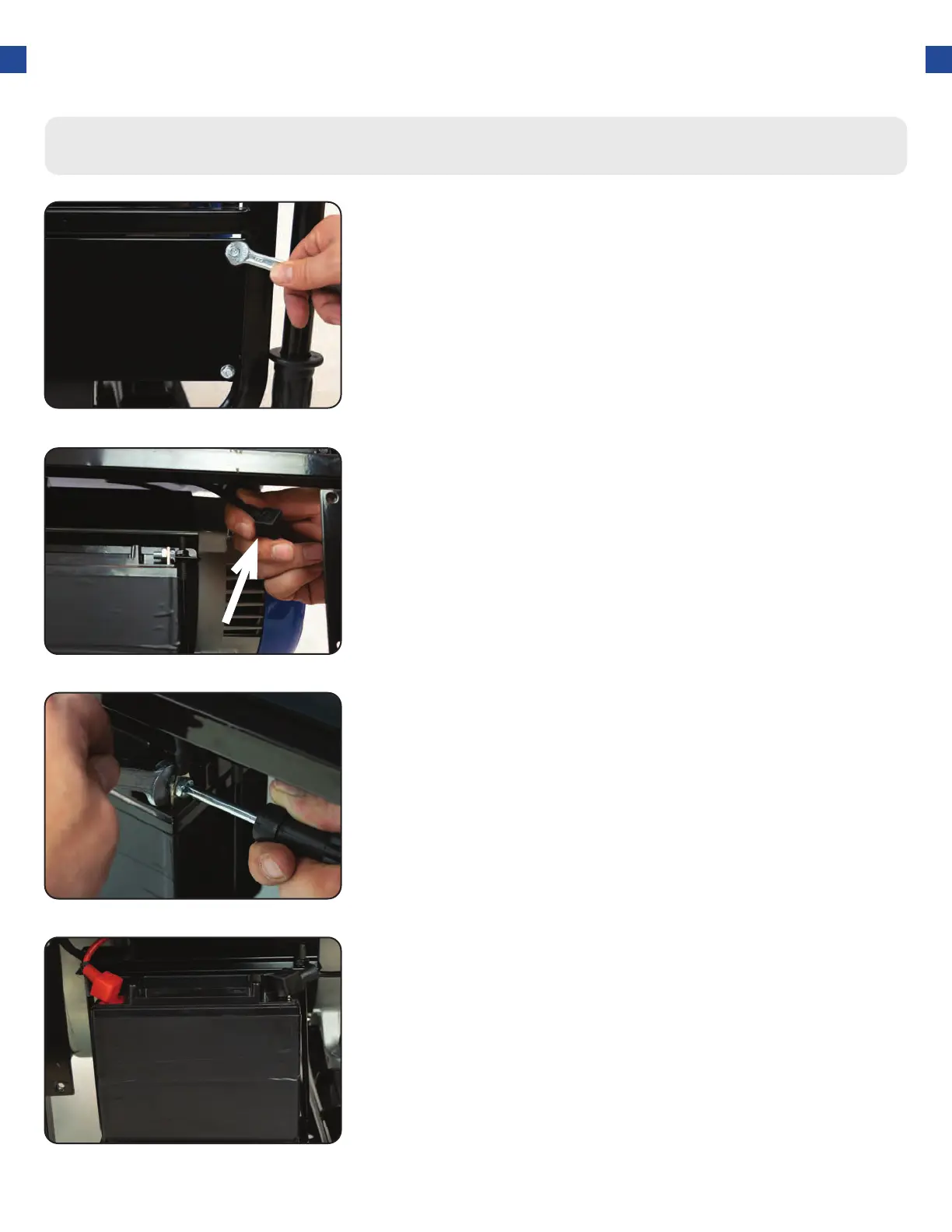
Remove the battery cover
1.
Reinstall the battery plate
a. Cover the connected terminal with the black rubber
boot.
b. Reinstall the battery cover plate using the wrench
from the toolkit.
4.
Locate the negative cable
a. Locate the negative battery cable above and behind
the battery. One side is connected to ground and
the other end needs to be connected to the battery.
b. Route the free end to the negative battery terminal.
2.
Connect the negative cable
a. Push the black rubber boot up the wire to expose
the connector.
b. Securely connect the free end of the battery cable
to the negative battery terminal using the screw
and nut from the battery with the screwdriver and
wrench from the toolkit.
3.
a. Remove the battery cover plate using the wrench
from the toolkit.




 To Next Page