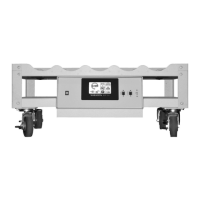
WHEATON® Standard Roller Apparatus
15
DWK Life Sciences | 856.825.1100 | www.dwk.com | P/N 50099786 Rev. 11/2021
Operation Mode
The system will always power on in default Operation Mode with all operational parameters set as
they were during the last use. True bottle speed will be displayed along with any alarm conditions.
Setting Bottle Speed
The user can change the bottle speed during operation by pressing the Up Button (top right) to
increase speed or the Down Button (bottom right) to decrease speed at any time. The Up button will
increment the bottle speed by 0.01 rpm with each press and the Down button will decrement the
bottle speed by 0.01 rpm each press. Holding either button down for about 5 seconds will allow for
faster display value changes when a larger numerical change is required.
The standard bottle speed range for this system is 0.23 rpm to 8.02 rpm (using 110 mm diameter
bottles).
Setup Mode
Pressing the Select button (top left) once enters the Setup Mode. The Setup Mode is used to set the
bottle diameter and direction of rotation. Once set, these parameters are usually not changed unless
different size bottles are used. Values set in the Setup Mode are not erased when power is removed
from the system.
To change a parameter value, press the Select button until the desired parameter is displayed. Press
the Enter button and the display will show the existing parameter value. Press or hold the Up button
to increase the parameter’s value. Press or hold the Down button to decrease the parameter’s value.
When satisfied with the value change, press the Enter button to save the new value to memory and
automatically return to Operational Mode.
To check a parameter value without changing it, press the Select button until the desired parameter
is displayed. Press the Enter button to display the existing value. Press the Enter button again to exit
the Setup Mode and return to normal Operation Mode.
NOTE: If no buttons are pressed for 30 seconds, the system will automatically exit Setup Mode and
return to normal Operation Mode.
Bottle Diameter
The Standard Roller Apparatus system is designed to accurately display actual bottle rotation speed.
Once a bottle diameter has been programmed, the unit will automatically calculate and adjust itself
to roll the bottle correctly at its set speed. Different bottle manufacturers produce bottles of different
bottle diameters. It is not recommended that bottles of different manufacturers be mixed on the
same unit if an accurate bottle speed is to be obtained.
The Standard Roller Apparatus relies on the maximum bottle diameter for proper bottle speed
indications. Traction rings and any outside ridges on the bottle must be considered in calculating the
maximum bottle diameter. Carefully measure (in millimeters) the maximum diameter of a sample
bottle to be used. If traction rings or ridges are at both ends of the bottle, measure both ends and take
the average. Using the obtained measurement(s), enter the bottle diameter (in millimeters).


 To Next Page