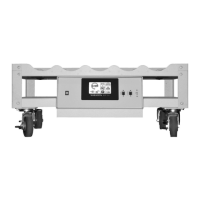
WHEATON® Standard Roller Apparatus
16
DWK Life Sciences | 856.825.1100 | www.dwk.com | P/N 50099786 Rev. 11/2021
Press the Select button until the bottle diameter message (dIA) appears, then press Enter. Use the Up
and Down buttons to set the bottle diameter in millimeters.
Bottle Rotation Direction
Different motor gear ratios can be provided to allow the Standard Roller Apparatus to run at a wide
range of customer-specific speed ranges. Some of the slower motors that can be provided for the
Standard Roller Apparatus have an additional motor gear stage that make them run backwards from
the normally-offered catalog unit. Standard Roller Apparatus units ordered from the catalog will
come with a normal gear stage motor with a default gear ratio of 60:1 (default) gear motor. In this
case the Bottle Rotation Direction should be set to forward (Fd) to provide a counterclockwise bottle
rotation. If the motor is replaced with a motor different than the speed it originally came with, it is
recommended to consult DWK Life Sciences Service to determine if the Bottle Rotation Direction
needs to be changed.
Press the Select button until the bottle direction message (dIr) appears, then press Enter. Use the Up
and Down buttons to set the direction either forward (Fd) or reverse (rE).
Factory Mode
Five additional parameters are set during the manufacture of the Standard Roller Apparatus and are
accessed in the Factory Mode. Extra care should be taken when changing these parameters as they
could significantly affect unit performance. A user may need to enter the Factory Mode if circuit
boards are replaced, or if accessories are added or deleted.
To Access the Factory Mode
Accessing the Factory Mode is different from accessing the Setup Mode. Pressing the Select, Enter,
and Up buttons simultaneously will cause the display to enter the Factory Mode. The Factory Mode
navigation is similar to the Setup Mode navigation.
To change a parameter value, press the Select button until the desired parameter is displayed. Press
the Enter button and the display will show the existing parameter value. Press or hold the Up button
to increase the parameter’s value. Press or hold the Down button to decrease the parameter’s value.
When satisfied with the value change, press the Enter button to save the new value to memory and
automatically return to Operational Mode.
To check a parameter value without changing it, press the Select button until the desired parameter
is displayed. Press the Enter button to display the existing value. Press the Enter button again to exit
the Setup Mode and return to normal Operation Mode.
NOTE: If no buttons are pressed for 30 seconds, the system will automatically exit Factory Mode and
return to normal Operation Mode.
Change Motor Gear
The unit is shipped from the factory with the proper motor gear ratio already programmed. In the
case of a motor control board replacement, or motor replacement to a different speed than that


 To Next Page