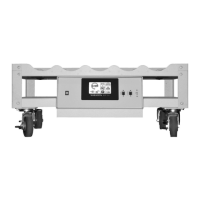
WHEATON® Standard Roller Apparatus
18
DWK Life Sciences | 856.825.1100 | www.dwk.com | P/N 50099786 Rev. 11/2021
Motor Calibrate
A routine motor calibration is not required nor recommended. Control of the motor is entirely digital,
and will not drift with temperature or age of the equipment. In the case of motor controller
replacement or motor replacement to a different speed than that which was supplied from the
factory, a motor calibration should be performed.
Press the Select button until the Calibrate message (CAL) appears, and then press Enter. Press the
Enter button to start the calibration.
Calibration Operation:
The calibration is separated into 2 steps. Each step will run for 20 seconds in order to give the motor
enough time to stabilize. After the 20 seconds expire, the system will automatically go to the next
step. When all steps are complete, the calibration constants will be saved, CALIBRATION mode and
FACTORY mode exited and the system will return to normal operation.
Step 1: The first 2 seconds the display will show S1. During this step, the motor will be running at
MAX speed.
Step 2: The first 2 seconds the display will show S2. During this step, the motor will be running a 10%
of the maximum output.
Step 3: The display will show ‘DON’ for DONE, letting the operator know that the calibration is
complete. After 2 seconds, the system will return to normal operation.
During any step in the calibration, the UP / DOWN buttons can be used to cancel the calibration,
restoring the system back to normal operation.


 To Next Page