EasyManua.ls Logo

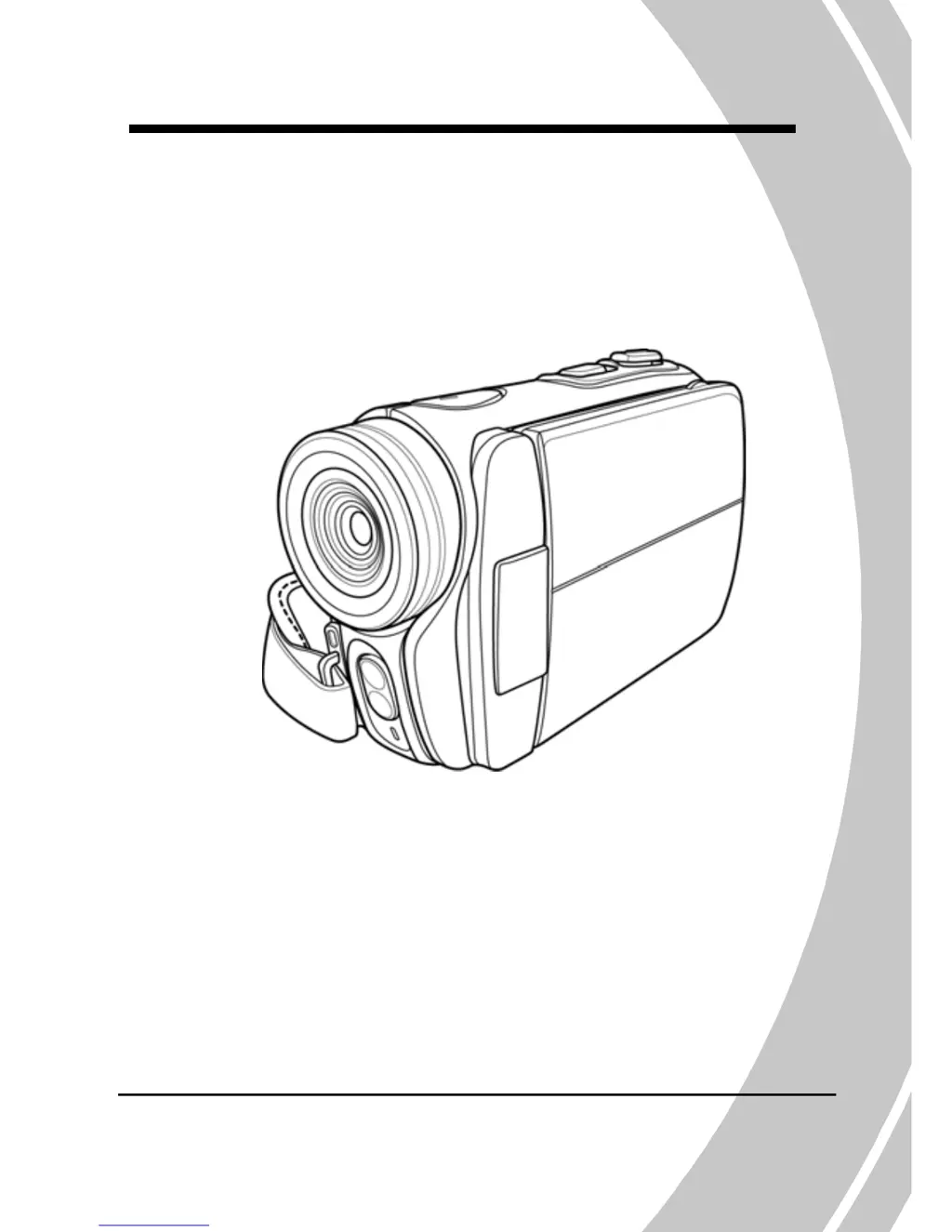
DXG DXG-580V HD - User Manual

DXG DXG-580V HD
81 pages
Print Icon
To Next Page IconTo Next Page
Loading...
DXG-580V HD
User’s Manual
DXG USA

Table of Contents

Questions and Answers

  • O
    oschultzJul 30, 2025
    Why is my DXG Camcorder image out of focus?
    • T
      Tammy ByrdJul 30, 2025
      If your DXG Camcorder image appears out of focus, it might be because the subject you're trying to capture is outside of the camera's focus range. Try taking the picture from within the focus range, and ensure you select either normal or macro mode.
  • C
    Christopher HardingAug 5, 2025
    Why does my DXG DXG-580V HD Camcorder suddenly turn off?
    • M
      Mrs. Brooke RodriguezAug 5, 2025
      If your DXG Camcorder suddenly turns off, it could be due to two reasons. First, the auto power off function might be enabled, in which case you should turn the power on again. Second, the camcorder might be running out of battery power, so try replacing the batteries.
  • M
    Monica VillanuevaAug 10, 2025
    What to do if my DXG Camcorder memory card cannot be used?
    • N
      nandersonAug 11, 2025
      If your DXG Camcorder memory card cannot be used, it might be due to a couple of reasons. It could be that the memory card is locked; try unlocking it. Alternatively, the card might contain non-DCF images from other cameras. In this case, format the memory card, but remember to back up your files first.
  • D
    David MeyerAug 17, 2025
    Why are all buttons inactive on my DXG DXG-580V HD Camcorder?
    • K
      kevinpalmerAug 17, 2025
      If all the buttons on your DXG Camcorder are inactive, it might be due to a short circuit that occurred when connecting the camera to other devices. To resolve this, remove the batteries from the camera and then reinsert them.
  • T
    Timothy ManningAug 23, 2025
    Why does my DXG DXG-580V HD Camcorder turn off when using the self-timer?
    • A
      Ashley TranAug 23, 2025
      If your DXG Camcorder turns off while using the self-timer, it's likely because the camera is running out of battery power. Replace the batteries to resolve this issue.

Summary

Preface

Manual Information and Copyright

Details on manual accuracy, copyright, and legal notices.

Precautions

General Safety and Operation Guidelines

Safety, LCD handling, environment, and power advice.

Pre-Operation Checks and Copyright

Introducing the Camera

System Requirements and Features

PC specs and camcorder capabilities.

Camera Components Overview

Package contents and identification of camera parts.

Camera Views and Controls

Diagrams of camera parts and their locations.

Getting Started

Initial Setup and Basic Operations

Inserting media/battery, charging, turning on, and changing modes.

Pre-Operation Settings

Setting date/time, language, and beep.

Shooting and Viewing Video

Instructions for recording and playback of video clips.

Using the Camera

Movie and Voice Recorder Mode

Using the camera for video and audio recording.

Photo Mode Functions

Capturing still images and related settings.

Playback Modes

Reviewing video and photo files.

Using the Menus

Movie Menu Options

Settings for video recording (WB, Resolution, Effect, Night Mode, Capture).

Movie Playback Menu

Managing video files (Delete, Protect).

Photo Menu Options

Settings for still photography (WB, Resolution, Effect, Night Mode, Self-timer).

Photo Playback Menu

Photo Playback Menu Options

Managing photo files (Delete, Protect, Slide Show, DPOF).

System Menu Settings

Miscellaneous settings like beep, histogram, power off, TV standard, format, language, frequency, date/time.

Installing Software

NewSoft VideoWorks Installation

Installing video editing software.

NewSoft Mr. Photo Installation

Installing photo editing software.

Quick Time Installation

Installing software for playing video clips.

Appendix

Specifications

Detailed technical specifications of the camcorder.

Troubleshooting Guide

Solutions for common camera operational issues.

Troubleshooting

Camera Power and Memory Issues

Solutions for power, sudden shutdown, and memory storage problems.

Image Quality and Media Issues

Fixes for focus, memory card errors, and button inactivity.

DXG DXG-580V HD Specifications

General IconGeneral
BrandDXG
ModelDXG-580V HD
CategoryCamcorder
LanguageEnglish

Related product manuals