2
Inserting the Label Cassette
Your labelmaker uses DYMO D1 label cassettes.
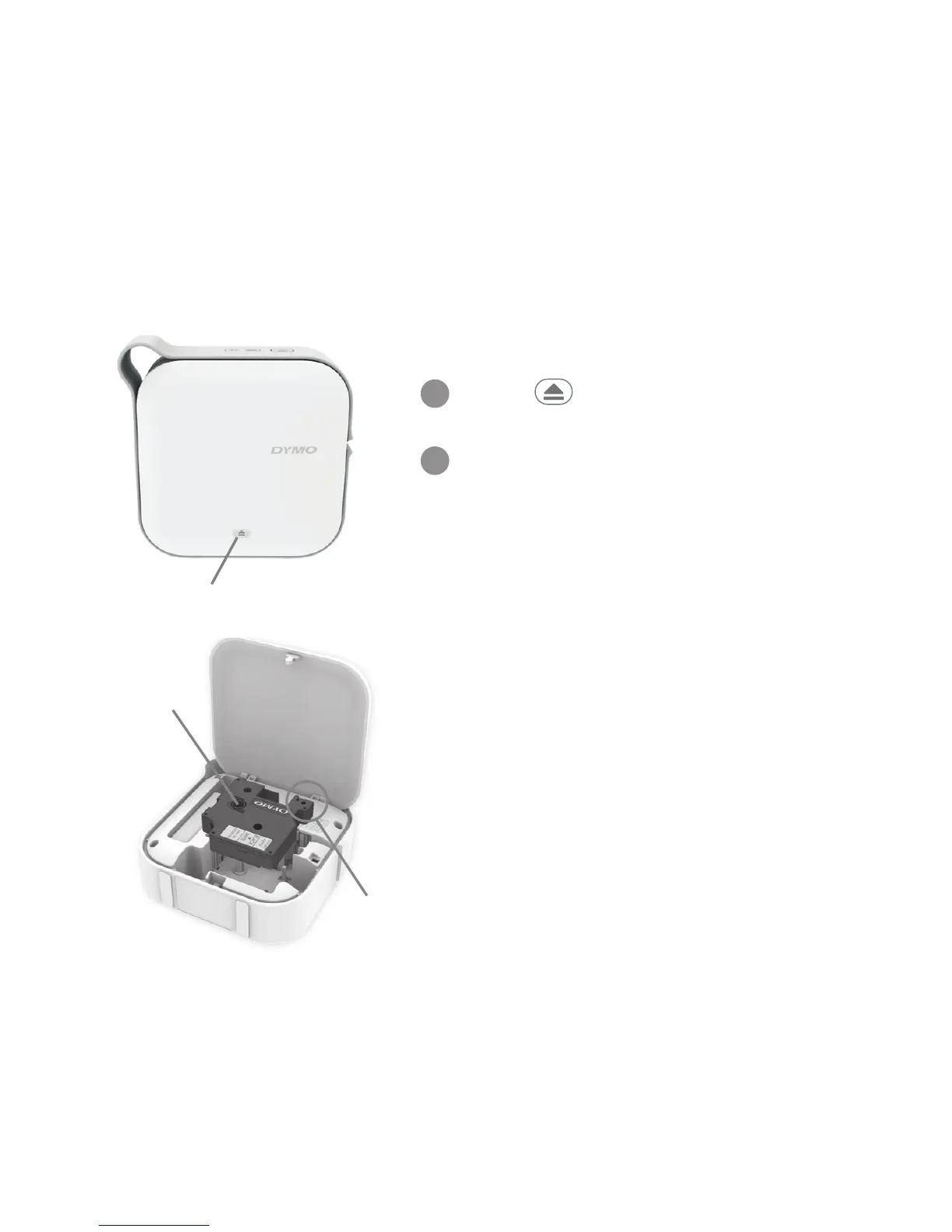
To insert the label cassette
Press at the bottom of the
cover and lift to open the cover.
Insert the label cassette and
press firmly until the cassette
clicks into place.
Make sure the tape and ribbon
are taut across the mouth of the
label cassette and that the tape
passes between the label
guides.
If necessary, turn the ribbon
rewind spool clockwise to
tighten the ribbon.
Press to open
1
2
Label
guides
Ribbon
rewind
spool











 To Next Page