Network configuration
28
P 64 Digital Audio Matrix
Owner’s manual
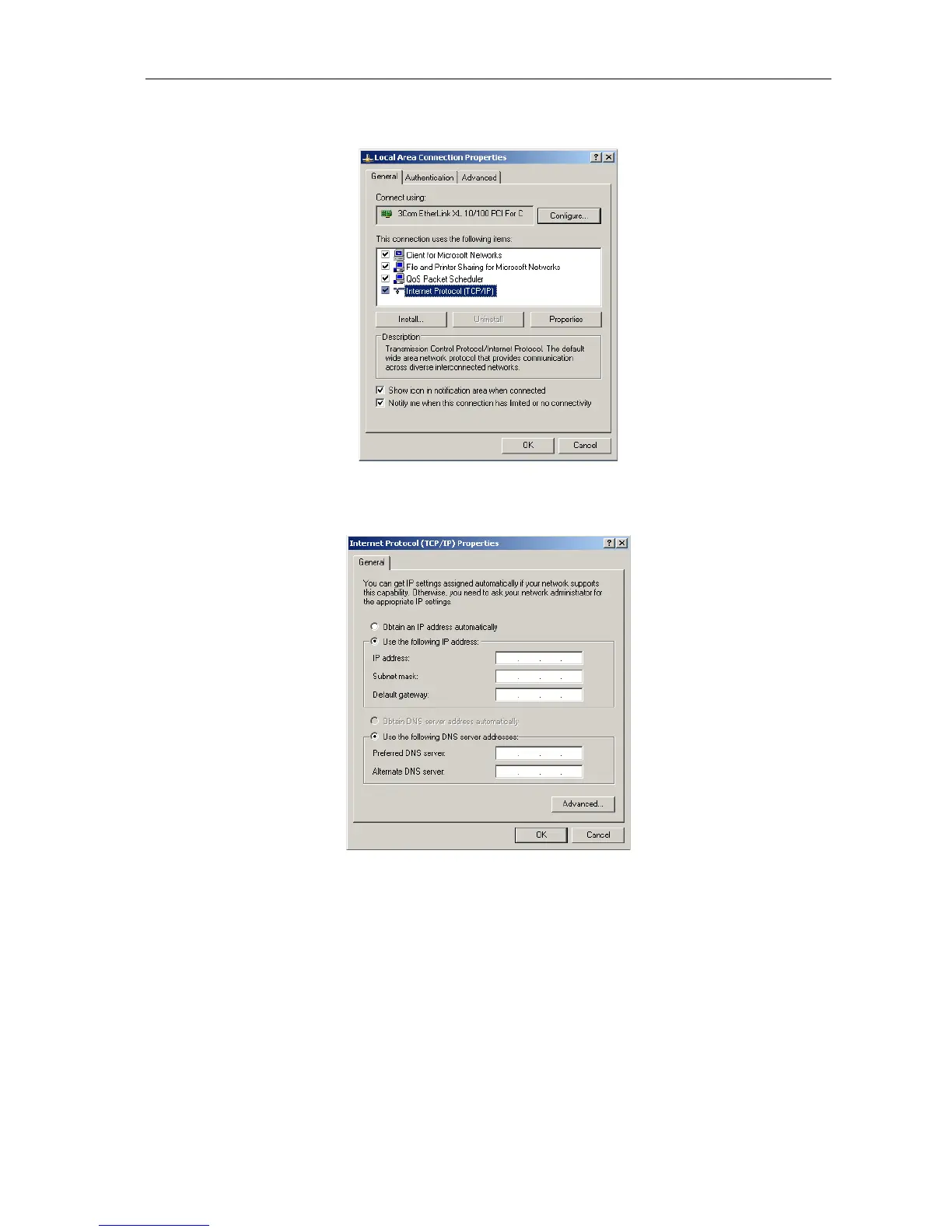
3. Click on Properties in the context menu.
The pop-up window Local Area Connection Properties appears.
4. Double click on Internet Protocol (TCP/IP).
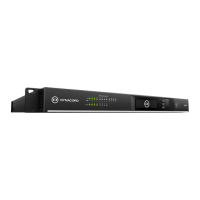
The pop-up window Internet Protocol (TCP/IP) Properties appears.
5. Choose the option Use the following IP address in the window.
6. Type 192.168.1.1 in the IP address input field.
7. Type 255.255.255.0 in the Subnet mask input field.


 To Next Page