Network configuration
27
P 64 Digital Audio Matrix
Owner’s manual
4.2 Configuration
Configuration and testing of an Ethernet connection with P 64
The purpose of this procedure is to build a connection between a PC and a P 64 with factory
network settings (see page 25) via Ethernet and to check the proper function of this connection.
In the following it is assumed that neither the PC nor the P 64 are connected with an existing
network.
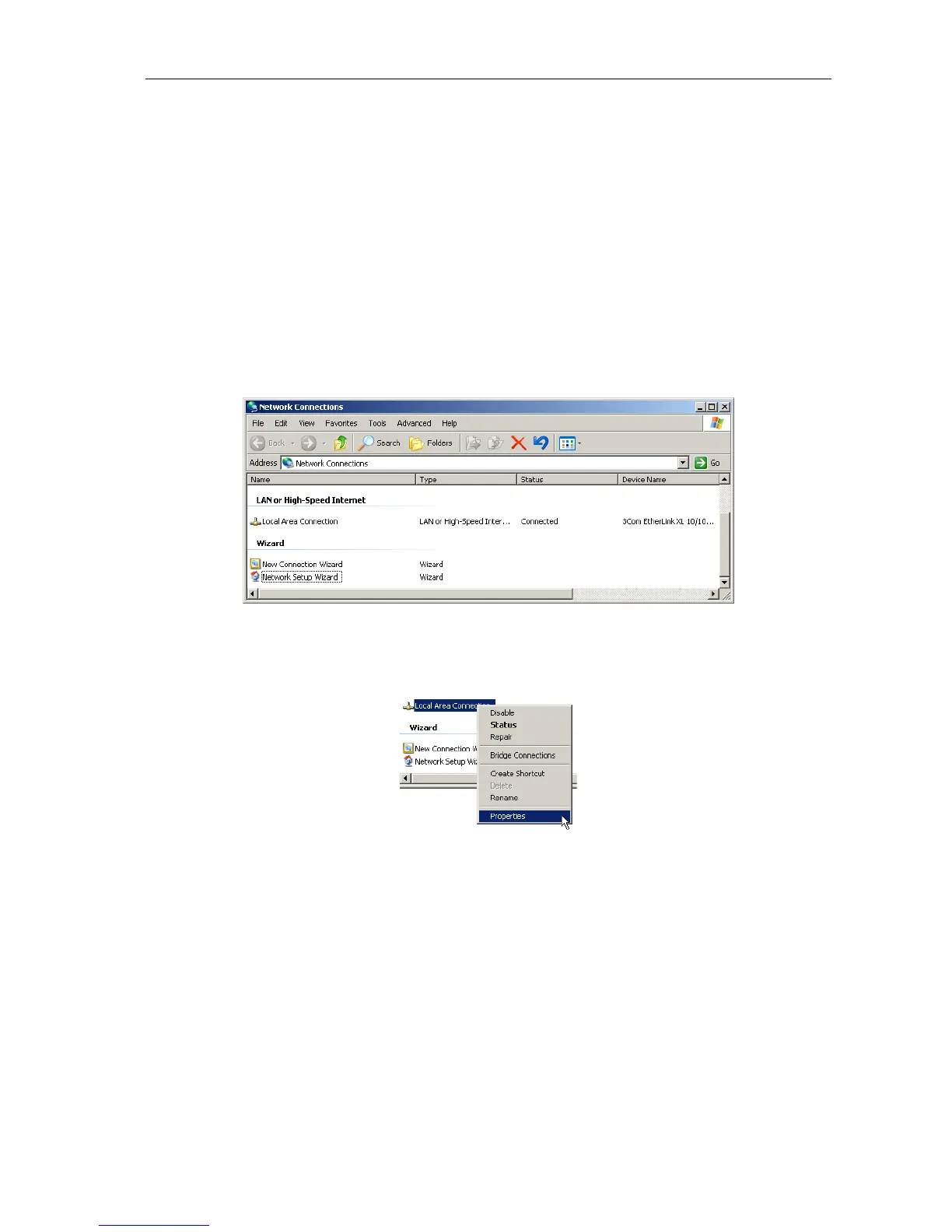
1. Click on Start > Control Panel > Network Connection.
The window Network Connections appears. Here, all available possibilities for the connection
of your PC with a network are given. The Ethernet connection that is used for the connection
with the P 64 is contained in the LAN or High-Speed Internet category.
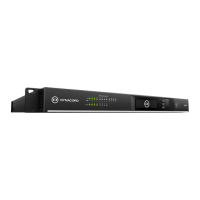
2. Click on (with the right mouse button) that particular Ethernet connection in the
Network Connections window that should be used for the connection with the P 64.
The context menu of the chosen Ethernet connection appears.


 To Next Page