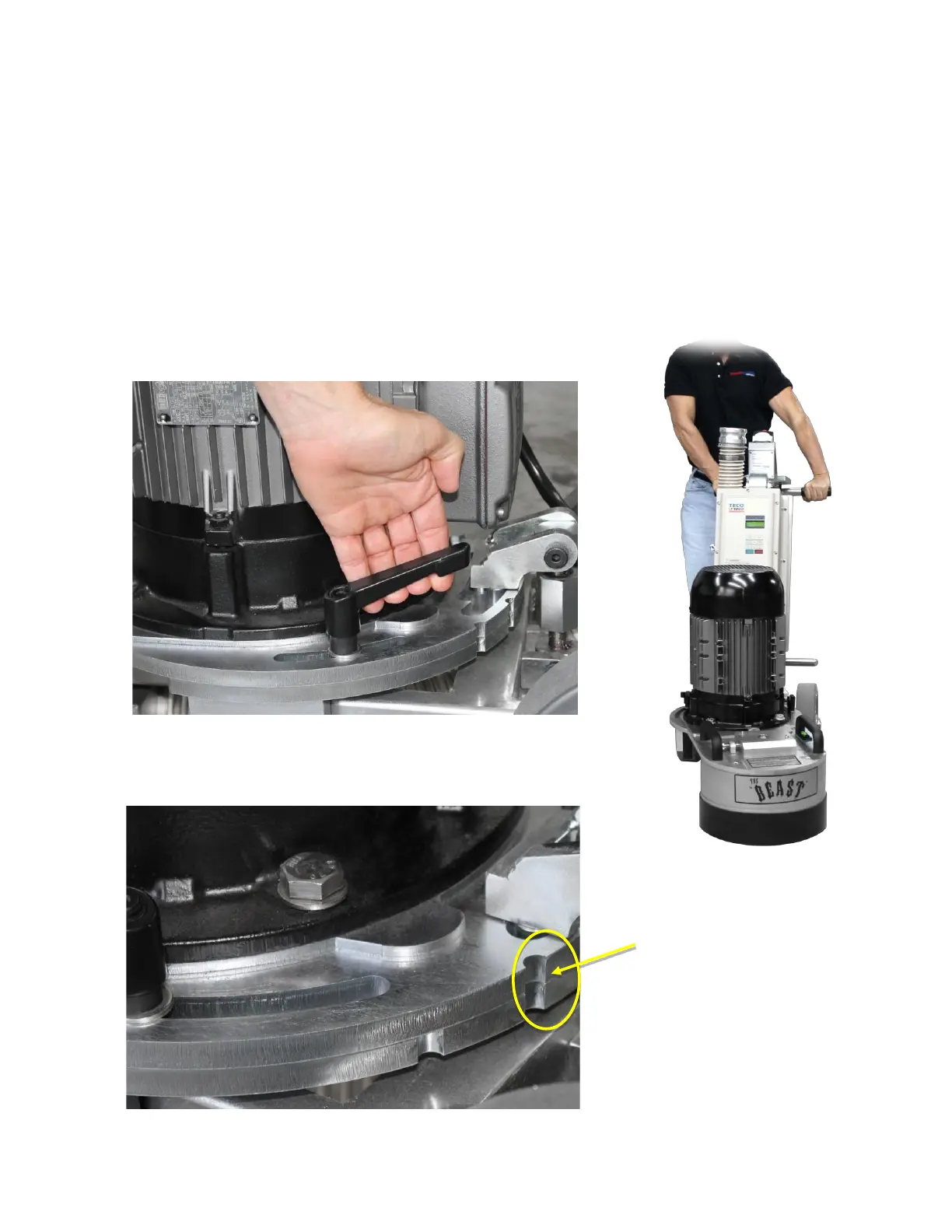
4.2.5 Grinding Head Swivel Adjustment
How to adjust the grinding head to swivel left or right
ith the grinding head flat on the floor loosen the grinding head swivel lock on either
side of the machine
ith both hands on the handle appl slight down pressure and move the handle left or
right in order to swivel the head left or right respectivel
Check the grinding head swivel notches on the frame plate and motor plate are aligned
Tighten the grinding head swivel lock on either side of the machine and ensure swivel
lock handles are tucked towards the inside of the frame
Frame Plate and Motor
Plate notches aligned;
indicate grinding head in
20q offset swivel
position



 To Next Page