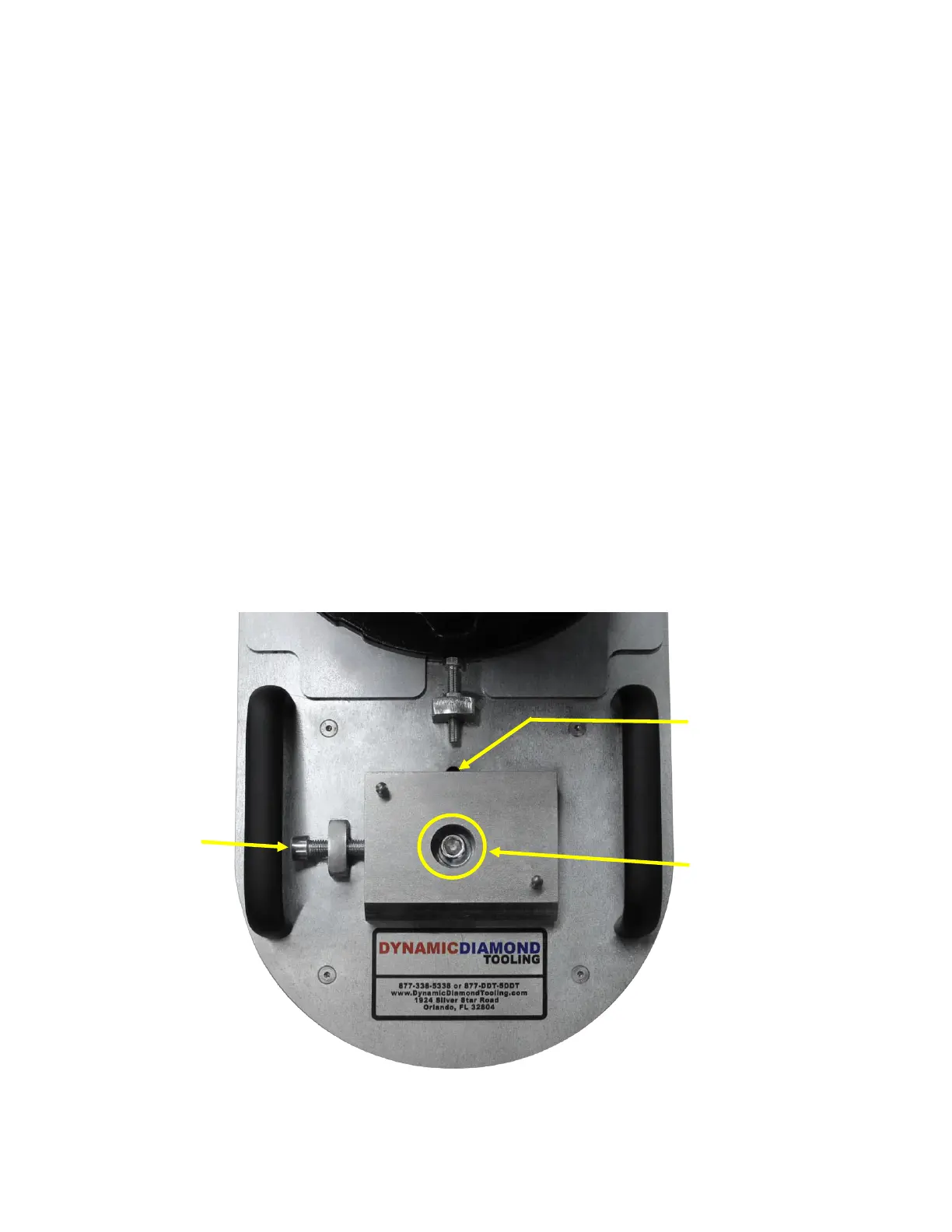
Grinding Head
Adjustment Bolt
Grinding Head
Alignment Indicator
4.2.7 Grinding Head Adjustment for Edging
How to adjust the grinding head left or right for
e
dg
i
ng
Tilt the grinder so that the handle is resting firml on the floor with the
grinding head off the floor
NOTE: ensure that one person is securing the handle at all times when the grinder
is
tilte
d
so as to rest on its hand
le
.
Follow the following steps in order to adjust the grinding h
e
ad:
1 Loosen the Grinding Head Lock Bolt with a 1mm Allen wrench
2 Turn the Grinding Head Adjustment Bolt with a 1mm Allen wrench in the
direction ou desire to move the grinding head Screwing the Grinding Head
Adjustment
B
ol
t
clockwise will move the grinding head LFT Screwing the Grinding Head
Ad
j
us
t
men
t
Bolt counter clockwise will move the grinding head IGHT
3 The Grinding Head Alignment Indicator shows when the grinding head in its full LFT
or IGHT pos
iti
on
4 Tighten the Grinding Head Lock Bolt with a 1mm Allen wrench when
adjustment
is
comp
let
e



 To Next Page