Menu.
Note: When disabled, the remote control
function can be enabled again from the
control panel on the display or through the
DynaScan “Display Manager” application.
When in Power Off Mode, RS-232 controls
do not function. Only [Main Power
Switch] on the display or [Power Button] on
the remote control can wake up the
display.
Set volume.
Range 100 – 0.
Restore all settings to default.
Note: It does not modify CURRENT TIME,
POWER ON TIME and POWER OFF
TIME.
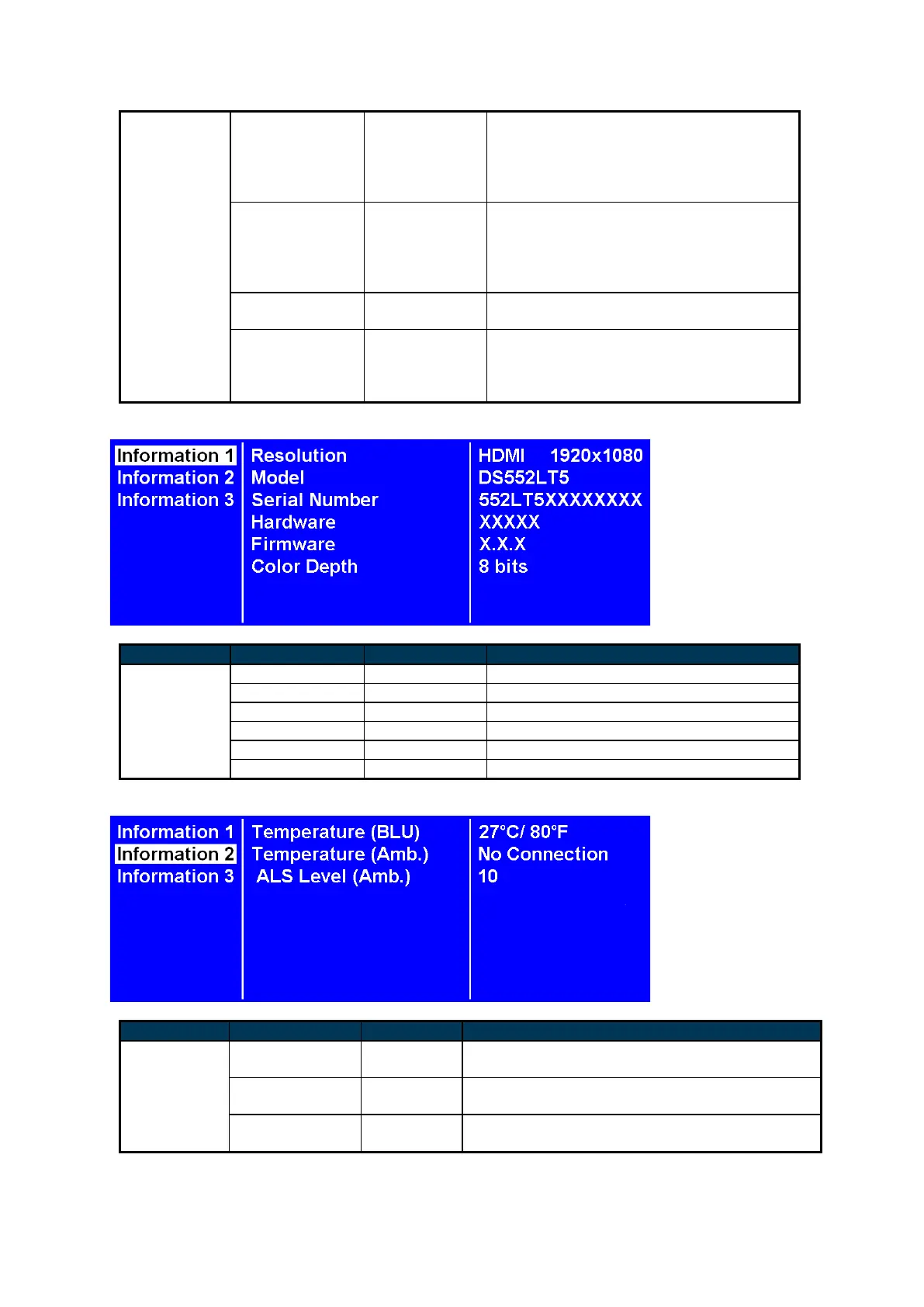
The display’s serial number.
The color depth of current input.
LCD inner (backlight unit) temperature
monitoring.
LCD outer (ambience) temperature monitoring.
(temperature sensor installation is necessary)
The brightness of ambience monitoring.
(Ambience Light Sensor)


 To Next Page