Calibration
12
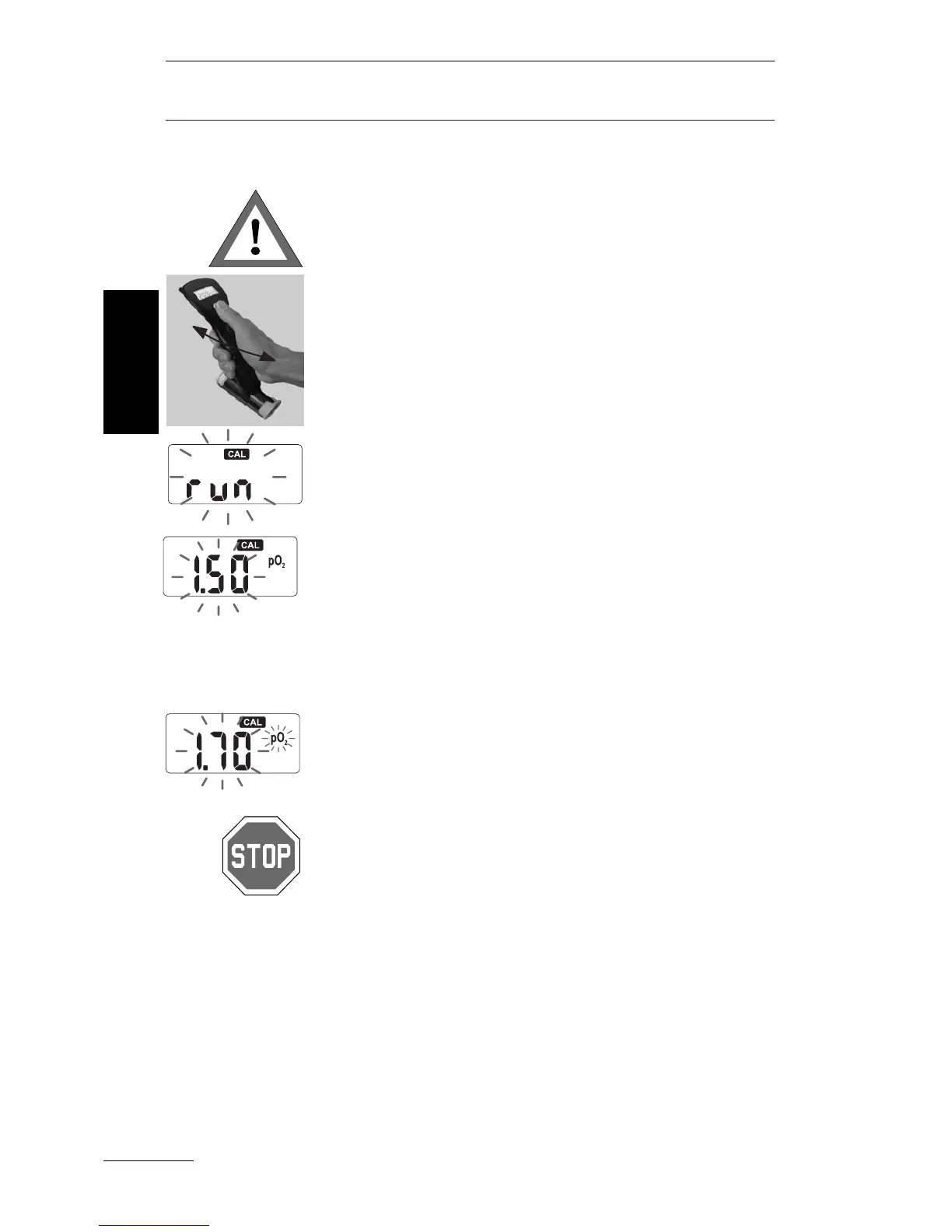
1. Before the calibration of the OxySpy in air
(20.9%
O
2
) it has to be moved slowly back and
forth, through the air, for about 1 minute to flush
the
O
2
sensor. Without this flushing, the calibra-
tion may not be successfully completed. Do not
blow through the OxySpy as the C
O
2
in your
breath would cause an incorrect calibration.
2. Press the button until "CAL" and "run" appear.
"CAL" and "run" will flash during the calibration.
Move the OxySpy back and forth, slowly, during
the entire 30 second calibration.
3. After the
O
2
sensor has been calibrated, the
OxySpy will display the pp
O
2
limit (necessary for
calculating the MOD). By quickly pressing the
push button the setting may be changed in the
range of 1.2 to 1.8 bar, displayed in 0.05 bar
increments.
To confirm the indicated pp
O
2
setting press the
push button for at least 2 seconds.
If neither changes nor confirmations are made
within 30 seconds, the OxySpy automatically
switches back to the default setting of 1.4 bar.
If the selected pp
O
2
limit is higher than 1.6 bar,
the pp
O
2
symbol will flash to warn the diver.
• The maximum partial pressure of oxygen
(pp
O
2
limit) for calculating the maximum opera-
tion depth (MOD) should not exceed 1.6 bar
(the max. value for sports divers). Higher
values may result in death or serious injury.
• For strenuous dives or diving in cold water the
chosen pp
O
2
limit should not exceed 1.4 bar.
The OxySpy switches automatically into the nor-
mal measurement mode.
Calibrating
in
air
English



 To Next Page