Operation
Owner’s manual 5
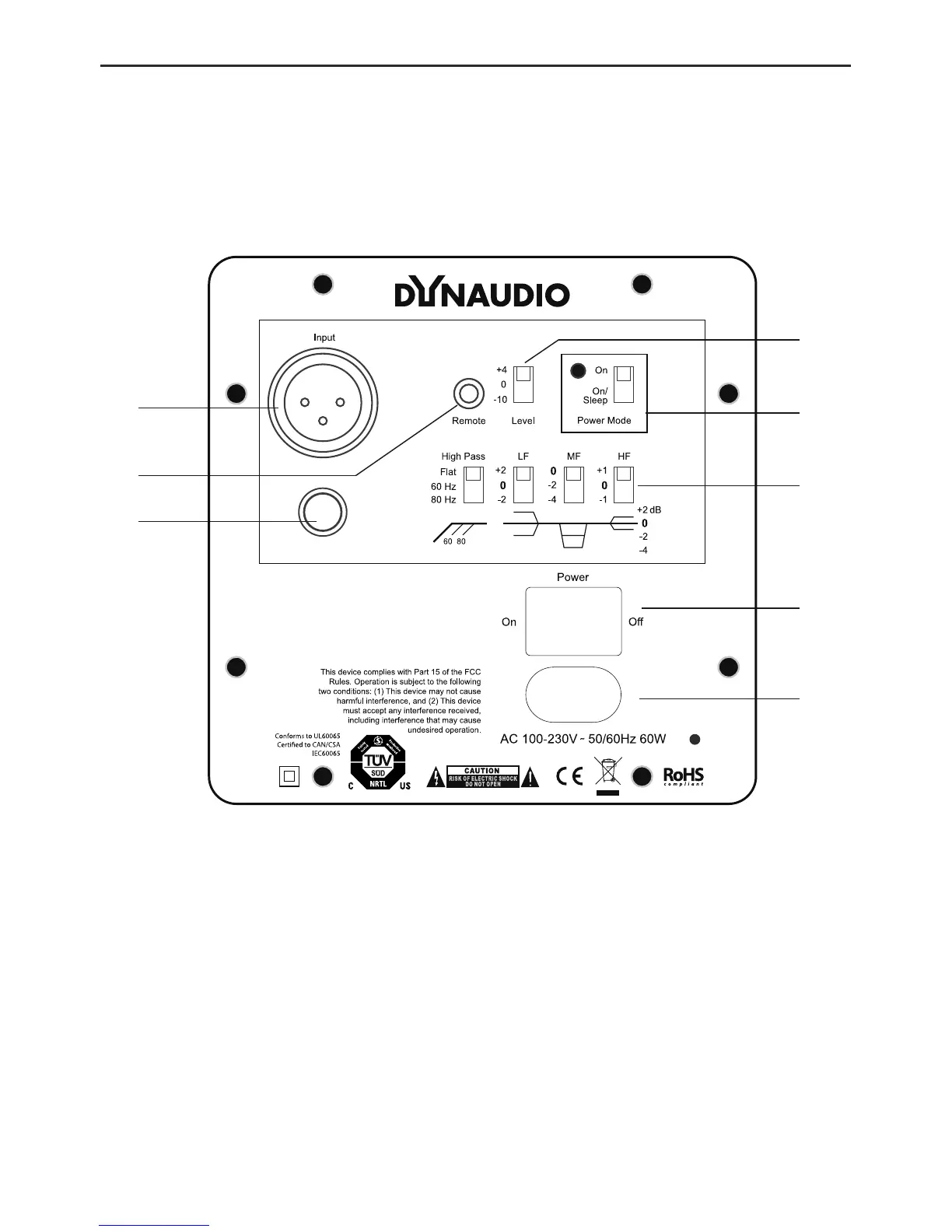
Operation Overview – rear panel
Correct setup and connections is essential
to achieve optimal performance from your
monitors. Please follow the instructions on
the following pages.
3
8
5
7
1
2
6
4
1. Power On/Off switch
2. AC power Input
3. Balanced analog input (XLR)
4. Unbalance analog input (RCA)
5. Power Mode switch
6. Remote
7. Filter switches
– High Pass
–LF–Lowltersetting
–MF–Midltersetting
–HF–Hiltersetting
8. Level – Sensitivity switch


 To Next Page