1514
Connections and control elements / Connecting and setting up
Positioning and connecting to mains voltage
► Position the speaker in the desired location.
– Do not expose the speaker to direct sunlight, heat, or moisture.
– Do not place the speaker near devices with strong electromagnetic radiation or
devices that could be destroyed or damaged by magnetic elds.
► Use the power cable to connect the speaker to the mains voltage.
Tip Xeo 10:
• For easier access, the plate at the bottom of the cabinet can be removed. Use a coin
or screwdriver to loosen the screw and attach the plate after connecting the power
cable.
Cloth cover
The cloth cover has been designed so it does not inuence the sound dispersion of the
speaker. It is attached to the housing with magnets and may be removed if needed.
General settings
► In stereo mode:
– Select Left operating mode for the left speaker.
– Select Right operating mode for the right speaker.
► Set the speaker position switch that best describes the speakers´ need for acoustic
compensation.
– Neutral = with free-standing placement
– Wall = if placed near a wall
– Corner = if placed in a corner
► Select the Red, Green, or Blue zone. Select the same zone for the right and left
speakers (for additional information about the audio zones, see page 26).
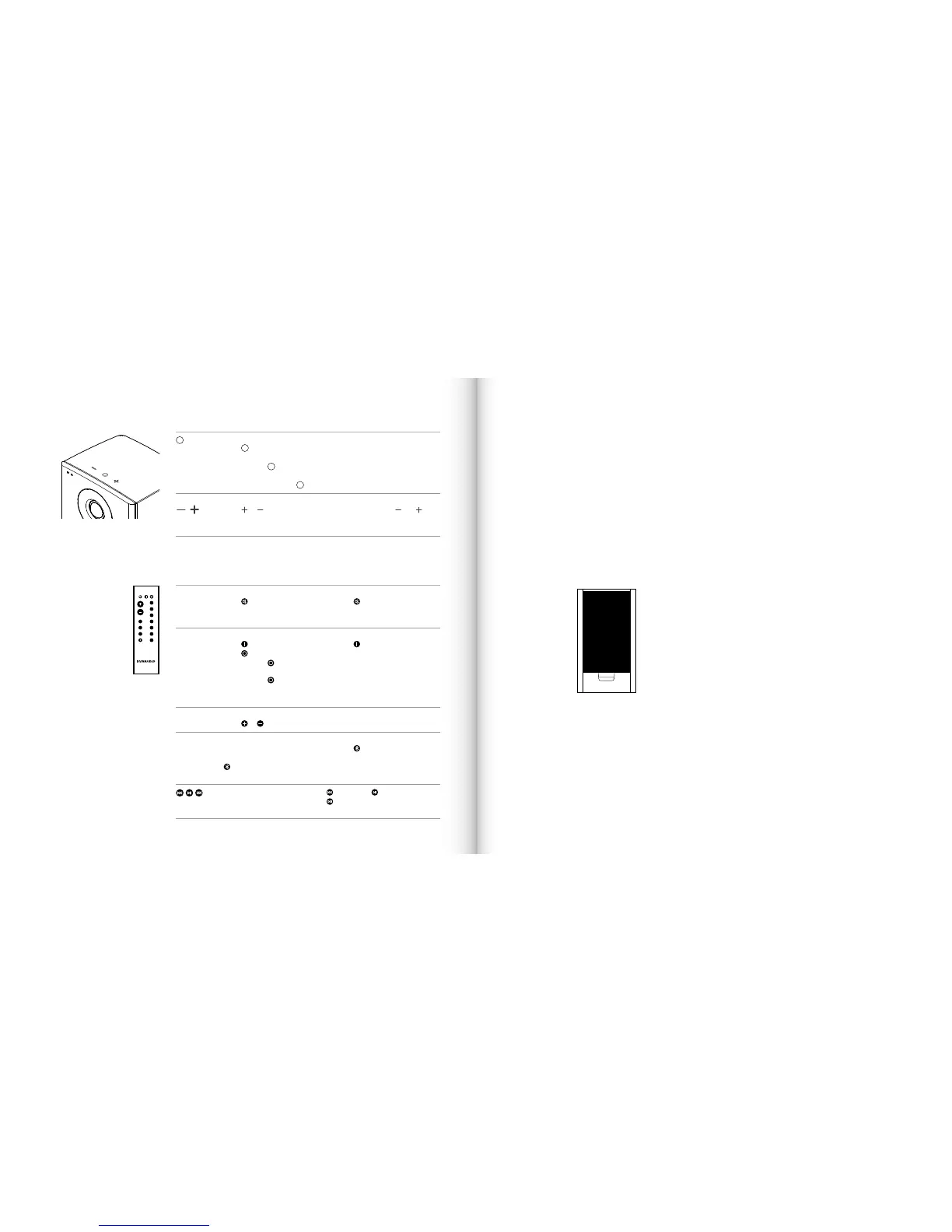
Speaker on/off
► Press
to switch on the speakers. The Xeo 10 will scan the inputs for a
signal.
► Press and hold
to switch off the speakers.
Input selection
► When switched on, press
to jump to another input.
Volume control
► Press
or to raise or lower the
volume level. Press and hold for
faster adjustment.
Bluetooth pairing
► Press and hold both
and to
start pairing (see page 16).
MUTE Muting the speakers
► Press
to mute or unmute the
speakers.
Fixing the volume
► Press
for at least 2seconds to set
a high volume for the speakers (see
page 18).
ON/OFF Speaker on/off
► Press
to switch on the speakers.
► Press
for standby mode.
► Press and hold
until LED turns
red, to put speaker in sleep mode.
► Press and hold
for 5-9 seconds
to enter night mode (Turns the LED’s
off).
Reset
► Press
for at least 5seconds to
reset the speakers to the factory
settings.
VOLUME Volume control
► Press
or to raise or lower the volume level.
INPUT Signal source
► Press a button to select the
respective signal source.
►
selects a Bluetooth device or
Hub/Connect.
Bluetooth pairing
► Press
for at least 5seconds to
enter pairing mode.
Controls
Press to control most Bluetooth4.1
compliant devices:
= backward, = play or pause,
=forward
VOLUME
DIRECT
MUTE ON OFF
HUB
1
2
3
4
Line
Line
Opt
Opt
Aux
Coax
USB
A
B
C
Buttons on top of the cabinet (Xeo 10)
Remote control
Commands will always apply to both of the speakers.
Connecting
and setting
up



 To Next Page