A48100 Unit User Manual
19
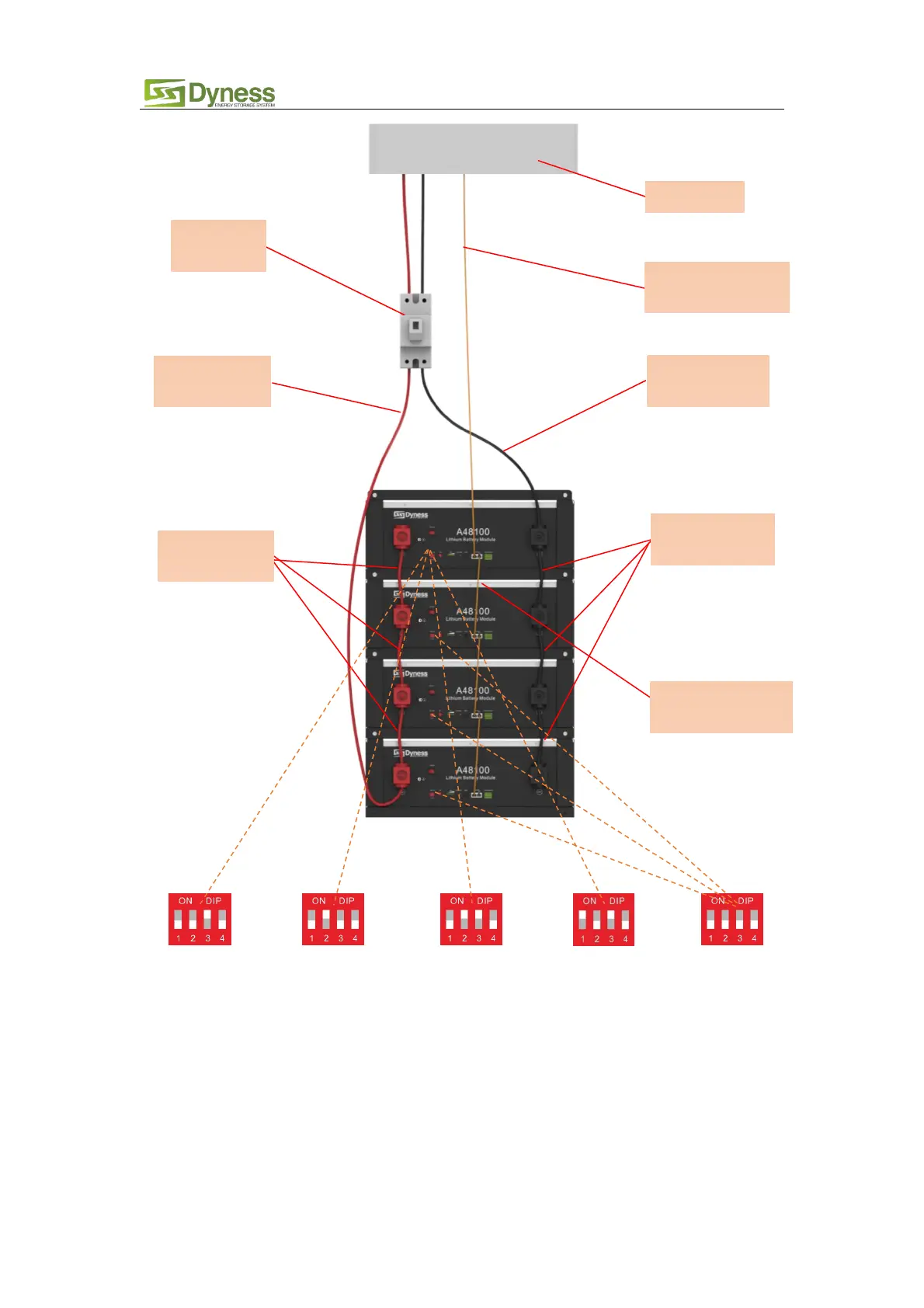
Master Setting 1 Master Setting 2 Master Setting 3 Master Setting 4 Slave Setting 1
Figure3-10
Note:
1. For more ADD Settings
,
Reference 2.3.1 “DIP switch definition and description”
2. After the whole system connection, set the master DIP mode according to the inverter model
firstly, then start the battery.
3. The BAT-INV comms cable is from inverter comm port to master CAN IN port, BAT-BAT cable is
from master CAN OUT to slave1 CAN IN, slave1 CAN OUT to slave2 CAN IN…
4. Each pair of power cable, it’s limited continuous current is 120A, so if the inverter Max. work
current more than 120A, please add power cable according to the proportion.
Communication
cable-to inverter
Communication
parallel cable



 To Next Page