Tower ESS Unit User Manual
23
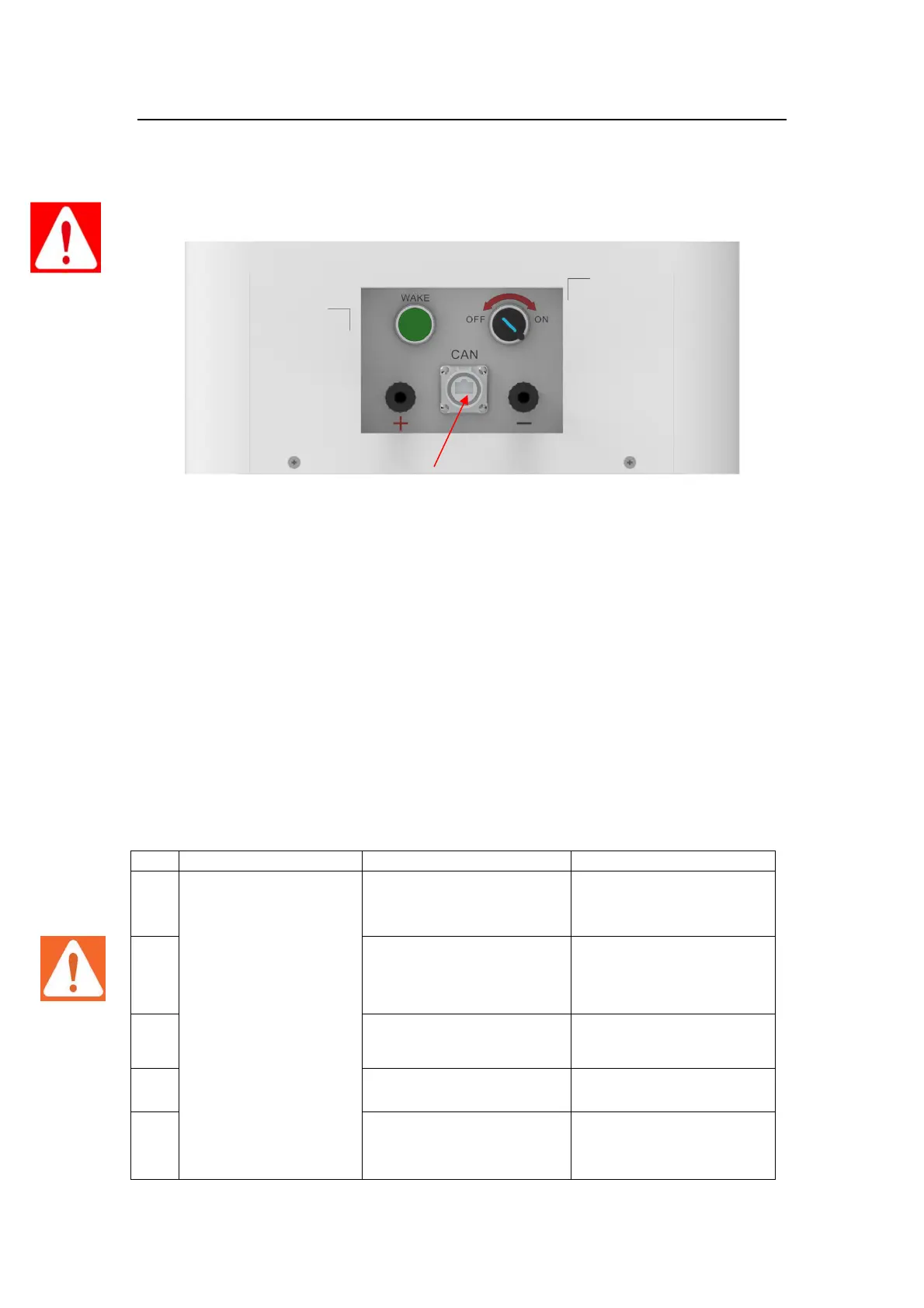
● Connect the EXT-CAN communication cable to the inverter RJ45 CAN port.
Warning:
Double check all the power cables and communication cable. Make sure the voltage of the
Inverter is in the same level with the battery system.
● Switch on the inverter, to make sure all the power equipments can work normally.
● Start the battery system. Referring to the section“3.5.4”
4 Maintenance
4.1 Trouble Shooting:
Danger: The Tower battery system is a high voltage DC system, operated by professional and
authorized person only.
Danger: Before check the failure, must check all the cables connection. Switches are right or not
(refer to section 3.5.4), and if the battery system can be woken up normally .
The battery has no
voltage output, and
“POWER ON”/ “POWER
WAKE” Light is off.
The DC breaker of the BDU
didn’t be turned on
Turn on the DC breaker of
BDU
The "POWER ON" switch of
the BDU box was not
switched on
Switch on the "POWER ON"
button
Battery is in sleep state.
Long press the "POWER
WAKE" button for anout 3S
The fuse in the BDU box is
faulty
Battery gets into
over-discharged protection
Charge the battery to
relieve the protection state
Connect to inverter DC+ terminal
Connect to inverter DC- terminal
Connect to inverter RJ45 CAN communication port



 To Next Page