From lab to production,
providing a window into the process
-16-
www.dynisco.com
Rev: n/aP/N: n/a ECO: n/a
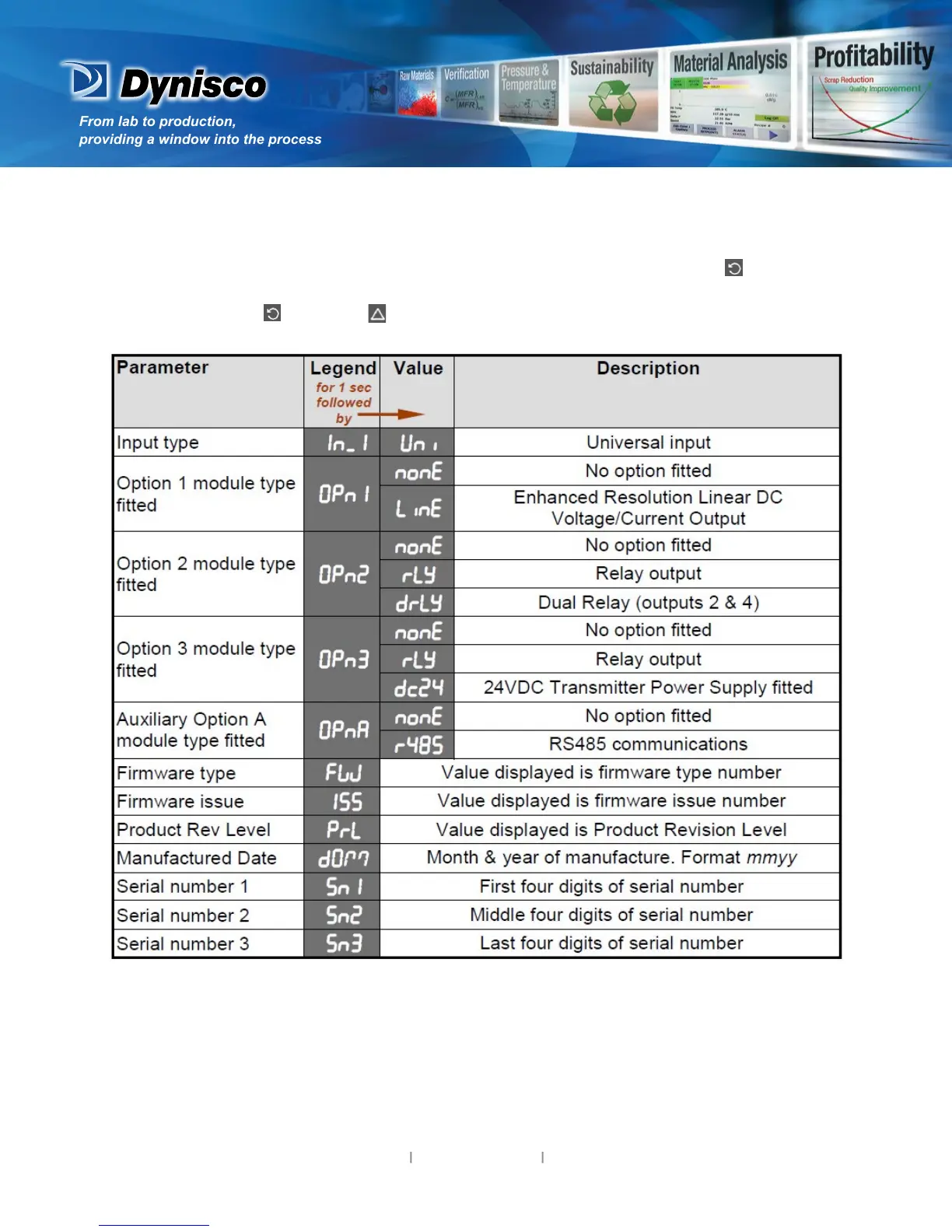
9. Product Informaon Mode
First select Product informaon mode from Select mode (refer to secon 2). Press to view each
parameter (while this key is pressed, and for 1 sec aer, the parameter legend is shown, followed by
its value). Hold down and press to return to Select mode.
Note: These parameters are all read only.
10. Serial Communicaons
Refer to the full user guide (available from your supplier) for details.


 To Next Page