
 Need help?
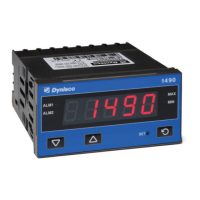
Do you have a question about the Dynisco 1490 and is the answer not in the manual?
Guide to installing and maintaining option modules for the instrument.
Important warnings regarding electrical and safety compliance during installation.
Instructions and dimensions for mounting the unit in a control panel.
Guidelines for making electrical connections to the rear terminals of the device.
Details on power supply connections and universal input configuration.
Diagrams showing wiring for optional communication and I/O modules.
Explanation of how to access and navigate different operating modes.
Guide to entering and navigating the Configuration Mode for setup.
Table detailing available input types and their corresponding ranges.
Configuration for decimal point position and multi-point scaling.
Configuration of mode default, filter times, and offsets.
Setting up scaling breakpoints and display values for the instrument.
Steps for calibrating strain gauge inputs, including shunt resistor use.
How to access and use special features using a correct code.
Interpretation of common instrument status messages and error codes.
How to enter and navigate the Operator Mode for normal operation.
Viewing process variables, alarms, and status in operator mode.
Understanding alarm indicators and resetting latched alarm outputs.
Procedure for using the tare feature to automatically zero the display.
Viewing information such as input type, module fitted, firmware, and serial number.
Configuration of serial communication protocols, bit rate, and address.
Details on strain gauge, thermocouple, PT100, calibration, and impedance.
Specifications for logic input behavior and electrical isolation.
Specifications for single/dual relays, linear DC output, and transmitter PSU.
Details on RS485 physical interface and communication protocols.
Information on environmental standards, EMI, sealing, dimensions, and weight.
Explanation of safety symbols and firmware version applicability.
 General
| Brand | Dynisco |
|---|---|
| Model | 1490 |
| Category | Touch Panel |
| Language | English |

 To Next Page


