EasyManua.ls Logo

Dyson Omni-glide - User Manual

Dyson Omni-glide
10 pages
Print Icon
To Next Page IconTo Next Page
Loading...
User manual
In the box
Getting started
Charging your machine
Changing your click-in battery
Emptying your bin
Cleaning your bin
Washing your filter
Washing your brush bars
Cleaning your tools
Clearing blockages
Looking after your machine
SV12 JN.00000 PN.000000-00-00
00.00.00 VERSION NO.01
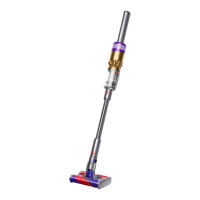
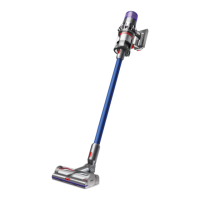
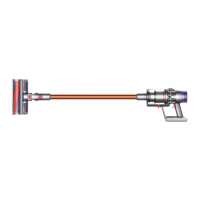
Top view of the Dyson
Omni-glide™machine,
showing cleaner head,
wand, bin and main body.
Dyson
Omni-glide™
Question and Answer IconNeed help?

Do you have a question about the Dyson Omni-glide and is the answer not in the manual?

Summary

Getting started

Charging your machine

Connecting the charger

Connect charger to the charging point on the handle or dock.

Changing your click-in battery

Emptying your bin

Release the dirt

Hold vacuum over bin and push red bin release button to open bottom.

Washing your filter

Shake and dry

Empty and shake firmly, leave to dry for 24 hours in a well-ventilated place.

Washing your brush bars

Wash and dry brush bars

Hold under cold tap water, gently rub, stand upright to dry for 24 hours.

Clearing blockages

Checking for blockages

Check air inlet, filter end, bin ends, and brush bar air inlet.

Looking after your machine

Overview

The Dyson Omni-glide™ is a cordless vacuum cleaner designed for hard floors, offering agile maneuverability and efficient cleaning. Its lightweight design and omnidirectional Fluffy™ cleaner head allow it to glide in all directions—forwards, backwards, and even sideways—making it easy to navigate around obstacles and clean tight spaces. The machine features a power button instead of a trigger, enabling users to swap hands easily during cleaning tasks.

Function Description:

The Dyson Omni-glide™ is primarily designed for vacuuming hard floors. It operates on a click-in battery system, allowing for extended cleaning sessions by swapping out depleted batteries with fully charged ones. The machine offers two power modes: Eco mode, which provides an optimum balance of power and run time, and Max mode, which delivers maximum power for intensive cleaning of ground-in dirt. The omnidirectional Fluffy™ cleaner head is engineered specifically for hard floors, ensuring effective dust and debris pickup without scratching delicate surfaces. The machine's modular design allows various tools to be connected directly to the main body or the end of the wand, enhancing its versatility for different cleaning scenarios.

Usage Features:

The Dyson Omni-glide™ is designed for ease of use. To get started, users simply connect the wand to the main body and then attach the cleaner head or desired tool. The power button is located at the base of the handle, and a separate mode button allows for quick switching between Eco and Max power settings. The click-in battery system simplifies battery management; users can easily push a release button to slide off a depleted battery and slide in a charged one. The machine's slim profile and flexible neck on the cleaner head make it ideal for reaching under furniture and into awkward corners. For quick spot cleaning, tools can be attached directly to the main body without the wand. The transparent bin allows users to see when it needs emptying, with a clear MAX mark indicating the fill level.

Maintenance Features:

Regular maintenance is crucial for optimal performance and longevity of the Dyson Omni-glide™.

  • Emptying the Bin: The bin should be emptied as soon as dirt reaches the MAX mark. To empty, the user holds the vacuum over a bin, presses the red bin release button, and the bottom of the bin will open, allowing dirt to fall out. If the bin doesn't empty fully, it can be removed from the machine by pressing a red button on the bin runner and sliding it off. To minimize dust contact, the bin can be covered tightly with a dust-proof bag during emptying.
  • Cleaning the Bin: If necessary, the bin can be cleaned with a damp cloth after emptying. It's important not to use a dishwasher, detergents, polishes, or air fresheners. The bin and seals must be completely dry before being refitted to the machine.
  • Washing the Filter: The filter should be washed at least once a month to maintain performance. To remove, twist it anti-clockwise and pull it away from the machine. Before washing, gently tap it over a bin to remove loose dust. The filter should be washed under cold tap water, rubbing the outside to remove dirt and carefully rinsing the inside without allowing water to fill it. This process is repeated until the water runs clear. After washing, the filter must be shaken firmly to remove excess water until no water comes out, then placed end-up in a well-ventilated, warm place to dry for at least 24 hours. It must be completely dry before refitting, as a damp filter can damage the machine. The filter is refitted by sliding it onto the handle and turning it clockwise until it clicks into place.
  • Washing the Brush Bars: The brush bars in the cleaner head should be checked and washed regularly. To remove, press the cleaner head release button and slide the brush bars off the end cap. The end cap itself should not be washed. The brush bars are held under cold tap water and gently rubbed to remove lint or dirt until the water runs clear. They should then be stood upright and left to dry for at least 24 hours. Each brush bar is specifically designed for a position on the end cap, so they must be fitted correctly. Once dry, slide the assembled brush bars back into the cleaner head and push the end cap until it clips securely. The cleaner head housing is not washable and should only be wiped with a damp, lint-free cloth.
  • Cleaning Tools: Combination and worktop tools should be wiped with a damp, lint-free cloth, avoiding the connector end. They must be completely dry before use. Detergents, polishes, or air fresheners should not be used, and tools should not be put in a dishwasher.
  • Clearing Blockages: If the machine detects a blockage, the motor will pulse six times and cut out. Users must disconnect the machine from the charger and allow it to cool down before checking for blockages. Areas to check include the air inlet on the main body (with the bin removed), both ends of the wand, the filter and bin ends, and the brush bar and air inlet on the cleaner head (by turning it over). Obstructions should be carefully removed.
  • General Care: The machine should be wiped with a damp, lint-free cloth if dusty. It's important to note that the machine will not operate or charge if the ambient temperature is below 5°C (41°F), a protective measure for the motor and battery. For optimal battery life, using Eco or Med mode is recommended, and allowing the machine to cool down before recharging can prolong battery life. Serial numbers for registration can be found on the machine, battery, and charger.

Dyson Omni-glide Specifications

General IconGeneral
Brush shapeRectangular
Dust capacity0.2 L
Product colorBlue, Grey, Red
Dust container typeBagless
Removable handheld vacuumYes
Noise level79 dB
Cleaning typeDry
Number of speeds3
Cleaning surfacesBare floor, Carpet, Hard floor, Stair steps
Vacuum air filtering-
Dirt separating methodCyclonic
Power sourceBattery
Charging time3.5 h
Suction power20 AW
Battery voltage18 V
Maximum input power- W
Runtime with motorized brush (high speed)5 min
Vacuum brushes includedMini motorized brush
Weight and Dimensions IconWeight and Dimensions
Depth92 mm
Width208 mm
Height1077 mm
Weight1900 g

Videos

How To Check The Dyson Omni-Glide For Blockages

Related product manuals