E-max Gaming Corporation, Inc.
29
6.0 System Programming
This chapter covers the E-max
TM
Bingo Console programming and advanced
features.
6.1 Creating and Editing a
Bingo Session
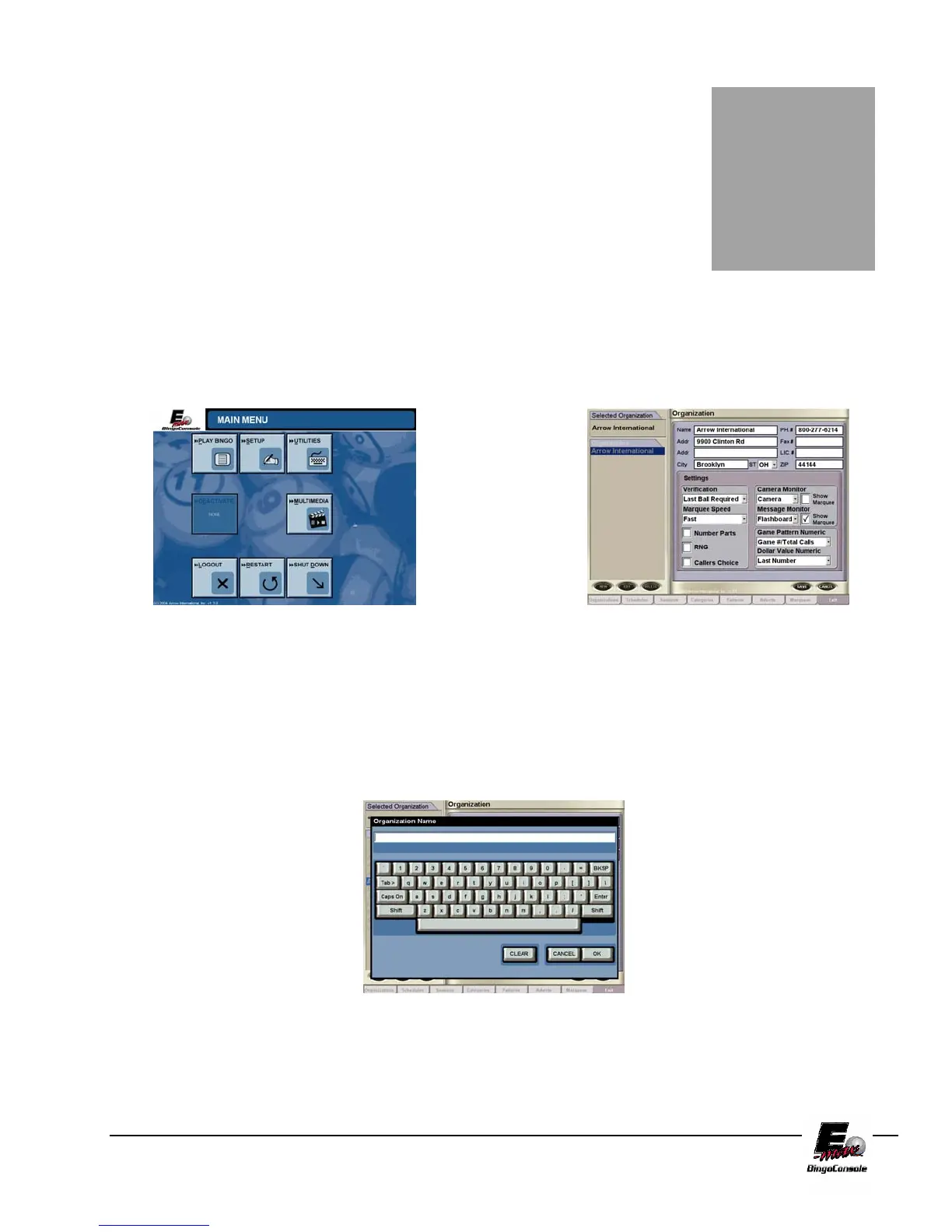
To create bingo session(s) touch the SETUP button from the Main Menu
(Figure 6.0). The Organizations screen is displayed (Figure 6.1)
Figure 6.0 Figure 6.1
From the Organization Screen you can EDIT an existing organization (if present) or you can create a new
organization by touching the NEW button. This will display the keyboard screen. From the keyboard screen type
in a new organization name you wish to create by touchscreen or keyboard. (Figure 6.2)
Figure 6.2
Chapter
6



 To Next Page