E-max Gaming Corporation, Inc.
64
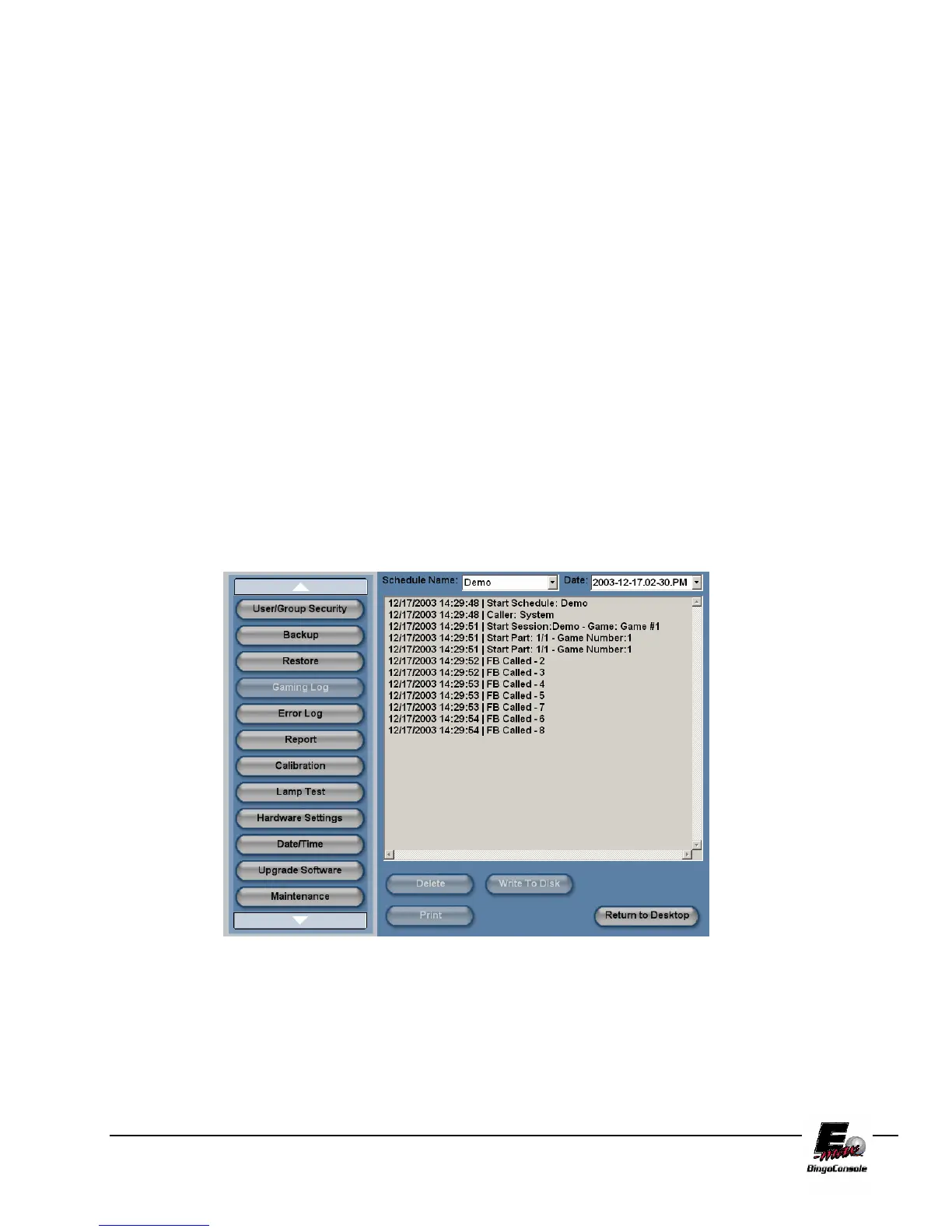
11.8 Gaming Log
The E-max Bingo Console keeps a gaming log of all operator actions during a session. To access these logs,
refer to the procedure below and figure 11.8
NOTE: If you are going to put these logs on a CD, please ensure that you have a
properly formatted, writable media disk in drive #2 of the Dell CPU.
1. Power up the outlet strip
2. Power up the Back UPS
3. Power up the Dell CPU
4. Log in as the system administrator
5. select Utilities from the Main Menu
6. touch the Gaming Log button
7. Touch the Schedule name drop down menu and select the session you want a log for
8. Touch the Date drop down menu to select the date you want a log for
9. Touch the Print button. (This will print out the log)
10. Touch the write to disk button if you want the log burned to a data CD
11. Touch the Delete button to delete the report
Figure 11.8



 To Next Page