4 DIAGNOSTIC CODE READER
To view and clear diagnostic trouble codes:
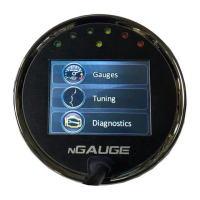
From the Main Menu tap on [Diagnostics]. This screen will appear:
Turn the vehicle’s key to the on position. The vehicle does not need to be running.
Tap diagnostics
Tap the down arrow to reach [Read Codes]. If the vehicle’s check engine light is on, diagnostic trouble code(s) (DTCs) will be displayed
along with a short description of each code.
Fix the diagnosed problem, or make note of it.
To clear the diagnostic trouble codes, tap [Clear Codes]. You will be asked to confirm that you want to clear the codes.
Note: Clearing codes does not solve any underlying vehicle issues.
Tap [Yes] to clear the code(s) and turn the check engine light off.
Tap [No] to leave the code(s) set and leave the check engine light on.


 To Next Page