ET DC BLUE ADVANCED INSTALLER 2012.025.12.05.2014
26
www.et.co.za
ADVANCED OPERATING FEATURES
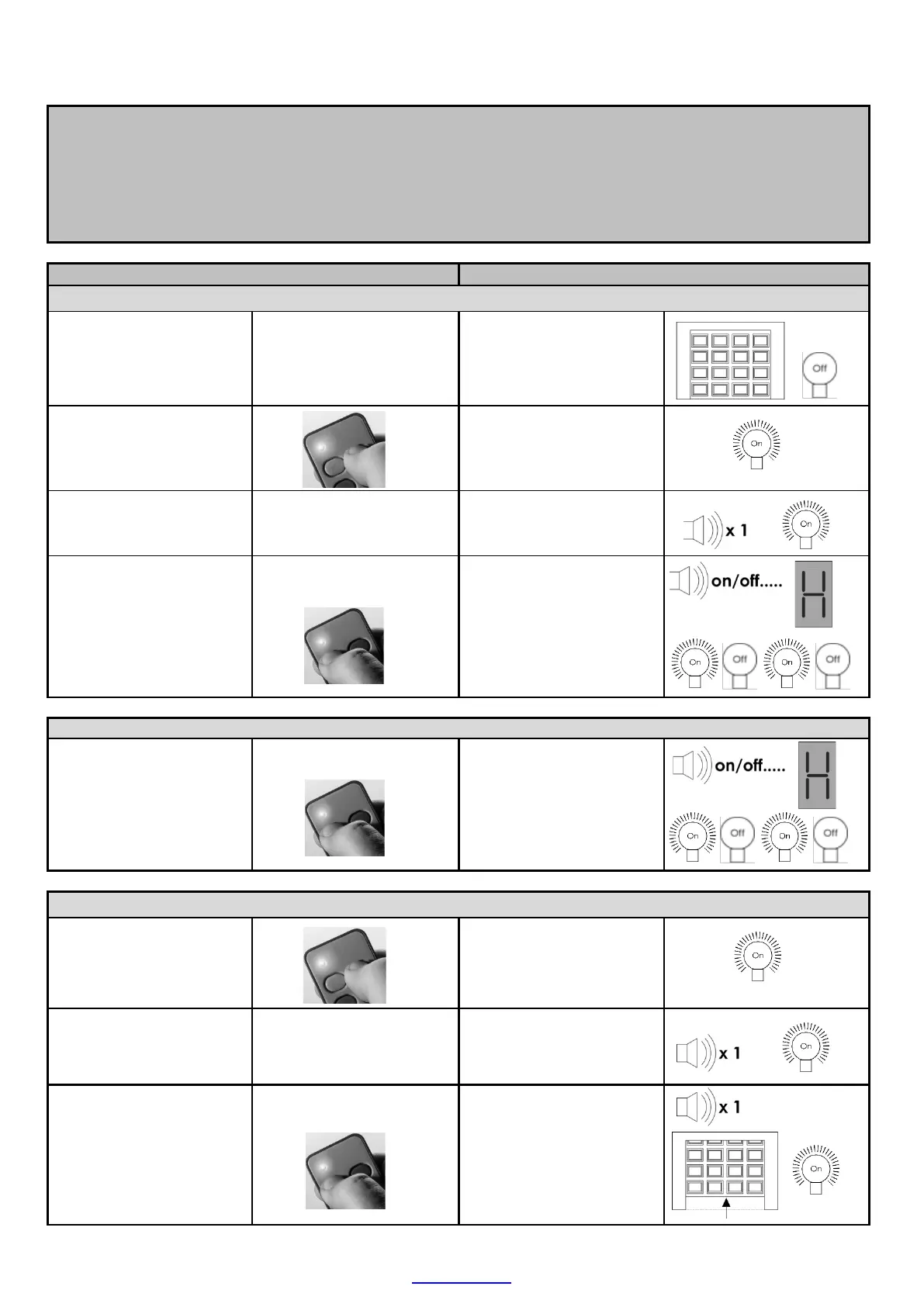
Advanced triggers via the remote (BT) button trigger and (LT) courtesy light trigger
(HOLIDAY LOCK-OUT MODE)
Example 4. Using the remote (BT) button trigger and (LT) courtesy light to lock out any opening triggers
Door must be closed
Door in the closed
position.
Courtesy light off.
Press and hold remote
courtesy light button.
Courtesy light switches
on.
Release button when
buzzer begins to sound.
After +/- 5 seconds.
Buzzer tones for 5
seconds. Courtesy light
remains on.
Whilst buzzer is still
sounding, Press and
release the remote
trigger button, to
activate Holiday lock-
out.
Buzzer beeps, light
flashes rapidly and
display shows “H” to
indicate Holiday lock-out
is active.
the door normally.
Buzzer beeps, light
flashes rapidly and
display shows “H” to
indicate Holiday lock-out
is active.
TO DE-ACTIVATE
Press and hold remote
courtesy light button.
Courtesy light switches
on.
Release button when
buzzer begins to sound.
After +/- 5 seconds.
Buzzer tones for 5
seconds. Courtesy light
remains on.
Whilst buzzer is still
sounding, Press and
release the remote
trigger button, to de-
activate Holiday lock-
out.
Buzzer beeps once,
courtesy light remains on
and the door begins
opening as Holiday lock-
out de-activates.


 To Next Page