ET DC BLUE ADVANCED INSTALLER 2012.025.12.05.2014
6
www.et.co.za
HARDWARE INSTALLATION
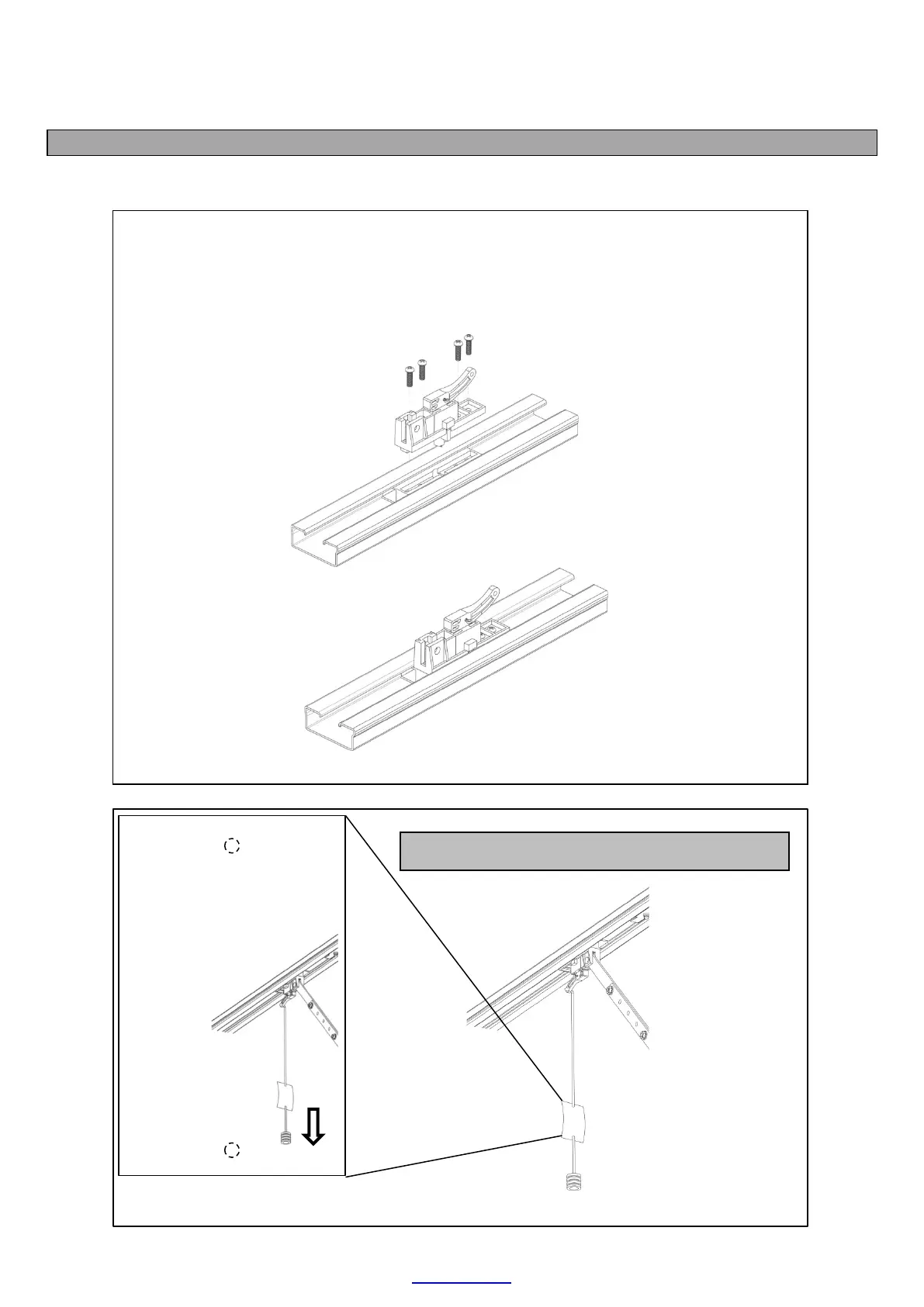
INSTALLING THE MANUAL OVERRIDE CLUTCH ASSEMBLY ONTO THE SLEDGE/TRAVELLER
(See page 5 for component identification)
The diagrams below show how to install the manual override clutch assembly onto the
sledge traveller. Ensure the 4 machine screws are securely fastened. Do this prior to
installing the drawbar.
MOVE DOOR
MANUALLY:
Warning! Door may plummet
closed when released.
W hile pulling the emergency
release cord downward, move
the door open or closed by
hand.
LOCK DOOR BACK
ONTO DRIVE:
Let t he cord go and move
door open or closed unt il the
sledge/traveller locks back
onto the chain drive.
Install the manual override label as shown here.


 To Next Page