16
WARNING! Observe the safety instructions on page 7
before using the product.
Make sure that the following requirements are met
before using the Charging Robot:
— The authorised electrician have set up the electrical
connection properly.
— The charger is properly configured.
— The software is up to date (see page 17).
— If you have set up access control, unlock it by using a
registered RFID tag or disable it from the Easee App
or the local WiFi interface.
1. Check the charging cable and connector for damage
and impurities such as foreign objects and water
ingress before charging.
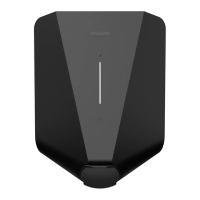
2. Connect the charging cable to the Charging Robot
and your electric car. The charging process starts
and adapts automatically to the electric car and
the available energy at any time according to the
configuration.
If the car does not start charging, check that charging
is activated in your car and that the connectors are
properly plugged in. If charging still does not start, check
what might be the cause on page 17.
Smart charging
Some operators offer smart charging which will delay
charging to a suitable point in time, often tied to
electricity price or similar mechanisms. When Smart
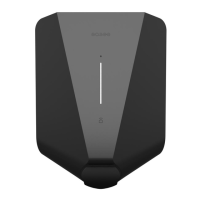
charging is active the LED strip is lit blue, charging will
not start until the operators criteria for charging is met.
Contact you operator to know more and to find out if
they offer this service.
How do I charge? Apps and interfaces
WiFi interface
The WiFi interface is currently intended for local
operations of the charger when no internet is available,
but it will soon be replaced with local control in the
Easee App to make your life even easier.
To access the WiFi interface follow the guide:
support.easee.com/help/s/article/WiFi-Interface
Easee App
The Easee App is intended for everyday use of your
Easee products. It can be used anywhere in the world
through the Easee Cloud.
The Easee App can be downloaded from the application
store of your iOS or Android mobile device.
Easee Portal
The Easee Portal is a tool intended for administration of
one or several Easee sites.
The Portal is mainly intended for site owners, installers,
administrators, service providers and people who need
to manage several products and sites from one interface.
Go to easee.support for more information on our
interfaces.


 To Next Page