Hangzhou Zhongchuang Electronics Co., Ltd.
4. Overview of front panel
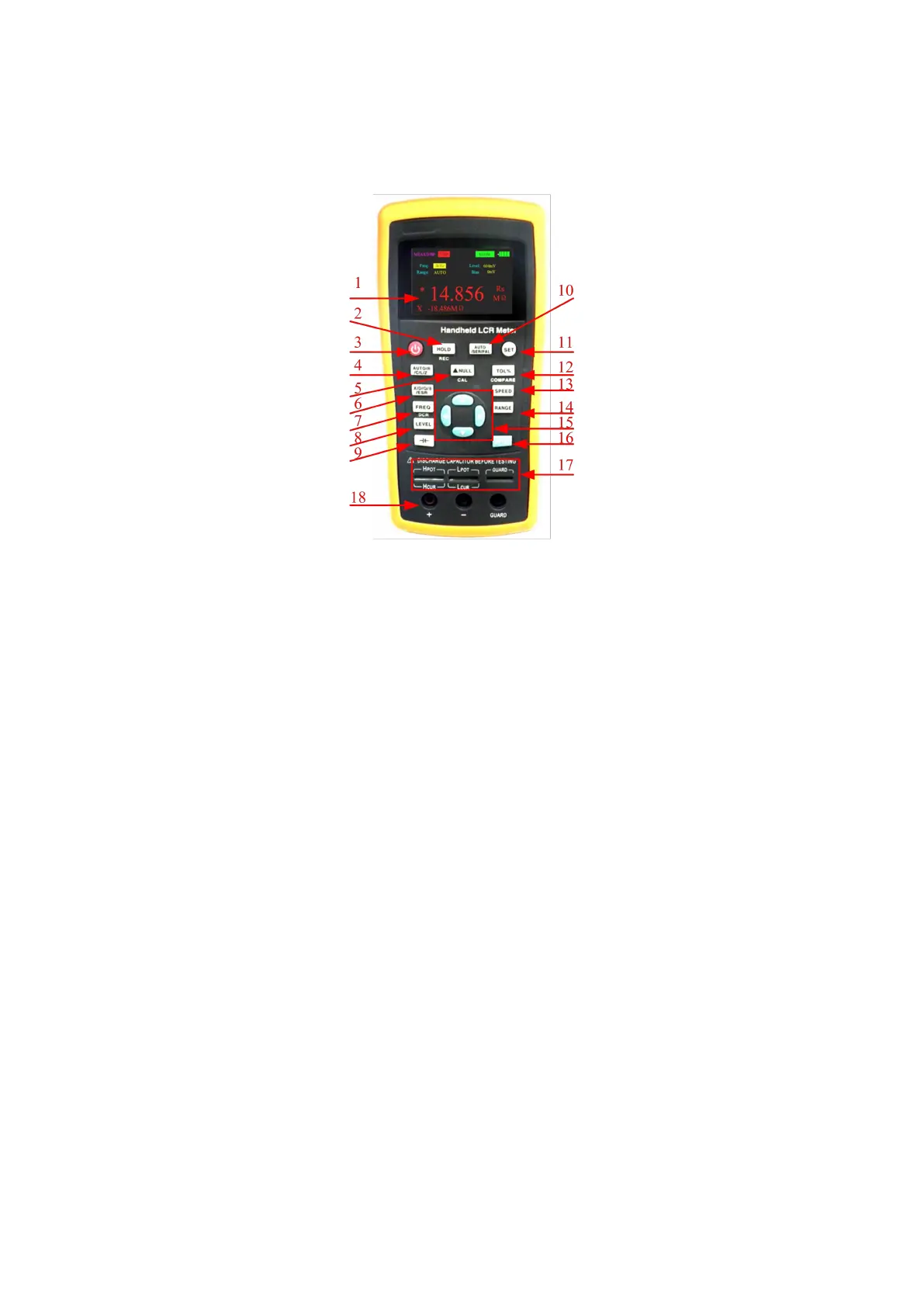
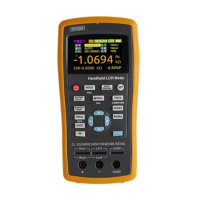
Figure 1 Front panel (with ET431 as an example)
4.1 Front panel
The front panel is described below, taking ET431 as an example. See figure 1 (Note: the
long press in the manual indicates to press and hold the key for more than 2 seconds.
There is the short press and long press for the multifunction key, but only short press for
other keys)
1 Display 2.8” TFT LCD screen, which displays all functions of the instrument.
2 Data holding recording multifunctional key short press to turn on or off the data
holding function; long press to turn on or off the data recording function.
3 Power key long press it to turn on or off the instrument;
4 Main parameter shortcut key to switch the main parameters quickly.
5 Relative and correction multifunctional key short press to turn on or off the relative
function, long press to turn on the correction function.
6 Secondary parameter shortcut key to quickly switch the secondary parameters.
7 Frequency and DCR mode multifunctional key short press to fast switch the
frequency of fixed points; long press to enter the DCR mode.
8 Level shortcut key to quickly switch the fixed-point level.
9 Bias voltage and electrolytic capacitance mode multifunctional key short press
to enter the electrolytic capacitance mode; long press to quickly select bias voltage.
10 Equivalent shortcut key to quickly switch equivalents.
11 Interface switch key to quickly switch between "measurement display" and "System
Settings".
12 Comparator switch and tolerance limits shortcut multifunctional key short
press to quickly switch deviation tolerance limit; long press to turn on or off the
comparator.


 To Next Page