EasyManua.ls Logo

Eastsign MOT-M - User Manual

Default Icon
28 pages
Print Icon
To Next Page IconTo Next Page
Loading...
User Manual
Eastsign
MOTM20210302
Eastsign
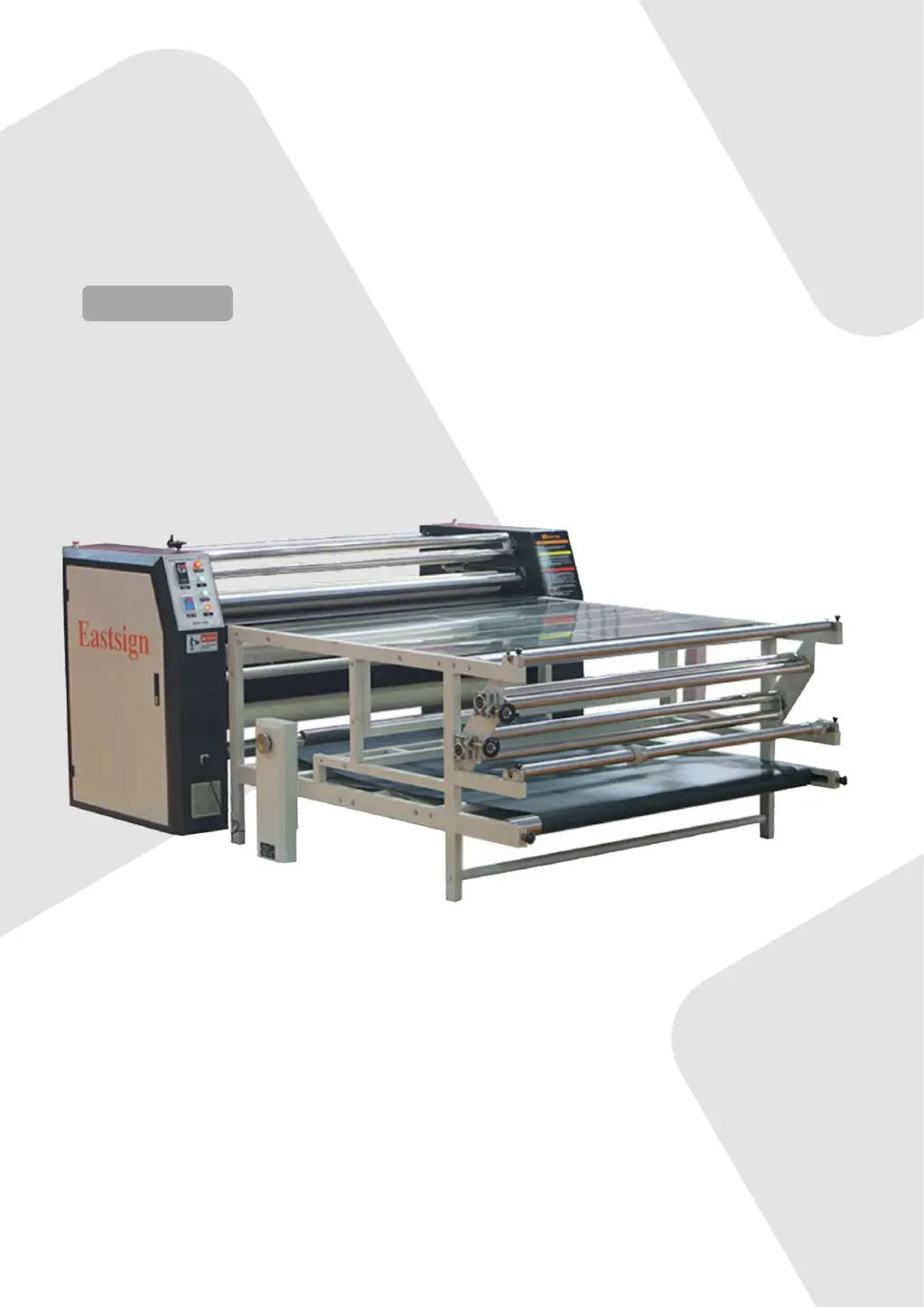
Rotary Heat Press MOT-M
User Manual

Questions and Answers

  • D
    Dr. Heidi Hernandez DDSAug 6, 2025
    Why is the temperature not stable on my Eastsign MOT-M Power Tool?
    • M
      marklongAug 6, 2025
      If the temperature of your Eastsign Power Tool is not stable, it might be due to several reasons: * A broken temperature sensor: In this case, you should replace the sensor. * Mismatch between the brush collector and collector ring: Frosting until they match can resolve this. * Debris on the collector ring: Cleaning the collector ring might solve the issue. * Aging or damage to the heating tube: Consider replacing the heating tube.
  • O
    Oscar WilliamsonAug 12, 2025
    What to do if the temperature is out of control on my Eastsign Power Tool?
    • A
      Alex JohnsonAug 12, 2025
      If the temperature of your Eastsign Power Tool is out of control, it could be due to: * A breakdown of the solid replay, which requires a replacement. * The temperature control device being out of control, also requiring a replacement.
  • A
    Angela HardyAug 17, 2025
    How to fix the temperature if it is not rising on my Eastsign MOT-M?
    • R
      Raymond BradfordAug 17, 2025
      If your Eastsign Power Tool's temperature cannot reach the desired level or is rising slowly, consider the following potential causes: * Brush collector issues: Clean away any carbon deposits and reinstall it. * Electrical circuit problems: Check the electric circuit for a lack of phase or loose connections. * Heating unit issues: If one or more electric tubes in the heating unit are damaged or aging, replace them.
  • E
    Elizabeth MorenoAug 23, 2025
    What to do if the blanket and heating roller don’t revolve on my Eastsign MOT-M?
    • J
      Jeffrey RobinsonAug 23, 2025
      If the blanket and heating roller of your Eastsign Power Tool don’t revolve, here are a few things to check: 1. Blanket looseness: Adjust the pressure. 2. Gear skidding: Fasten the gear screws. 3. Bearing issues: Check or replace the bearing. 4. Frequency converter failure: Check or replace the frequency converter. 5. Motor or redactor failure: Check or replace the motor or redactor.
  • A
    Aaron ParkAug 29, 2025
    Why does the main switch trip on my Eastsign Power Tool?
    • K
      Kristin CastroAug 29, 2025
      If the main switch trips on your Eastsign Power Tool, it might be caused by a breakdown of the collector ring. In this case, you should replace the collector ring or replace SSR (solid state relay).

Summary

Machine Information and Features

Machine Safety Instructions

Safety Parts Overview

Details on critical safety components like heat switches, power switches, and heating rollers.

Anti-grinding Warning Sign

Explanation of the 'Anti-grinding' warning sign indicating danger zones.

Machine Safety Instructions

High Voltage and Chain Warnings

Details on 'High Voltage' and 'Chain' warning signs and associated safety precautions.

Burning Prevention Warning

Information on the 'Burning Prevention' warning sign related to high temperatures.

General Safety Tips

Essential safety practices for operating the machine, including power, grounding, and handling.

Machine Specifications

Machine Specifications Table

Detailed technical specifications of the machine, including dimensions and performance.

Machine Specifications

Machine Nameplate Details

Information presented on the machine's nameplate, including model and serial numbers.

Machine Structure and Components

Appearance and Parts Explanation

Detailed explanation and illustration of the machine's external appearance and all its parts.

Machine Structure and Components

Left Cabinet Configuration

Diagram and layout of components within the left cabinet of the machine.

Right Cabinet Configuration

Diagram and layout of components within the right cabinet of the machine.

Machine Structure and Components

Power Box Components

Illustration and identification of components located within the machine's power box.

Machine Structure and Components

Mechanical Accessories List

List of mechanical parts and their series numbers included as accessories.

Electrical Accessories List

List of electrical components and their series numbers included as accessories.

Machine Structure and Components

Worktable Accessories List

List of worktable components and their series numbers included as accessories.

Machine Installation Guide

Unpacking Procedures

Step-by-step instructions for safely unpacking the machine and its components.

Worktable Installation Steps

Detailed steps for assembling and installing the worktable onto the machine.

Machine Installation Guide

Installation Notices and Checks

Important notices and checks required during and after machine installation for proper setup.

Machine Functions Overview

Control Panel Functions

Explains controls and indicators on the machine's main control panel.

Cabinet Component Functions

Identifies and describes components located in the left and right machine cabinets.

Machine Operation Guide

Operating Procedures

Step-by-step guide for operating the rotary heat press machine safely and effectively.

Operation Notices and Precautions

Blanket Tracking Adjustment

Instructions on how to adjust the blanket tracking for optimal performance.

Noise and Cleaning Guidelines

Information on normal operational noise and recommended cleaning procedures.

Lubrication and Blanket Care

Guidelines for bearing lubrication and proper care of the machine's blanket.

Operation Notices and Precautions

Oil Drum Maintenance and Oil Changing

Detailed instructions on checking and changing the heat transfer oil in the oil drum.

Processing Methods and Sketches

Transfer Processing Methods

Illustrations and descriptions of different processing methods for heat transfer applications.

Electrical Circuit Diagram

Machine Circuit Diagram

Schematic diagram of the machine's electrical connections and components.

Troubleshooting Common Issues

Machine Warranty Information

Warranty Terms and Conditions

Details of the machine's warranty coverage, exclusions, and claim procedures.

Limitation of Liability

Liability Limitation Clauses

Clarifies Eastsign's responsibilities and limitations regarding product use and damage.

Contact Information

Company Contact Details

Provides contact details for Eastsign's headquarters and branches for support and inquiries.

Eastsign MOT-M Specifications

General IconGeneral
BrandEastsign
ModelMOT-M
CategoryPower Tool
LanguageEnglish

Related product manuals