20
Running a Control Solution Test
You need the meter, a test strip, and control solution.
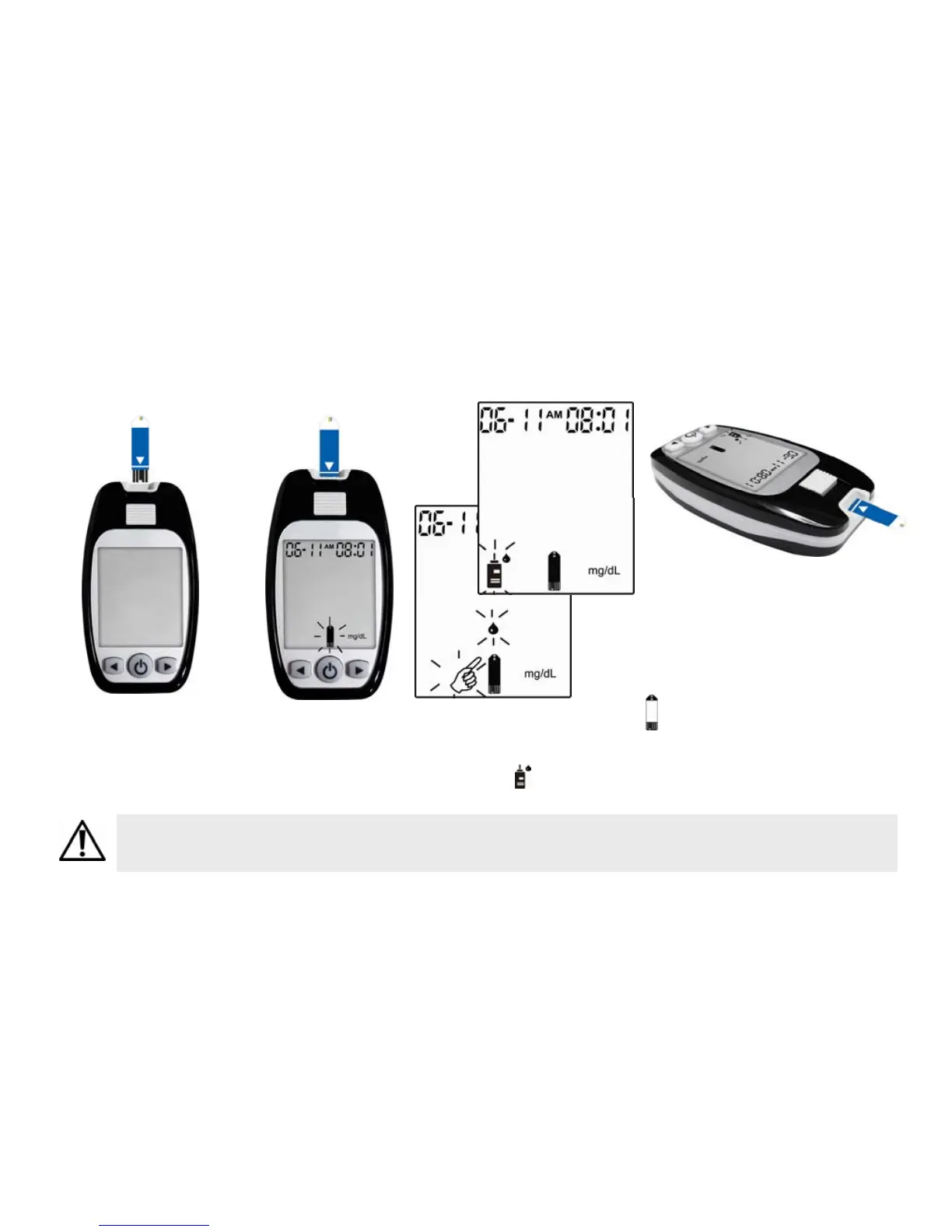
1. Put a test strip into
the meter in the
direction of the
arrow.
3. Place the meter on a flat
surface, like a table.
4. Remove the control solution
bottle cap and wipe the tip of
the bottle with a tissue.
5. Squeeze the bottle until a
tiny drop forms at the tip of
the bottle and place solution
on top of bottle cap.
Setting the meter in control solution mode will prevent the control solution reading from
being added to your memory and averages.
2. The meter turns on automatically and the icon of
shows itself.
Press (Left Button) to select the testing mode of
Control Solution and the icon of flashes.


 To Next Page