38
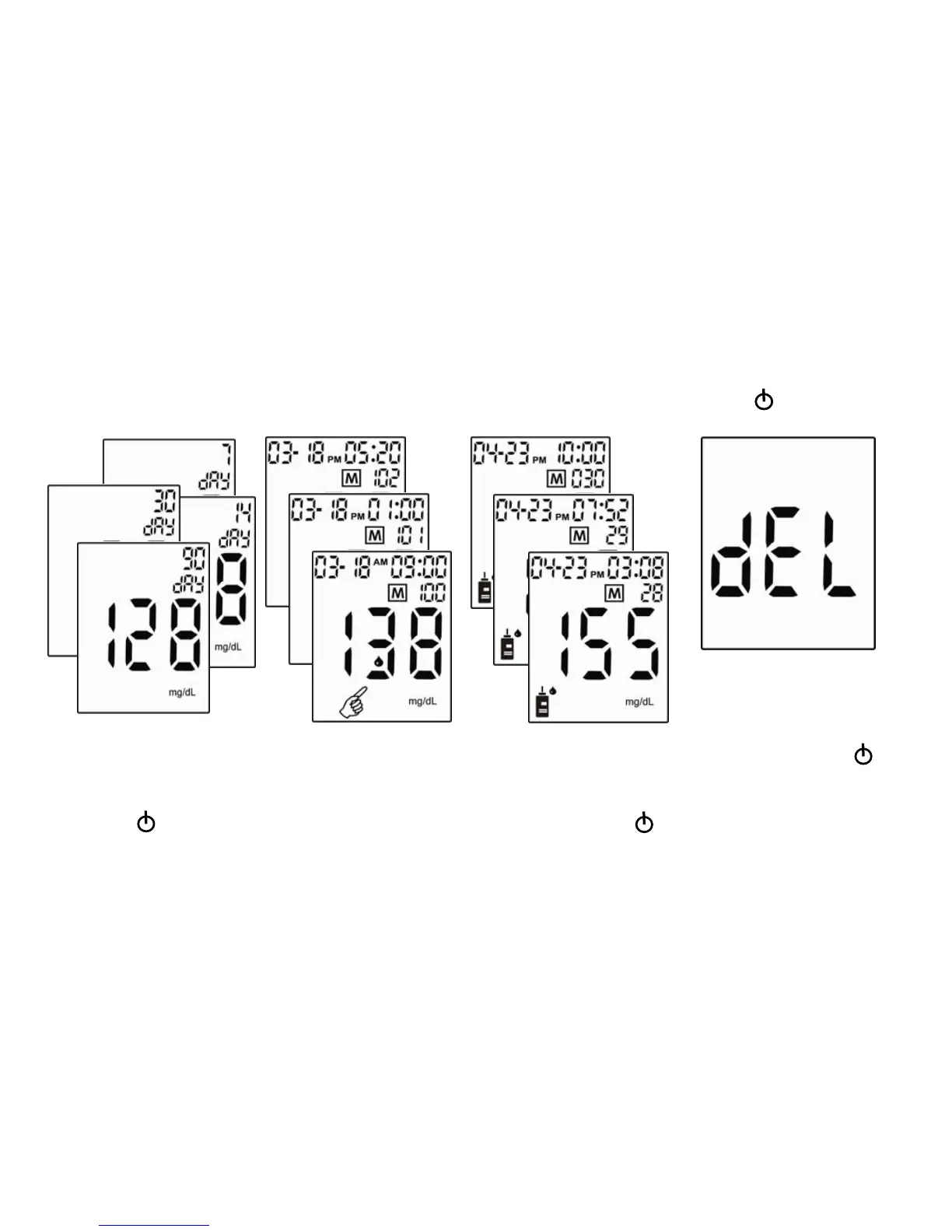
Viewing and Deleting Test Results
Each review requires the user to go back to the main screen (testing mode) by pressing the (Power Button).
3. To delete a test result, press
(Left Button) for more
than 2 seconds and display
shows “dEL”, press
(Power Button) to confirm
deletion.
4. Press (Left Button) or
(Right Button) to keep
reviewing the results.
2. Press (Left Button) for
more than 2 seconds to view
the control solution records in
order from 30 to 1. Press
(Power Button) back to the
testing mode.
1. Press (Left Button) or (Right Button)
to view averages of 7-/14-/30-/90-day test
results first and then all results.
Press
(Power Button) back to the
testing mode.


 To Next Page