16
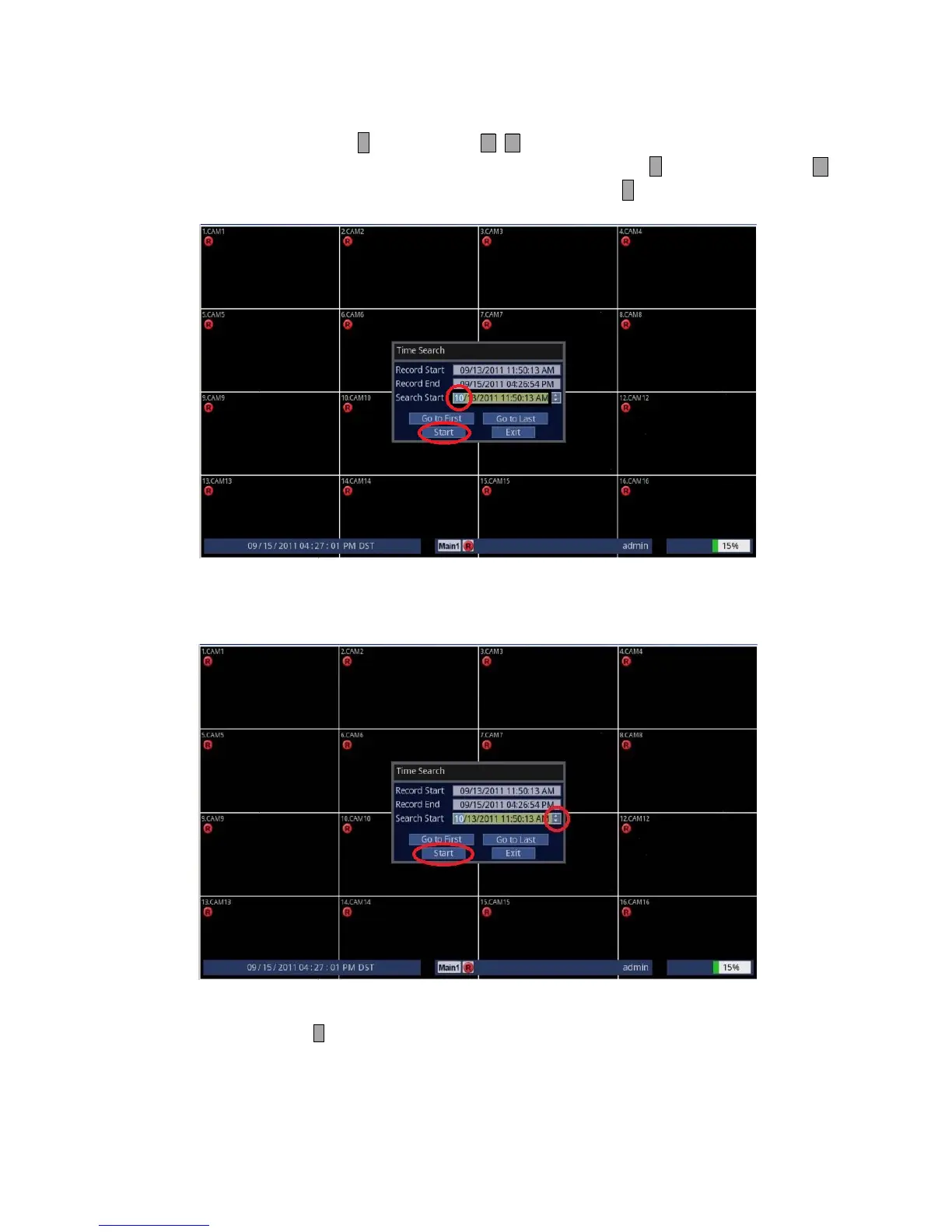
3. Enter your desired Date and Time.
• Using Front Panel/Remote: Press ↵ button and use to change to the desired value for Month/Day/Year
and Hour/Minute/Second. When finished, press ↵ button. Then, press button
couple of times to highlight [Start] and press ↵ button. Your desired video will
start playing.
• Using Mouse: Click on the desired group such as Month/Day/Year/Hour/Minute/Second and click on the [] []
part of the screen to change the value. Then, highlight and click on [Start]. Your desired video
will start playing.
4. To exit out to the Live screen.
• Front Panel/Remote: Press button.
• Mouse: Click on the X (Close).



 To Next Page