23
HOW TO LOG IN TO THE DVR
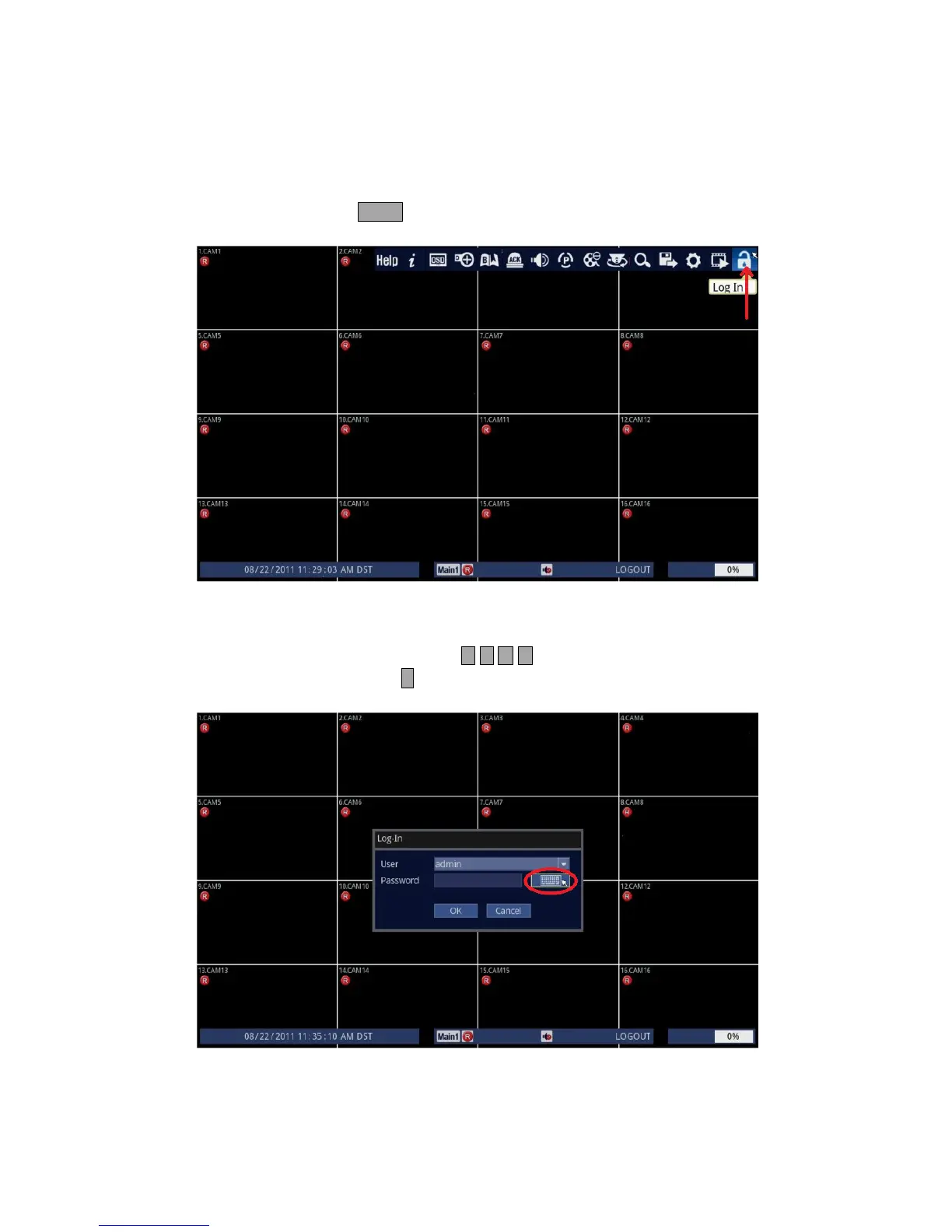
To start using the DVR, first, you have to log in.
1. Follow the instructions below.
• Using Front Panel/Remote: Press LOCK button.
• Using Mouse: Click on the [Log In] icon.
2. You need to input admin password [0 0 0 0 0 0] for the DVR.
• Using Front Panel/Remote: Use and press either buttons repeatedly to highlight [Keyboard] icon.
Then, press ↵ button.
• Using Mouse: Click on the [Keyboard] icon.



 To Next Page