4
HOW TO SET DATE/TIME
When the DVR is powered on for the very first time, the time and date may be incorrect. Before any other operation of the
DVR is started, it is important to setup the time and the date.
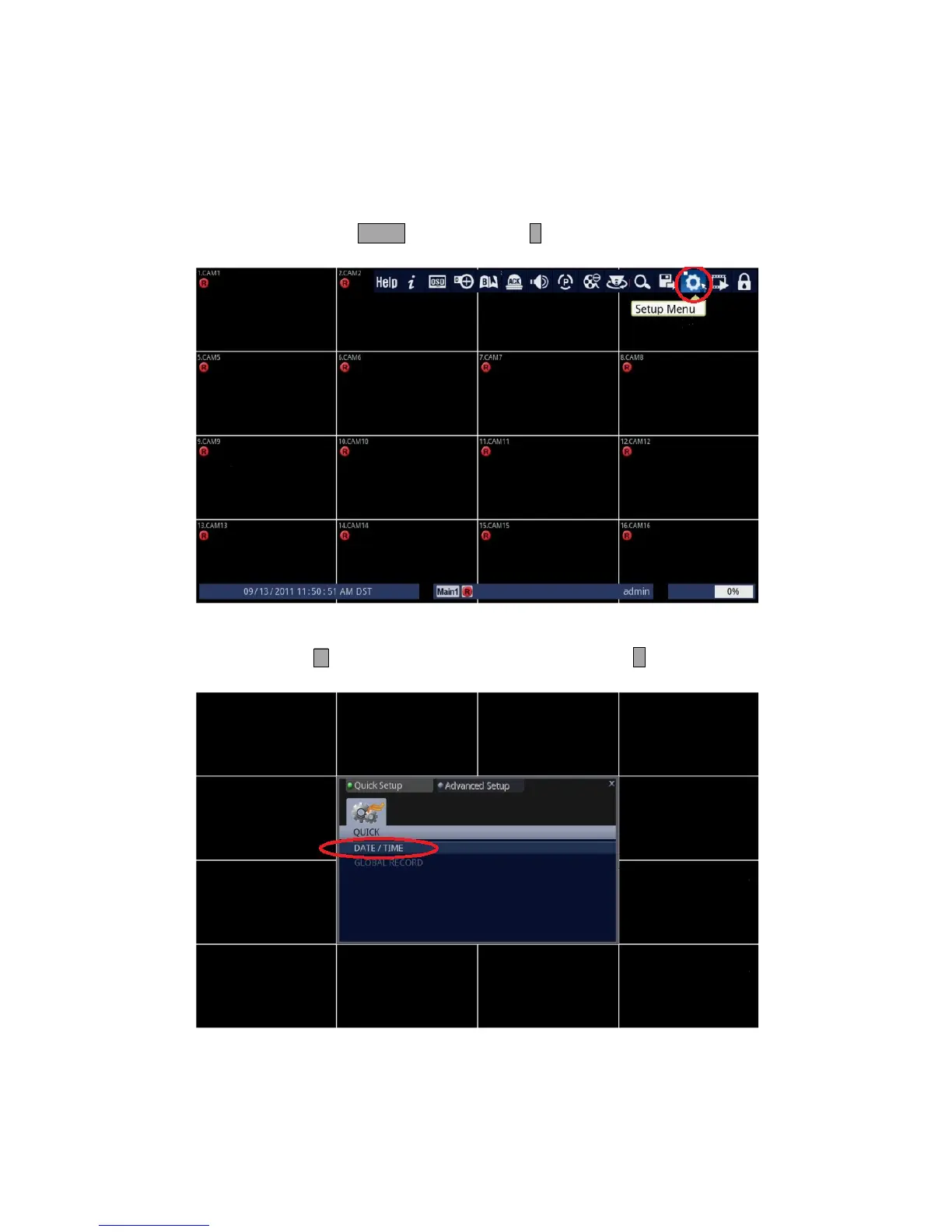
1. Follow the instructions below.
• Using Front Panel/Remote: Press MENU button and press ↵ button.
• Using Mouse: Click on the [Setup Menu] icon.
2. Access DATE / TIME submenu.
• Front Panel/Remote: Press button to highlight [DATE/TIME], and press ↵ button.
• Mouse: Click on the [DATE/TIME] line under the Quick Setup Tab.



 To Next Page