10
HOW TO SETUP IP ADDRESS UNDER THE NETWORK SETUP
The network menu allows for adjustment to the TCP/IP settings for viewing video across a local area network or through
the internet.
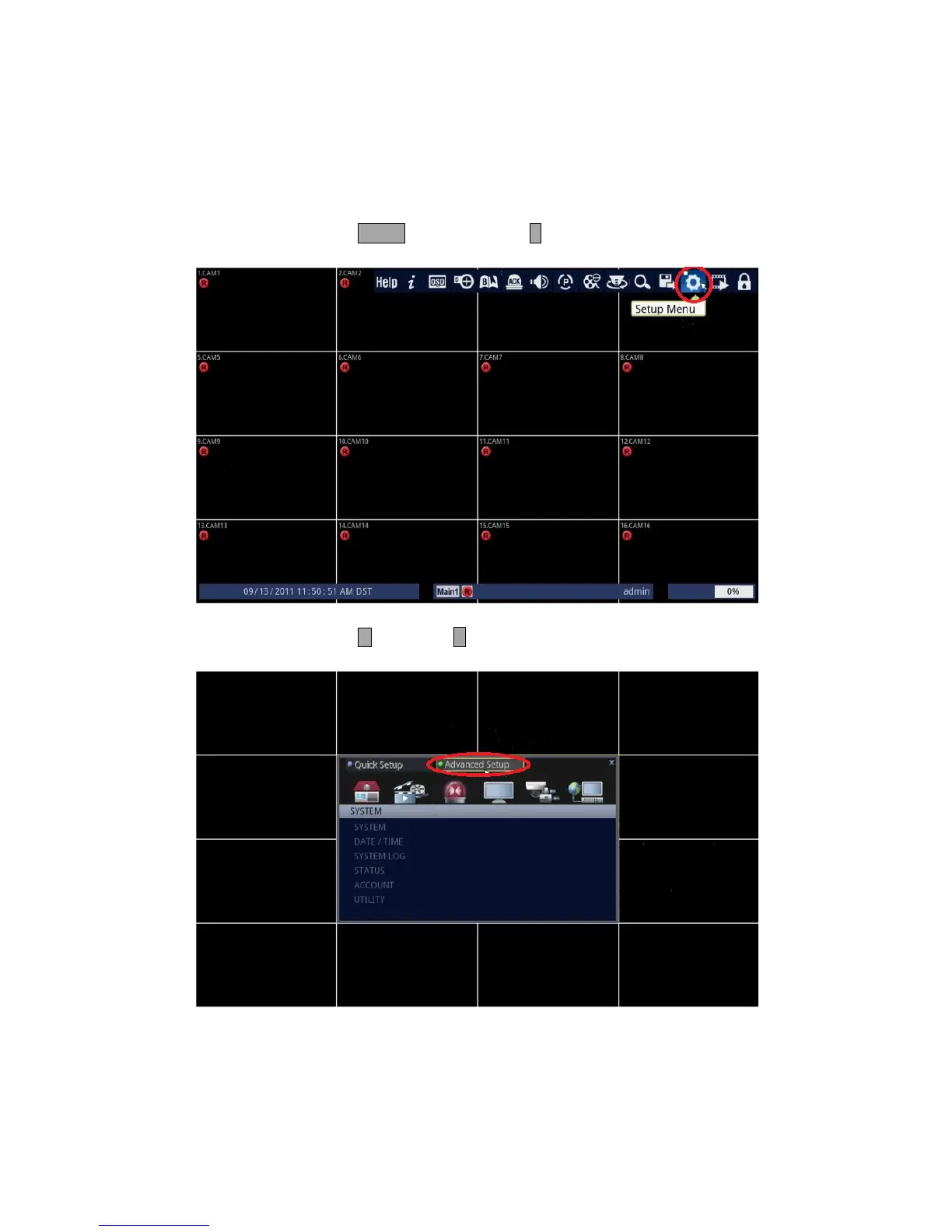
1. Follow the instructions below.
• Using Front Panel/Remote: Press MENU button and press ↵ button.
• Using Mouse: Click on the [Setup Menu] icon.
2. Select Advanced Setup.
• Using Front Panel/Remote: Press button and ↵ button.
• Using Mouse: Click on the [Advanced Setup].



 To Next Page