21
HOW TO VIEW COPIED VIDEO
1. Insert the USB Thumbdrive into the DVR.
2. Follow the instructions below.
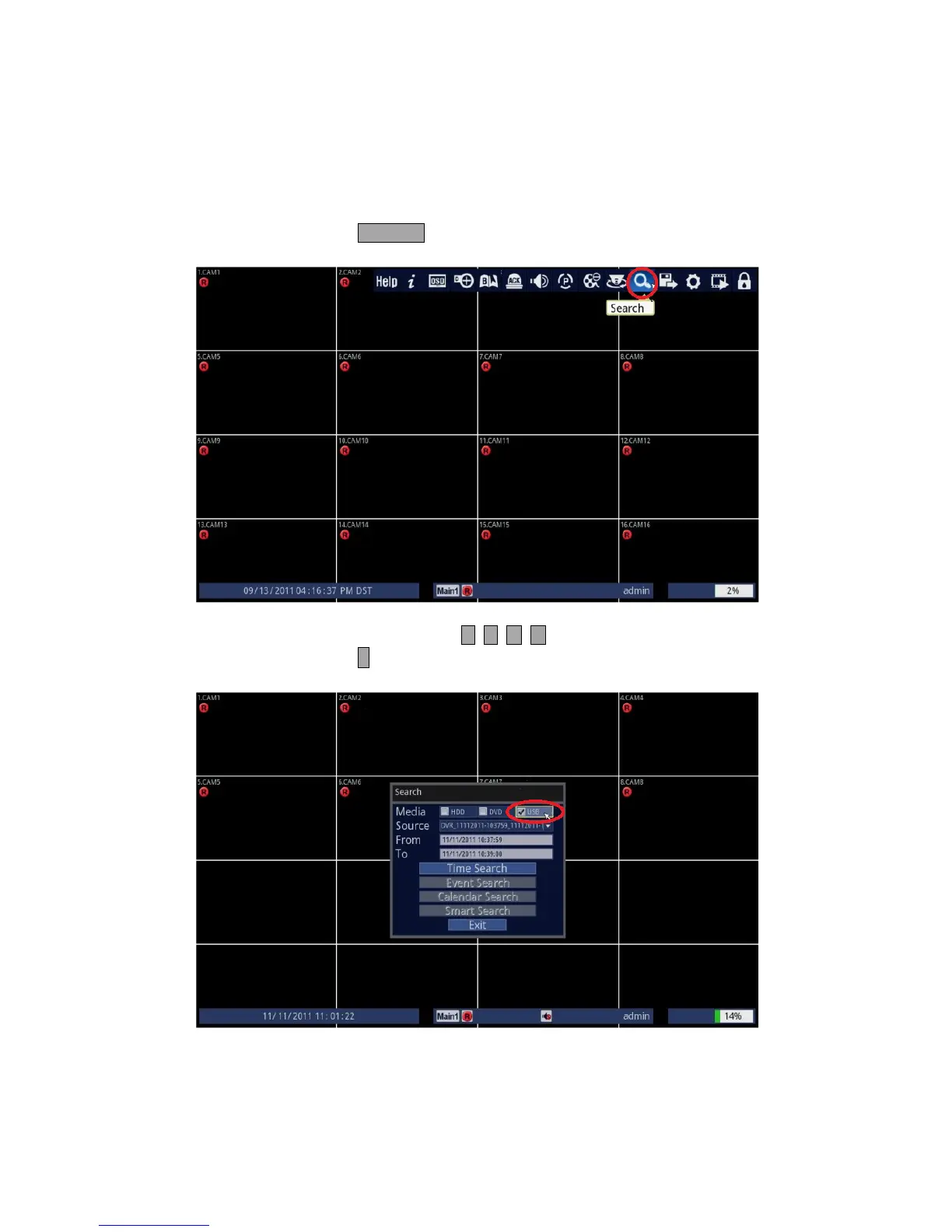
• Using Front Panel/Remote: Press SEARCH button.
• Using Mouse: Click on the [Search] icon.
3. Choose USB.
• Using Front Panel/Remote: Use and press either buttons to highlight USB and
press ↵ button to select.
• Using Mouse: Click on the USB.



 To Next Page