EasyManua.ls Logo

Eaton 3S - User Manual

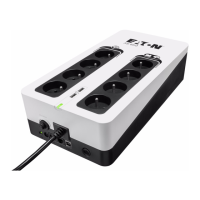
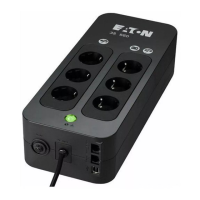
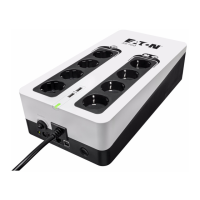
Eaton 3S
16 pages
Print Icon
To Next Page IconTo Next Page
Loading...
ENGLISH
Eaton 3S
Advanced User Guide
Copyright © 2019 EATON
All rights reserved.
614-09406-00_EN
3S ANZ

Questions and Answers

  • R
    Rick MartinezAug 14, 2025
    Why does my Eaton 3S beep every second and the green LED flash?
    • M
      Maria GreenAug 14, 2025
      If the green LED flashes every second and the alarm beeps every second on your Eaton UPS, it indicates that the battery backup outlets are overloaded. To resolve this, disconnect some of the equipment connected to the battery backup outlets.
  • J
    jeffreytaylorAug 17, 2025
    Why does Eaton 3S UPS beep every 5 seconds?
    • J
      Jacqueline EvansAug 17, 2025
      If the green LED on your Eaton UPS flashes every second and the alarm beeps every 5 seconds, it means the UPS is frequently running on battery power due to a poor AC power source. You should have your electrical installation checked by a professional or try using a different wall outlet.
  • T
    Teresa ClarkAug 21, 2025
    What to do if my Eaton UPS operates on battery power when AC power is available?
    • C
      Corey CarrAug 21, 2025
      If your Eaton UPS is running on battery power even when AC power is available, it's possible that the circuit breaker has been tripped due to an overload. Try disconnecting some of the equipment plugged into the UPS and then reset the circuit breaker by pressing the button.
  • C
    Craig ClementsAug 25, 2025
    How to fix Eaton 3S filtered outlets not working?
    • S
      Samantha ColeAug 26, 2025
      If the filtered outlets on your Eaton UPS are not working, ensure that the wall outlet is supplying power. Additionally, check if the circuit breaker has tripped due to an overload. If so, disconnect some equipment and reset the circuit breaker by pressing the button.
  • D
    dean45Aug 29, 2025
    What to do if Eaton 3S UPS doesn't supply power during an outage?
    • T
      Terry EllisAug 29, 2025
      If your devices aren't receiving power from the Eaton UPS during an AC power failure, make sure they are connected to the battery backup outlets.
  • S
    Susan JohnsonSep 1, 2025
    Why are the USB charger ports not working on my Eaton 3S UPS?
    • R
      Rebecca DelgadoSep 1, 2025
      If the USB charger ports on your Eaton UPS aren't working, it could be due to a low battery voltage. Recharge the battery.
  • B
    Brian BerrySep 5, 2025
    How to turn on battery backup outlets on Eaton 3S?
    • J
      Jonathan SimsSep 5, 2025
      If the battery backup outlets on your Eaton UPS aren't providing power, make sure the ON/OFF button is pressed for 1.5 seconds and that the LED turns green.
  • T
    Timothy LopezSep 8, 2025
    How to fix Eaton UPS USB communication failure?
    • G
      guerrerocheyenneSep 9, 2025
      If USB communication is failing with your Eaton UPS, try reconnecting the USB cable.

Summary

Special Symbols

Introduction to Eaton 3 S UPS

Eaton 3 S UPS Presentation

Installation Guide

Package Contents

Lists the items included in the Eaton 3S UPS package.

Recommended Installation Positions

Details the recommended physical placement and mounting for the UPS.

Connecting the Eaton 3 S UPS

Connecting the Power Supply Cord

Instructions for connecting the UPS unit to the AC power source.

Understanding Outlet Types

Explains the function of backup and surge-protected outlets.

Tel;xDSL Surge Protection Setup

Guidance on utilizing the optional surge protection for phone lines.

USB COM Port Connection

How to connect the UPS to a computer using the USB communication port.

USB Charging Port Usage

Information on the optional USB port for charging external devices.

Using the ON;OFF Button

Instructions on how to operate the power ON/OFF button of the UPS.

Registering Your Warranty

Provides web links for registering the product warranty.

Operating the Eaton 3 S UPS

Battery Charging Process

Details on how the UPS battery charges and initial charge recommendations.

Responding to AC Power Disturbances

Explains UPS behavior and alarms during AC power failures or disturbances.

Surge Protection for Protected Outlets

Clarifies that protected outlets offer surge protection only.

Equipment Care and Maintenance

Advice on maintaining equipment and UPS performance, including temperature impact.

Battery Replacement Procedure

Instructions and safety precautions for replacing the UPS battery.

Troubleshooting Common Issues

Service and Support Information

Technical Specifications and Characteristics

Glossary of Terms

Eaton 3S Specifications

General IconGeneral
Surge ProtectionYes
Humidity0-95% non-condensing
Power Rating700VA / 420W
Output Voltage230 V
Frequency50-60 Hz
Input ConnectionsIEC 320 C14
Battery TypeSealed Lead-Acid
Communication PortsUSB
Operating Temperature0 to +40°C
Storage Temperature-15 to +45°C
Data line protectionData Line Protection (Internet/Tel/Fax)

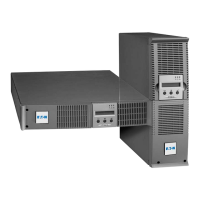
Related product manuals