EasyManua.ls Logo

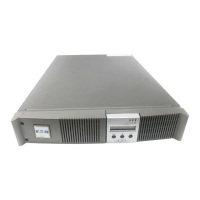
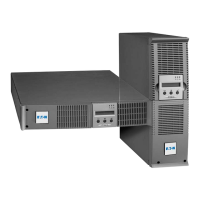
Eaton EX 3000 RT 2U - User Manual

Eaton EX 3000 RT 2U
66 pages
Print Icon
To Next Page IconTo Next Page
Loading...
w w w . e a t o n . c o m
Installation and User Manual
English
EX
2200 RT 2U
3000 RT 2U
EXB RT 3U
Pulsar Series
86-86710-00 A02 UM.indd 1 14/01/2009 10:56:17
インストレーションおよび
取扱説明書
Installation and User Manual
EX
2200 RT 2U
3000 RT 2U
EXB RT 3U
Pulsar Series
日本語
English
www.eaton.com

Table of Contents

Questions and Answers

  • K
    Katherine SimsAug 20, 2025
    What to do if Eaton EX 3000 RT 2U UPS indicates OVERLOAD ALARM REDUCE LOAD?
    • E
      erin16Aug 20, 2025
      If your Eaton UPS displays 'OVERLOAD ALARM REDUCE LOAD', it means the load level is exceeding the programmed overload level or the UPS capacity. The solution is to reduce the load connected to the UPS.
  • C
    christian47Aug 22, 2025
    What to do if Eaton UPS indicates LOAD UNPROTECTED OUTPUT OVERLOAD?
    • R
      ryan97Aug 22, 2025
      When your Eaton UPS shows 'LOAD UNPROTECTED OUTPUT OVERLOAD', it signifies that the UPS is overloaded and the connected devices are being fed directly by the electrical network via the By-pass. You should check the power drawn by the connected devices and disconnect any non-priority devices to resolve this.
  • E
    evansreneeAug 25, 2025
    What to do if Eaton UPS indicates OVERLOAD FAULT REDUCE LOAD?
    • C
      christinebrownAug 25, 2025
      If your Eaton UPS displays 'OVERLOAD FAULT REDUCE LOAD', it means the UPS shut down automatically due to an overload at the UPS output. To fix this, check the power drawn by the connected devices and disconnect any non-priority devices.
  • A
    Ashlee WagnerAug 27, 2025
    What to do if Eaton EX 3000 RT 2U indicates REDUCE LOAD RESTART UPS?
    • O
      osantosAug 27, 2025
      If the Eaton UPS displays 'REDUCE LOAD RESTART UPS', it indicates that after repetitive overloads, the UPS is locked in the By-pass position, and the devices are fed directly by the electrical network. You should check the power drawn by the connected devices, disconnect any non-priority devices, then shut down and restart the UPS to return to normal operation.
  • T
    Taylor BallAug 28, 2025
    What to do if Eaton UPS indicates SITE WIR. FAULT CHECK AC WIRING?
    • J
      Jorge FieldsAug 28, 2025
      If your Eaton UPS displays 'SITE WIR. FAULT CHECK AC WIRING', it indicates a phase inversion on the AC input power, preventing the UPS from starting. Check the polarity and grounding system.
  • G
    Garrett HamiltonAug 30, 2025
    What to do if Eaton EX 3000 RT 2U indicates NO BATTERY CHECK CONNECTION?
    • D
      daviswilliamAug 30, 2025
      If your Eaton UPS displays 'NO BATTERY CHECK CONNECTION', it means the battery is incorrectly connected. Check the battery connections.
  • H
    Holly DavisAug 31, 2025
    What to do if Eaton UPS indicates BATTERY FAULT SERV REQUIRED?
    • K
      Kristin AguilarSep 1, 2025
      If the Eaton UPS displays 'BATTERY FAULT SERV REQUIRED', a fault has been detected on the battery. Replace the battery.
  • A
    Alexa MedinaSep 2, 2025
    What to do if Eaton UPS LCD indicates REMOTE POWER OFF RPO?
    • D
      deanna08Sep 2, 2025
      If your Eaton UPS displays 'REMOTE POWER OFF RPO', it means the Remote Power Off (RPO) function has shut down the UPS. Return the contact to the normal position and press the ON/OFF button to restart.
  • C
    Charles WatsonSep 4, 2025
    What to do if Eaton EX 3000 RT 2U UPS load is no longer supplied when the rotary switch on the HotSwap MBP module is set to the Bypass position?
    • Z
      zimmermankennethSep 4, 2025
      If the load is no longer supplied when the rotary switch on the HotSwap MBP module is set to the Bypass position, it could be due to these reasons: * The protected devices are connected to the UPS output instead of to the HotSwap MBP module. * The AC power cord is connected to the UPS input instead of to the HotSwap MBP module. Check the wiring between the UPS and the HotSwap MBP module.
  • K
    Katherine JenkinsSep 6, 2025
    What to do if Eaton EX 3000 RT 2U UPS load is no longer supplied when the rotary switch on the HotSwap MBP module is set to the Normal position?
    • R
      Rita TranSep 6, 2025
      If the load is no longer supplied when the rotary switch on the HotSwap MBP module is set to the Normal position, it could be because the UPS is shut down or the wiring between the UPS and the HotSwap MBP module is not correct. Start the UPS and check the wiring between the UPS and the HotSwap MBP module.

Summary

Introduction to Eaton EX UPS

Environmental Protection

Eaton's environmental policy and eco-design approach for products.

Substances in Product

Product does not contain CFCs, HCFCs, or asbestos.

Packing and Recycling

Information on packing materials, recycling, and identification symbols.

Product and Battery Disposal

Eaton's process for product and battery disposal compliance.

Important Safety Instructions

Safety of Persons

Precautions regarding dangerous voltage, qualified personnel, grounding, and battery handling.

Product Safety Guidelines

Guidelines for UPS connection, circuit breakers, rating plates, and installation environment.

Special Precautions for Handling

Advice on handling operations, storage, and battery replacement.

Symbol Usage

Safety and Operational Symbols

Explains critical safety, informational, visual, action, and audible symbols used in the manual.

Product Presentation

Standard Positions and Dimensions

Details dimensions and weights for tower and rack mounting configurations.

Product Presentation Details

Rear Panel Identification

Identifies and describes various ports and connectors on the rear of the UPS units.

Control Panel Overview

Identifies and describes the buttons and display on the UPS control panel.

Installation Guide

Unpacking and Contents Check

Guide to unboxing the UPS and verifying all included components and accessories.

Installation Procedures

Installation in Tower Position

Step-by-step instructions for installing the UPS vertically.

Installation in Rack Position

Step-by-step instructions for mounting the UPS in a standard equipment rack.

Installation Connections

Communication Ports Setup

Explains how to connect RS232 or USB communication ports for UPS management.

Communication Card Installation

Instructions for installing optional communication cards in the UPS.

Installation Options

Connecting with FlexPDU Module

Guide for connecting the UPS to an optional FlexPDU module.

Connecting with HotSwap MBP Module

Guide for connecting the UPS to an optional HotSwap MBP module for maintenance.

Installation Configurations

HotSwap MBP Module Operation

Explains the operation of the HotSwap MBP module and its switch positions.

UPS Connection Without Optional Modules

Instructions for connecting the UPS directly without optional modules.

Operation Guide

Start-Up and Normal Operation

Steps for starting the UPS and its normal operating procedures.

UPS Personalization Mode

How to enter personalization mode via control panel or software.

Operation Modes

Operation on Battery Power

Describes UPS behavior when running on battery power, including low battery states.

Return of AC Power

Explains how the UPS resumes operation when AC power is restored.

UPS Shutdown Procedure

Instructions for safely shutting down the UPS.

Remote Control Functions

Using UPS Remote Control

Details on using Remote Power Off (RPO) and Remote On/Off (ROO) functions.

Access to Data

Display Organization Overview

Overview of how status, alarms, measurements, and personalization options are displayed.

Accessing Measurements

How to navigate and view UPS measurements using the scroll button.

Control Panel Personalization

Guide to customizing UPS settings like language and audio alarms via the control panel.

Personalization Options

Output Personalization Settings

Settings for output voltage, frequency converter, and overload levels.

ON;OFF Personalization Settings

Settings for automatic restart, energy savings, and phase/neutral inversion detection.

Battery Personalization Settings

Settings for battery tests, backup time selection, and discharge protection.

External Software Personalization

Instructions for personalizing UPS settings using the provided software.

Maintenance

Troubleshooting Common Faults

Guide to diagnosing and resolving common UPS faults indicated by LEDs and LCD messages.

Maintenance Procedures

Troubleshooting HotSwap MBP Module

Specific troubleshooting steps for UPS units with a HotSwap MBP module.

Battery Module Replacement

Safety recommendations and procedures for replacing the UPS battery module.

Maintenance Actions

Battery-Module Removal

Detailed steps for safely removing the battery module from the UPS.

Mounting New Battery Module

Instructions for installing a new battery module, reversing the removal steps.

Maintenance with HotSwap MBP

Maintenance on UPS with HotSwap MBP

Procedures for servicing or replacing the UPS with a HotSwap MBP module.

Appendices

Technical Specifications

Detailed technical data including power, voltage, frequency, and environmental specifications.

Appendices - Programming

Programming Programmable Outlets

Step-by-step guide to configuring programmable outlets using the provided software.

Appendices - Outlet Configuration

Programmable Outlets Setup

Step-by-step guide to configuring programmable outlets using the provided software.

Shutdown Timer Configuration

How to set the shutdown timer for programmable outlets via software.

Appendices - Reference

Glossary of Terms

Definitions of key terms and acronyms used throughout the manual.

Eaton EX 3000 RT 2U Specifications

General IconGeneral
Power Rating3000 VA / 2700 W
Frequency50/60 Hz
Operating Temperature0 to 40 °C
Form FactorRackmount
Battery TypeSealed Lead Acid
Communication PortsUSB
Operating Humidity0% to 95% (non-condensing)
Height3.5 inches
Number of Outlets8 (IEC 320 C13)
TopologyDouble Conversion Online
WeightApprox. 66 lbs (30 kg)

Related product manuals