EasyManua.ls Logo

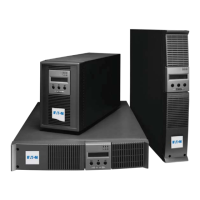
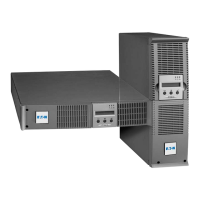
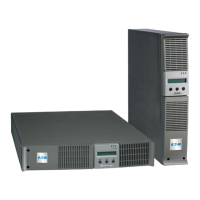
Eaton EX Pulsar Series - User Manual

Eaton EX Pulsar Series
66 pages
Print Icon
To Next Page IconTo Next Page
Loading...
w w w . e a t o n . c o m
Installation and User Manual
English
EX
2200 RT 2U
3000 RT 2U
EXB RT 3U
Pulsar Series
86-86710-00 A02 UM.indd 1 14/01/2009 10:56:17
インストレーションおよび
取扱説明書
Installation and User Manual
EX
2200 RT 2U
3000 RT 2U
EXB RT 3U
Pulsar Series
日本語
English
www.eaton.com

Table of Contents

Questions and Answers

  • D
    diane27Aug 20, 2025
    What to do if Eaton EX Pulsar indicates OVERLOAD ALARM REDUCE LOAD?
    • S
      Sara StoneAug 20, 2025
      If your Eaton UPS displays 'OVERLOAD ALARM REDUCE LOAD', it means the load level is exceeding the programmed overload level or the UPS capacity. The solution is to reduce the load connected to the UPS.
  • D
    davidrollinsAug 22, 2025
    What to do if Eaton EX Pulsar indicates LOAD UNPROTECTED OUTPUT OVERLOAD?
    • P
      Philip HamptonAug 22, 2025
      When your Eaton UPS shows 'LOAD UNPROTECTED OUTPUT OVERLOAD', it signifies that the UPS is overloaded and the connected devices are being fed directly by the electrical network via the By-pass. You should check the power drawn by the connected devices and disconnect any non-priority devices to resolve this.
  • S
    Sierra LopezAug 25, 2025
    What to do if Eaton UPS indicates OVERLOAD FAULT REDUCE LOAD?
    • D
      dmillerAug 25, 2025
      If your Eaton UPS displays 'OVERLOAD FAULT REDUCE LOAD', it means the UPS shut down automatically due to an overload at the UPS output. To fix this, check the power drawn by the connected devices and disconnect any non-priority devices.
  • P
    Patrick MartinezAug 26, 2025
    What to do if Eaton EX Pulsar UPS indicates REDUCE LOAD RESTART UPS?
    • J
      juanbarnesAug 26, 2025
      If the Eaton UPS displays 'REDUCE LOAD RESTART UPS', it indicates that after repetitive overloads, the UPS is locked in the By-pass position, and the devices are fed directly by the electrical network. You should check the power drawn by the connected devices, disconnect any non-priority devices, then shut down and restart the UPS to return to normal operation.
  • M
    Michelle FrenchAug 28, 2025
    What to do if Eaton EX Pulsar UPS indicates SITE WIR. FAULT CHECK AC WIRING?
    • T
      Timothy WilkersonAug 28, 2025
      If your Eaton UPS displays 'SITE WIR. FAULT CHECK AC WIRING', it indicates a phase inversion on the AC input power, preventing the UPS from starting. Check the polarity and grounding system.
  • J
    Jeffrey FrancoAug 29, 2025
    What to do if Eaton EX Pulsar indicates NO BATTERY CHECK CONNECTION?
    • D
      damon91Aug 30, 2025
      If your Eaton UPS displays 'NO BATTERY CHECK CONNECTION', it means the battery is incorrectly connected. Check the battery connections.
  • E
    Edwin WelchAug 31, 2025
    What to do if Eaton EX Pulsar indicates BATTERY FAULT SERV REQUIRED?
    • C
      Carrie AndersonAug 31, 2025
      If the Eaton UPS displays 'BATTERY FAULT SERV REQUIRED', a fault has been detected on the battery. Replace the battery.
  • T
    theresa06Sep 2, 2025
    What to do if Eaton EX Pulsar LCD indicates REMOTE POWER OFF RPO?
    • A
      Anna SteeleSep 2, 2025
      If your Eaton UPS displays 'REMOTE POWER OFF RPO', it means the Remote Power Off (RPO) function has shut down the UPS. Return the contact to the normal position and press the ON/OFF button to restart.
  • R
    Rebecca RowlandSep 4, 2025
    What to do if Eaton UPS load is no longer supplied when the rotary switch on the HotSwap MBP module is set to the Bypass position?
    • S
      Stacy ThomasSep 4, 2025
      If the load is no longer supplied when the rotary switch on the HotSwap MBP module is set to the Bypass position, it could be due to these reasons: * The protected devices are connected to the UPS output instead of to the HotSwap MBP module. * The AC power cord is connected to the UPS input instead of to the HotSwap MBP module. Check the wiring between the UPS and the HotSwap MBP module.
  • J
    joseph04Sep 6, 2025
    What to do if Eaton EX Pulsar UPS load is no longer supplied when the rotary switch on the HotSwap MBP module is set to the Normal position?
    • A
      Amanda SmithSep 6, 2025
      If the load is no longer supplied when the rotary switch on the HotSwap MBP module is set to the Normal position, it could be because the UPS is shut down or the wiring between the UPS and the HotSwap MBP module is not correct. Start the UPS and check the wiring between the UPS and the HotSwap MBP module.

Eaton EX Pulsar Series Specifications

General IconGeneral
Model SeriesEX Pulsar Series
Frequency50/60 Hz
Relative Humidity0-95% non-condensing
CommunicationUSB
Form FactorTower
Battery TypeSealed Lead-Acid (SLA)
Operating Temperature0 to 40°C
Storage Temperature-15 to 45°C

Related product manuals