EasyManua.ls Logo

Eaton DX RT 6K UPS - User Manual

Eaton DX RT 6K UPS
56 pages
Print Icon
To Next Page IconTo Next Page
Loading...
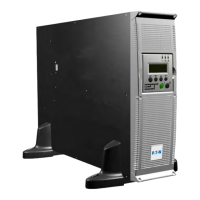
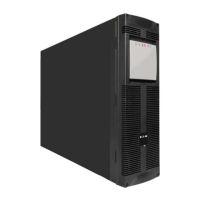
Eaton DX RT Online UPS
6000/10000VA(XL) IN USER MANUAL

Questions and Answers

  • K
    kstantonAug 18, 2025
    What to do if Eaton UPS power requirements exceed capacity?
    • C
      Catherine LaraAug 18, 2025
      If the power requirements exceed the UPS capacity, remove some of the equipment connected to the Eaton UPS. The UPS will continue to operate, but it might switch to Bypass mode or shut down if the load increases. The alarm will reset when the condition becomes inactive.
  • M
    Martha ShannonAug 20, 2025
    What to do if Eaton DX RT 6K UPS detects abnormally low impedance?
    • M
      Michelle Martin PhDAug 20, 2025
      If the Eaton UPS detects abnormally low impedance, which it considers a short circuit, follow these steps: 1. Remove all the loads. 2. Turn off the UPS. 3. Check if the UPS output and loads have a short circuit. 4. Ensure the short circuit is removed before turning it on again.
  • D
    Donna BrightAug 23, 2025
    What to do if Eaton DX RT 6K shows overload fault?
    • M
      Monica MooreAug 23, 2025
      If your Eaton UPS indicates an overload fault, remove some of the equipment connected to the UPS. Also, check the equipment for any faults.
  • A
    Amanda MilesAug 26, 2025
    What to do if Eaton DX RT 6K UPS get invert over voltage fault?
    • F
      fdrakeAug 26, 2025
      If the Eaton UPS experiences an invert over voltage fault, remove some equipment from the UPS, clear the fault code, and try restarting it.
  • H
    Hailey JohnsonAug 28, 2025
    What to do if Eaton UPS get inverter under voltage fault?
    • C
      cindy31Aug 28, 2025
      If the Eaton UPS indicates an inverter under voltage fault, remove some equipment from the UPS, clear the fault code, and then attempt to restart it.
  • S
    Shannon YorkAug 30, 2025
    How to fix Eaton DX RT 6K UPS internal heat sink temperature too high?
    • D
      Dominique FloydAug 31, 2025
      If the Eaton UPS internal heat sink temperature is too high, or a fan has failed, clear the vents and remove any heat sources. Allow the UPS to cool down. Make sure that the airflow around the UPS is not restricted and restart the UPS. If the condition persists, contact your service representative.
  • R
    Rita StevensSep 2, 2025
    What to do if Eaton DX RT 6K UPS battery is not connected?
    • H
      harveyjefferySep 2, 2025
      If the Eaton UPS indicates that the battery is not connected, check the battery and battery cable. If the battery is damaged, replace it immediately by a professional.
  • Y
    ymartinezSep 4, 2025
    Why is Eaton DX RT 6K battery voltage too low?
    • C
      charlene14Sep 4, 2025
      If the battery voltage is too low in your Eaton UPS, check the battery. If the battery is damaged, replace it immediately by a professional.
  • B
    Briana ColeSep 7, 2025
    What to do if Eaton DX RT 6K UPS battery voltage is too high?
    • T
      Taylor JohnsonSep 7, 2025
      If the Eaton UPS shows that the battery voltage is too high, check the battery and charger. If the battery is damaged, replace it immediately by a professional.
  • E
    eugene74Sep 9, 2025
    What to do if Eaton DX RT 6K UPS has cut off the output and transferred to fault mode because of overload in bypass mode?
    • M
      Martha ThomasSep 9, 2025
      If the Eaton UPS has cut off the output and transferred to fault mode because of overload in bypass mode, remove some of the equipment from the UPS.

Summary

Introduction

Electronic equipment protection

Explains how UPS protects sensitive equipment from power problems and lists UPS benefits.

Installation

Install the unit

Provides procedures for installing the UPS and EBM units in a rack.

Power cables connection

Recommended upstream protection

Specifies required protective devices and circuit breaker ratings for UPS input.

Recommended cable cross-sections

Details recommended cable sizes for earthing, input, and output connections.

Access to terminal blocks (AC source to UPS)

Step-by-step guide for connecting AC power to the UPS terminal blocks.

Parallel Installation and Operation (Optional)

Explains how to connect multiple UPS units in parallel for increased capacity or redundancy.

Operation

UPS startup and shutdown

Provides procedures for starting and shutting down the UPS with or without utility power.

Communication

UPS maintenance

Replacing batteries

Detailed safety precautions and procedures for replacing UPS batteries.

Troubleshooting

Typical alarms and faults

Provides a chart to identify common UPS alarms, fault codes, causes, and actions.

Specifications

Eaton DX RT 6K UPS Specifications

General IconGeneral
Power Rating6 kVA
TopologyDouble Conversion Online
Output Voltage200/208/220/230/240 VAC
Output Frequency50/60 Hz
Form FactorTower
Output Power6000 W
Input Voltage200/208/220/230/240 VAC
Input Frequency50/60 Hz
Battery TypeSealed Lead Acid (SLA)
Runtime at Half LoadVaries by battery configuration
Typical Recharge Time4 hours to 90%
Communication PortsUSB, RS-232
Network ManagementOptional Network Management Card
Operating Temperature0°C to 40°C (32°F to 104°F)
Output Voltage THD< 5%

Related product manuals