EasyManua.ls Logo

Eaton Evolution 650 - User Manual

Eaton Evolution 650
158 pages
Print Icon
To Next Page IconTo Next Page
Loading...
www.eaton.com
Installation and user
manual
English
Français
Deutsch
Italiano
Español
Nederlands
Evolution
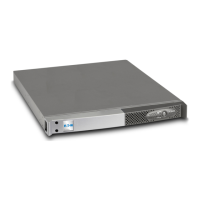
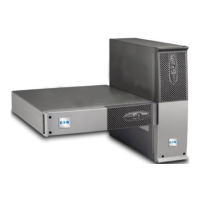
650 / 650 Rack 1U
850 / 850 Rack 1U
1150 / 1150 Rack 1U
1550 / 1550 Rack 1U
Pulsar Series

Table of Contents

Questions and Answers

  • S
    Sandra MillsJul 31, 2025
    What to do if Eaton UPS button and LED are ON and LEDs on bargraph flash?
    • C
      Connor PetersenJul 31, 2025
      If the button and LEDs are ON and all the LEDs on the bargraph are flashing on your Eaton UPS, it means the percent load is greater than the set overload level or UPS capacity. To resolve this, check the power drawn by the connected devices and disconnect any non-priority devices. Also, check the overload level setting.
  • A
    Ashley CunninghamAug 7, 2025
    What to do if Eaton UPS button and LED are ON and all bargraph LEDs are flashing?
    • S
      Sean HoffmanAug 8, 2025
      If the button and LED are ON and all the LEDs on the bargraph are flashing on your Eaton UPS, a critical overload has occurred on the UPS output. If AC input power fails, the load will not be supplied in battery mode. Check the power drawn by the connected devices and disconnect any non-priority devices.
  • L
    Lisa PetersonAug 15, 2025
    Why is the LED ON and bargraph LEDs flashing on my Eaton Evolution 650 UPS?
    • J
      Jennifer WilsonAug 15, 2025
      If the LED is ON and all the LEDs on the bargraph are flashing on your Eaton UPS, a battery fault has been detected during the automatic test. Replace the battery module.
  • T
    Tamara BrownAug 22, 2025
    How to fix Eaton UPS when all LEDs go ON and then only one LED remains ON?
    • M
      Madison HarrisAug 23, 2025
      If, when starting your Eaton UPS, all the LEDs briefly turn ON, the buzzer beeps, and then only one LED remains ON, the remote power off (RPO) contact has been activated, preventing restart. To fix this, set the contact back to its normal position and press the button to restart.

Summary

Installation

2.6 Equipment Connections

How to connect protected equipment to the UPS output sockets.

Operation

3.1 Start-up and Normal Operation

Procedure for powering on the UPS and understanding normal operating status.

3.2 Operation on Battery Power

How the UPS functions during AC power loss and battery status warnings.

Maintenance

5.1 Troubleshooting

Common UPS issues, causes, and corrective actions for troubleshooting.

5.2 Replacing the Battery Module in the Tower Model

Step-by-step guide for safely replacing the battery module in tower UPS models.

5.3 Replacing the Battery Module in the Rack Model

Step-by-step guide for safely replacing the battery module in rack-mounted UPS models.

Eaton Evolution 650 Specifications

General IconGeneral
BrandEaton
ModelEvolution 650
CategoryUPS
LanguageEnglish

Related product manuals