
 Need help?
Do you have a question about the ebm-papst W3G910-KV12-03 and is the answer not in the manual?
Explains hazard symbols (Danger, Warning, Caution, Note) and their implications.
Outlines the required qualifications and training for personnel handling the device.
Lists fundamental safety rules to be observed when working with the device.
Details safety measures related to electrical voltage and shock hazards.
Covers protective features, electromagnetic interference, and noise emissions.
Warns about dangers from mechanical movement and hot surfaces.
Provides instructions and warnings for safe transportation of the fan.
Gives guidelines for proper storage conditions to maintain device integrity.
Details the intended applications and conditions for using the device.
Lists improper uses that are hazardous and strictly prohibited.
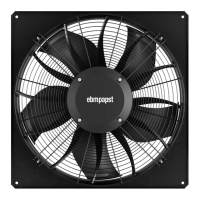
Details the physical dimensions and key specifications of the fan product.
Specifies the necessary recess diameter for mounting the fan housing in the end device.
Provides detailed nominal data for the motor, including electrical and performance characteristics.
Outlines the technical specifications and features of the device.
Includes data according to EU regulations and manufacturer details.
Details mounting requirements, including screw strength and tightening.
Provides temperature limits for motor transport and storage.
Covers EMC immunity and emission standards.
Guides the user through the mechanical connection process, highlighting hazards.
Emphasizes safety precautions during electrical connection, including earthing.
Specifies cable cross-sections, fuses, and compliance with standards.
Explains reactive currents and recommendations for residual current devices.
Discusses leakage current behavior and locked-rotor protection mechanisms.
Provides instructions on preparing cables, including stripping lengths and wire-end ferrules.
Lists terminal connection specifications for supply and control cables.
Details the process of connecting cables to terminals, including safety warnings.
Provides guidance on routing cables to prevent moisture penetration.
Guides the installation of connectors and routing cables within the terminal box.
Ensures proper cable strain relief, terminal box closure, and screw tightening.
Illustrates the main connection diagram for power supply and control signals.
Details the designation and function of each terminal for control and communication.
Explains how to configure the input/output (IO) modules for various functions.
Details electrical specifications and functions for different interface types (MODBUS, analog, digital).
Shows equivalent circuit diagrams for various hardware input signals.
Illustrates equivalent circuits for hardware outputs and bus connections.
Depicts the power supply and status relay connection diagram.
Guides on checking connections, ensuring isolation, and securing the terminal box.
Provides instructions for safely switching the device on, including pre-checks.
Details procedures for switching the device off during operation and for maintenance.
Describes integrated protective functions that trigger automatic shutdown and restart on fault detection.
Addresses issues with impeller smoothness and motor not turning, listing causes and remedies.
Covers faults related to line voltage, faulty connections, and their potential remedies.
Explains the meaning of LED status codes and warning messages.
Details motor status codes, possible causes, and remedies for various error conditions.
Provides instructions for cleaning the device safely, avoiding damage and injury.
Outlines regular safety inspection checks, frequency, and required actions.
Offers recommendations for the ecological disposal of the product and its components.
Guides on safe disassembly by qualified personnel, warning of heavy parts.
Lists material categories for recycling and proper disposal of electronic components.
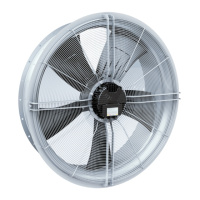
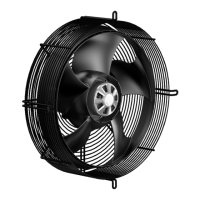
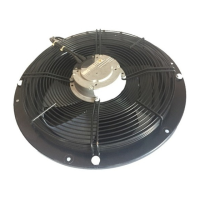
This document provides operating instructions for the W3G910-KV12-03 device, a built-in fan designed for conveying air.
The W3G910-KV12-03 is an EC axial fan, specifically designed for air conveyance in various applications. It operates within power systems with grounded neutral (TN/TT power systems), power systems with phase conductor grounding, or IT power systems, and is suitable for use in networks with quality characteristics as per EN 50160. The device is intended for stationary systems and includes features for control, monitoring, and protection.
Key functional aspects include:



 To Next Page
 General