Need help?
Do you have a question about the EBS Active Track Basic+ and is the answer not in the manual?
Device sensitive to radio interference affecting connection quality.
Follow rules near medical equipment.
Avoid use at petrol stations or chemical depots.
Do not use where explosives are present; follow rules.
Get qualified service for installation and repair.
Use manufacturer-approved items; avoid incompatible chargers.
Device is dust/waterproof; keep safe from excess dust/humidity.
Device supports GPRS data transmission; operates in two modes based on SMS command support.
Factory PIN is '1111'; avoid cards with other PINs to prevent locking.
Device includes a built-in RFID reader.
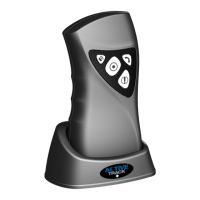
Device has three function buttons: "Checkpoint", "Panic", "Call me".
Device modes indicated by button highlighting.
Detects position and changes relative to Earth's gravity.
Features a battery-powered real-time clock.
Has a buffer memory for 1000 events between server communications.
GPRS uses IP-based networks for data; contact provider for service details.
Data transmission secured with AES algorithm via GSM network.
Details the device's physical components like buttons, indicators, speaker, and connectors.
Instructions for inserting SIM card and battery, with safety notes.
Using the correct charger and voltage source is crucial; device can be powered from mains.
Configure device using SMS messages by sending specific commands with parameter names and values.
Download and install the GPRS transmitters configurator program for device setup.
Lists minimum hardware and software specifications for the configuration PC.
Overview of the configurator's main view, menus, and icons for accessing functions.
Opens a new set of parameters for editing configuration settings.
Load previously saved settings from a catalogue or file.
Save configuration settings to disk in .emi or .cmi format.
Select the desired language for the configuration software.
Define connection type (local or remote) before programming devices.
Connects the configuration software directly to the device via RS-232 serial port.
Configure the device remotely using GPRS link or CSD channel.
Set up remote configuration via GPRS by defining analyzer name, address, and port.
Configure remote communication via CSD channel using a GSM modem.
Automatically saves configuration settings read from or saved to devices on the hard disk.
Closes the configuration program.
Sends data to the device's EEPROM and allows setting the correct time.
Reads data from the device's memory, which can be saved to a file.
Provides information about last events stored in the device's memory.
Displays real-time information on the Active Track device's status.
Resets device parameters to their factory default values.
Displays additional information about the configuration program.
Protects device against unauthorized access using service codes and SIM card PINs.
Defines device working modes, battery life, and SMS command functionality.
Defines parameters for primary and backup server receiving data.
Configures server connection intervals, attempts, and priorities.
Defines network access point details required for GPRS connection.
Configure motion sensor for ManDown and Tilt detection, including sensitivity and pre-alarm.
Configure sound volume and vibration for device events like alarms and notifications.
Enable manual device reset/power off via button combos and configure LED/audio signals.
Select which device-generated signals are transmitted to the monitoring station.
Define signals to be reported with GPRS transmission, marking desired events.
Enables immediate server connection and PANIC event reporting upon button press.
Define additional data types (e.g., power status, GSM status) to transmit with events.
Specify phone numbers authorized to send configuration SMS to the device.
Limit the time for GSM operator to deliver SMS when recipient is unavailable.
Forward received SMS based on sender/recipient rules, up to 5 rules supported.
Define actions for device if outside GSM network, including reconnection time and reset type.
Define actions for device if GPRS connection is lost, including reconnection time and reset type.
Step-by-step guide to program the device locally using the AGP3 adapter and software.
Initial setup involves defining GPRS/OSM.Server parameters and registering the device.
Reprogram the device with new settings via remote connection after initial setup.
How to read RFID tags by approaching the tag to the device's reading area.
How to send an emergency "Panic" command to the monitoring station.
How to check GSM signal strength by pressing specific buttons.
Procedures for resetting or turning off the device via button combinations.
How the motion sensor detects immobility, incorrect position, or impacts.
Signals slow flashing of "Checkpoint" button during GSM network registration.
Displays GSM signal power via flashing "Checkpoint" button.
Informs about connection loss to the server via audio signal if configured.
Signals RFID tag reading confirmation with acoustic signals and button lights.
Signals data transmission with quick flashing of the "Checkpoint" button.
Signals low battery with "Panic" button flashes and sound signals.
Indicates charging status with flashing "Call me" button.
Indicates a fully charged battery when the "Call me" button lights up.
Signals system errors with alternate flashing of "Panic" and "Checkpoint" buttons.
Indicates SIM card issues with "Panic" and "Checkpoint" button blinking.
Covers battery capacity, charging process, lifespan, and temperature effects.


 To Next Page
 General