11
6. First steps
6.1. SIM card and battery installation
All SIM cards should be kept out of reach of children.
SIM card and its connectors may be easily damaged by scratching or folding.
Special attention while inserting and removing is therefore recommended.
Remove battery before inserting SIM card
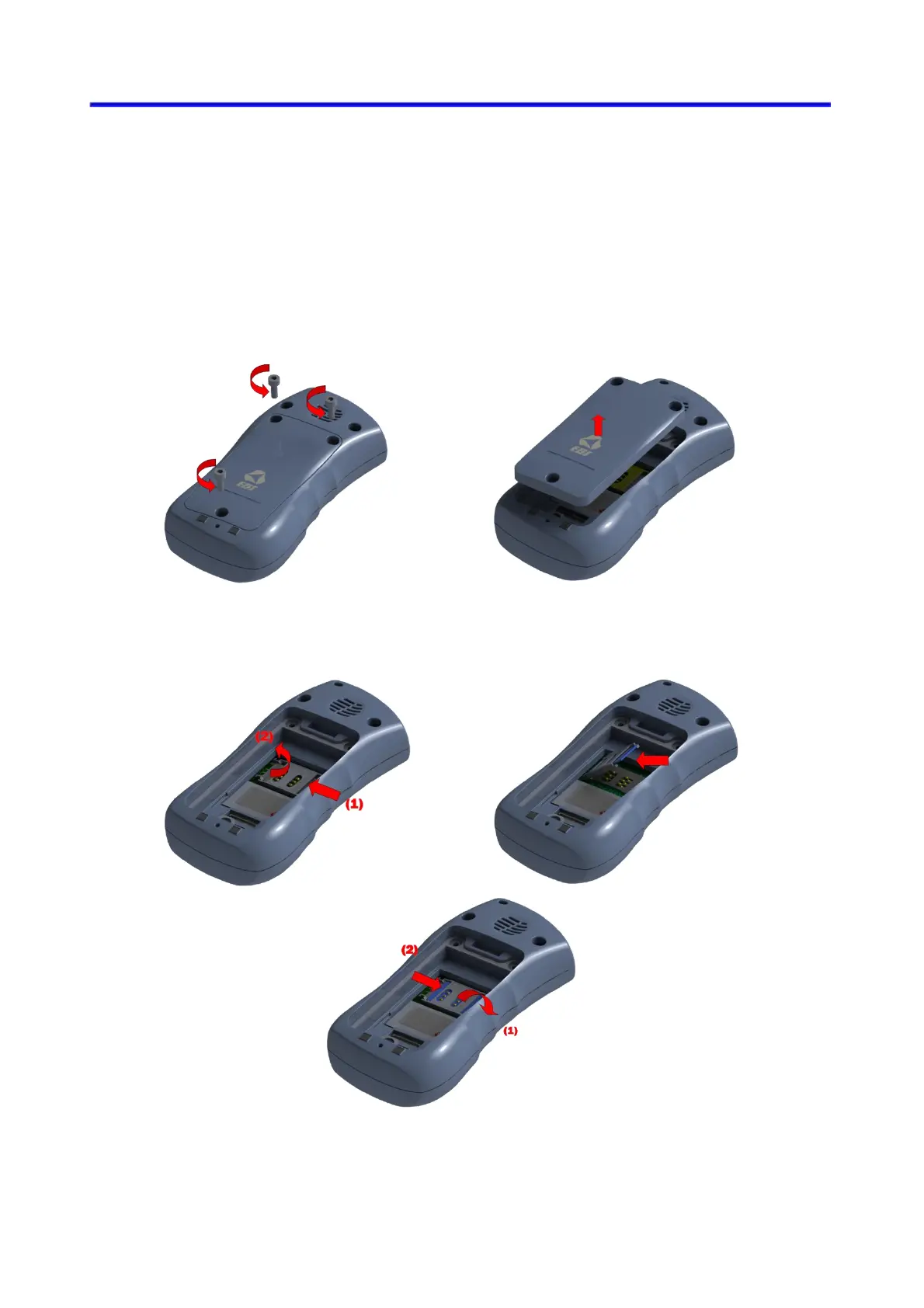
Follow these instructions to remove battery:
1. Turn the device upside down, open lid by unscrewing bolts and take it off.
2. Open the cover on the SIM slot and insert SIM card to holder. Make sure golden
connectors are directed downwards and close cover.



 To Next Page