18
Software:
Operating system: Windows 7 or newer,
.NET Framework 4.5 or newer.
7.2.2. Program functions
After installation and program starting a main view shall be displayed on screen.
Thanks to this view an access to program or programmable parameters of device is
possible.(See Programmable parameters).
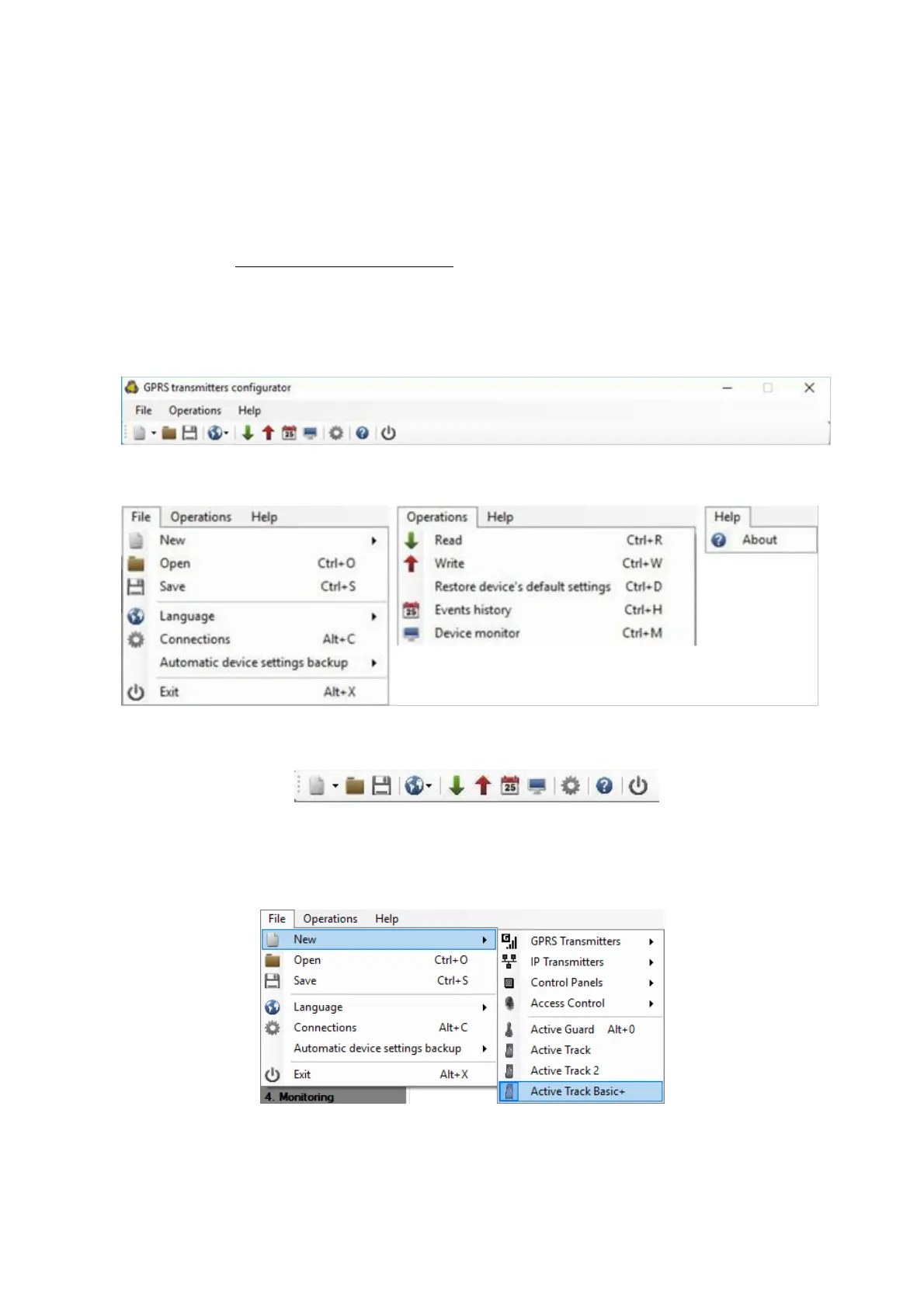
Main window of program is divided into some fields.
Main menu: at upper part of window, contains control and configuration options.
Main menu contents:
Main menu is available as icons on fast access bar:
7.2.2.1. File -> New
Opens new set of parameters. Editing of configuration parameters is possible.
Select Active Track Basic+.


 To Next Page