EC-80320 User’s Manual
- 41 -
GS * Define downloaded bit image
Format: ASCII: GS * n1 n2 d1…dk
Decimal: 29 42 n1 n2 d1…dk
Hex: 1D 2A n1 n2 d1…dk
Description:
Define the downloaded bit image in the downloaded graphic area.
n1=1~48,n2=1~255,n1×n2<1200,k=n1×n2×8。
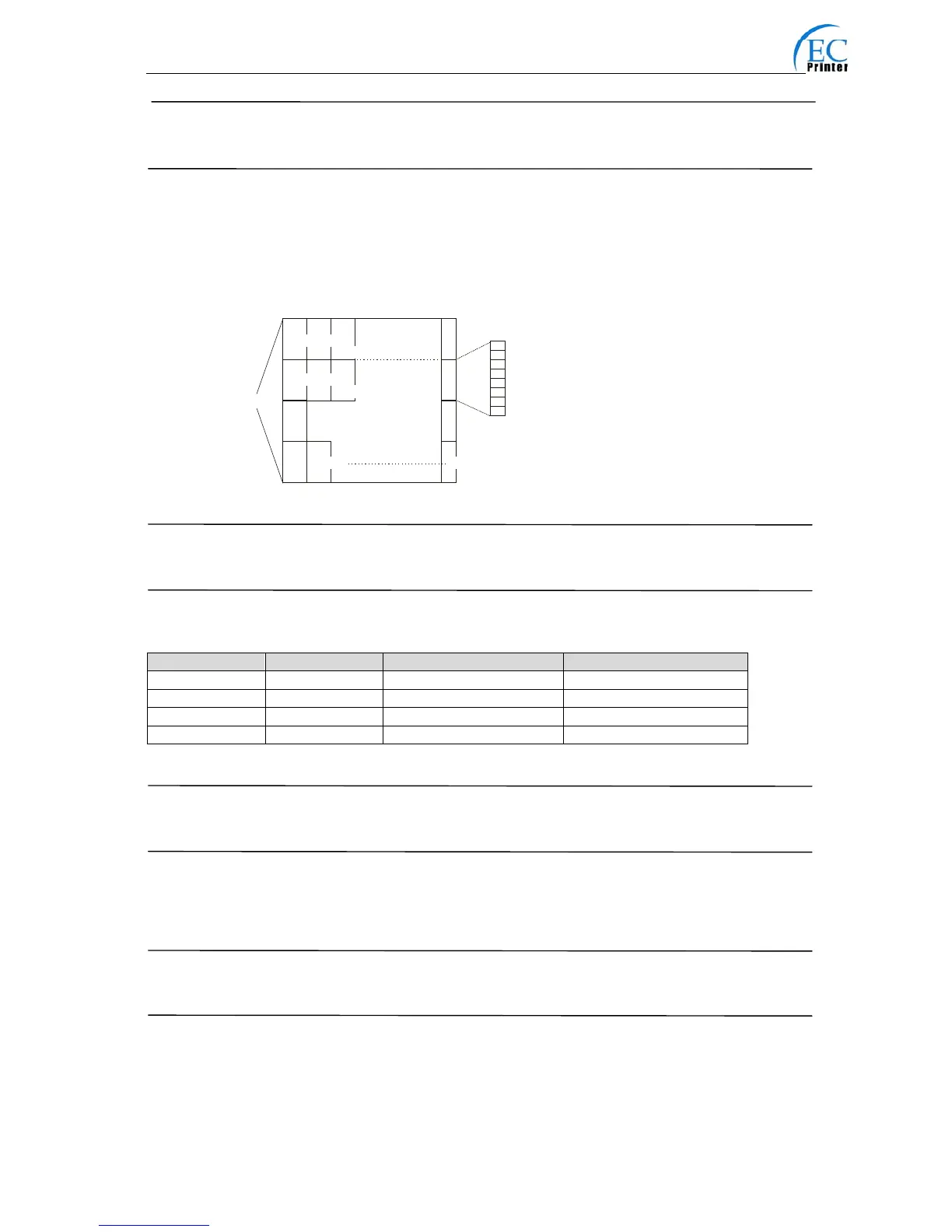
d specifies the bit image data . n1×8 dots in the horizontal direction and n2×8 dots in the vertical
direction.
The downloaded bit image is available till printer is powered off or reset.
The format of bit image is shown below.
GS / Print downloaded bit image
Format: ASCII: GS / n
Decimal: 29 47 n
Hex: 1D 2F n
Description:
Print the downloaded bit image using the mode specified by n. n=0, 1, 2, 3, 48, 49, 50, 51.
The bit image defined by GS * command. n specifies the mode as follows:
GS B Turn white/black reverse mode on/off
Format: ASCII: GS B n
Decimal: 29 66 n
Hex: 1D 42 n
Description:
When the LSB of n is 0, turn the white/black reverse mode off.
When the LSB of n is 1, turn the white/black reverse mode on.
GS H Select print position of HRI character
Format: ASCII: GS H n
Decimal: 29 72 n
Hex: 1D 48 n
Description:
Select the print position of Human Readable Interpretation (HRI) when printing a bar code, using
n as follows: n=0, 48: NO HRI printing. n=1, 49: above the barcode. n=2, 50: below the barcode.
n=3, 51: Both above and below.
n Mode Density in vertical Density in horizontal
0,48 Normal 203DPI 203DPI
1,49 Double-width 203DPI 101DPI
2,50 Double-height 101DPI 203DPI
3,51 Quadruple 101DPI 101DPI
d1
d2
dn2× 2
高位
低位
dn
dn2 2+ 1
×
dn2+1
dn2 2+ 2
×
dn2+2
dn2× 2 8×
n2 8×
n1 8×



 To Next Page