English
English
32
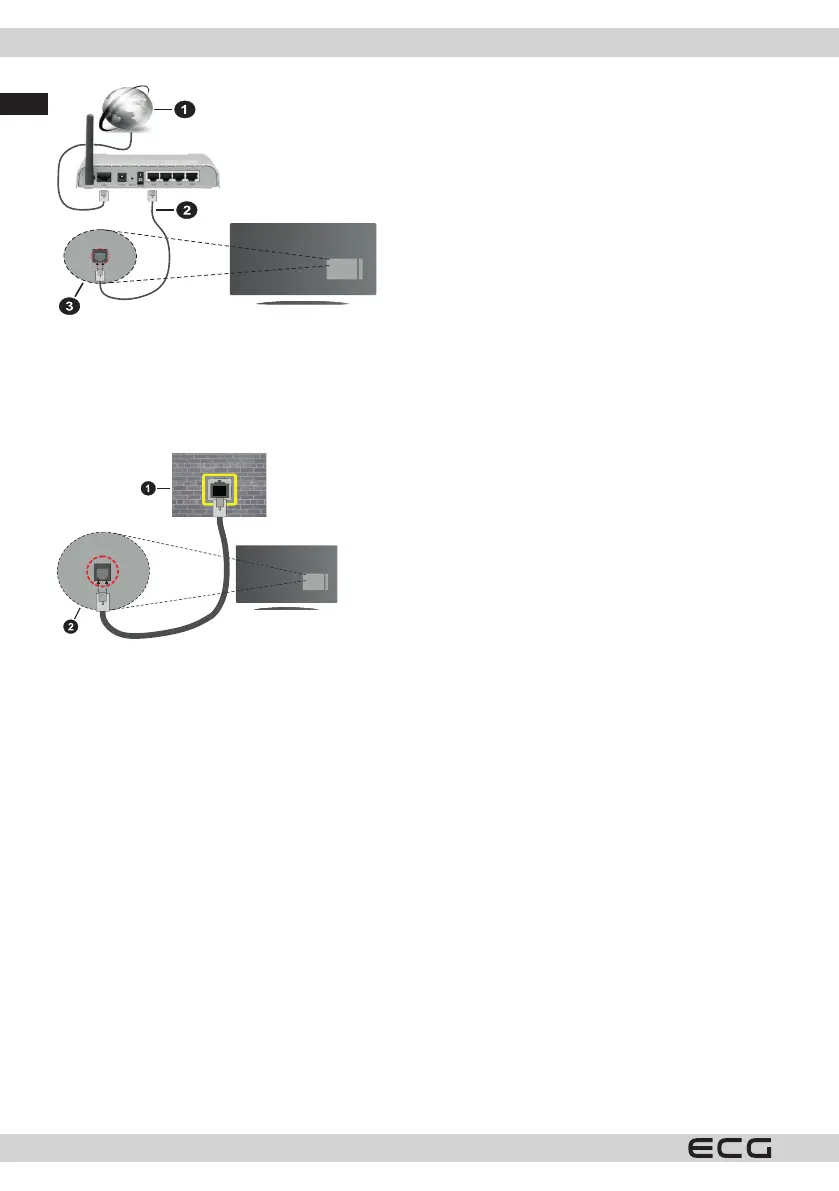
1. Broadband connection to ISP
2. LAN (Ethernet) cable
3. LAN input on the back of the TV
To congure your wired network settings, see the Settings menu for instructions.
• You should be able to connect the TV to your LAN depending on your network conguration. In this case,
use an Ethernet cable to connect the TV directly to a network socket.
1. Network socket
2. LAN input on the back of the TV
Conguring Cable Device Settings
Connection method
The network type can be set to Wired, Wireless or Disabled depending on the active connection to the TV. If you
are connected via Ethernet, set this option to Wired device.



 To Next Page