English
English
6
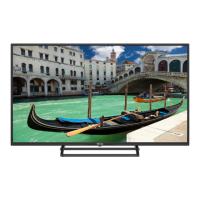
6. Teach children about the dangers of climbing on furniture to reach the TV or its controls.
If you are keeping your existing TV and moving it, the same principles should be followed.
The pictures and illustrations in this manual are for informational purposes only and may dier from
the actual appearance of the product. Product design and specications are subject to change without
notice.
Environmental information
This TV receiver has been designed to be environmentally friendly. To reduce energy consumption, follow
these steps:
If you set Power Saver to Minimum, Medium, Maximum or Auto, the TV will reduce power consumption
accordingly. To set the Backlight to a xed value, set it as Custom and set the Backlight (located under the
Power Saver setting) manually using the left or right button on the remote control. To disable this setting, set
it to O.
Note: The available Power Saver options may vary depending on the Mode selected in Settings > Picture.
You can nd the Energy Saver settings in Settings > Picture. Some image settings cannot be changed.
If you press the Right or Left button, the message "The screen will turn o in 15 seconds" will appear on the
screen. Select Continue and press OK to turn o the screen immediately. If no button is pressed, the display
will turn o after 15 seconds. To switch the picture back on, press any button on the remote control or TV.
Note: The Screen O option is not available when Game mode is set.
When the TV is not in use, switch it o or unplug it from the mains. This will also reduce energy consumption.



 To Next Page