10
Before you start
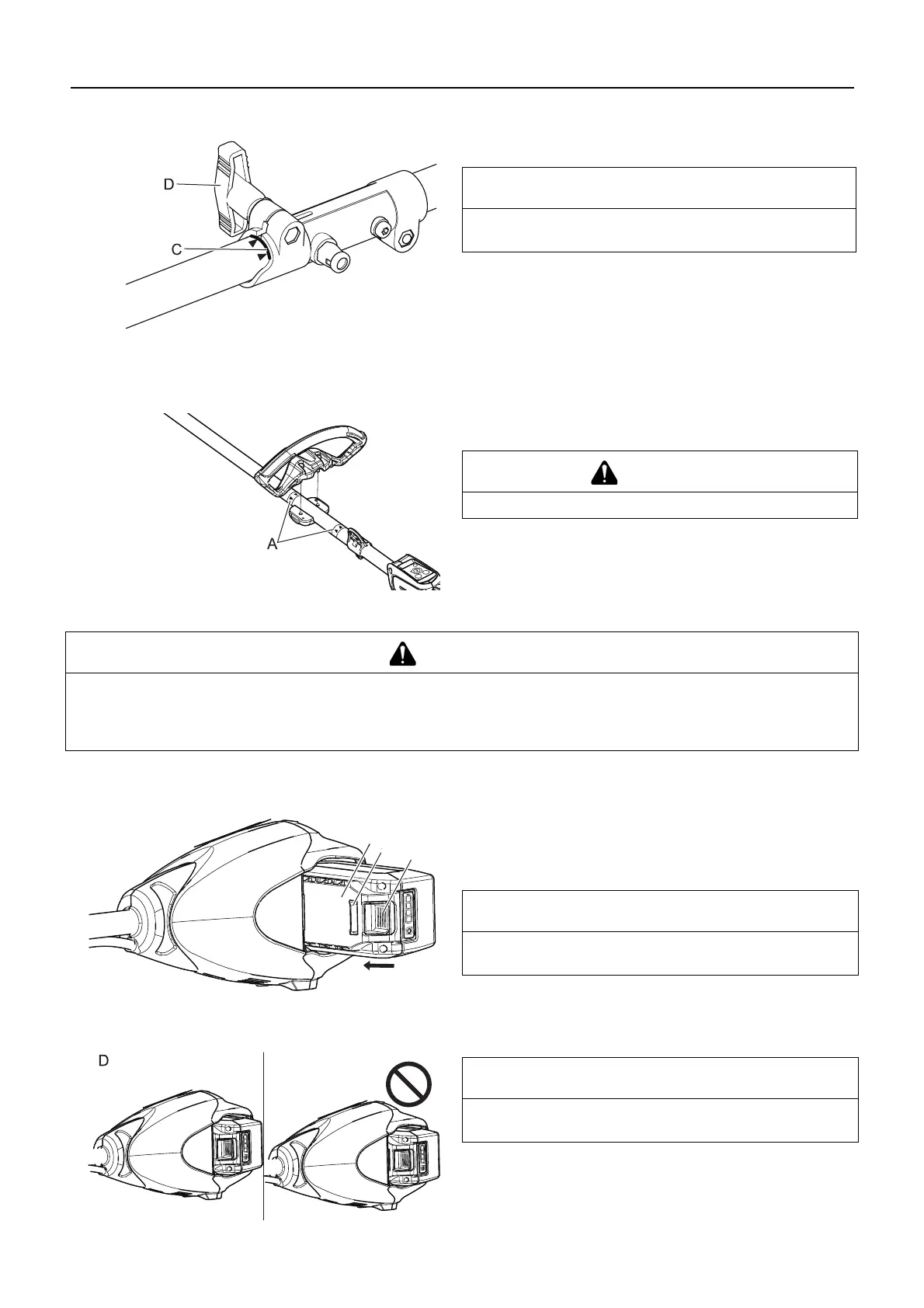
4. Carefully fit attachment drive shaft assembly into coupler (B)
to decal assembly line (C), making sure that the inner lower
drive shaft engages into the square upper drive shaft socket.
5. Rotate locator pin (A) 1/4 turn clockwise to engage lower
shaft hole. Insure locator pin is fully engaged by twisting low-
er drive shaft. Locator pin should snap flush in coupler. Full
engagement will prevent further shaft rotation.
6. Secure lower shaft assembly to coupler by tightening clamp-
ing knob (D).
7. To disassemble, reverse assembly instructions.
Loop handle assembly
Position handle in comfortable operating position and tighten
Bolts.
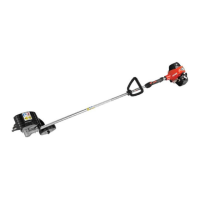
Battery Installation
1. Make sure power to unit is turned off.
2. Align ridges (A) on battery pack with grooves in power head.
Slide battery pack into power head.
3. Assure the battery pack latch (B) snaps into place and bat-
tery pack is secure before beginning operation.
4. To remove battery, depress battery pack latch release (C)
slide battery pack out of power head.
NOTE
Lower bearing housing and head assembly must be in line with
the motor unit.
CAUTION
Install the handle between the marks (A).
WARNING
The attachment will operate when the battery is installed, the power indicator LED is lit, and the trigger and trigger
lockout are engaged. Make sure the unit is properly positioned to prevent loss of control and possible serious injury.
Keep movable parts of the attachment off the ground and away from objects that could become entangled or thrown.
Remove the battery when leave the unit.
NOTE
Battery pack latch is in the complete position when battery
pack latch is correctly engaged.
IMPORTANT
Before using the unit, make sure that battery is set correctly
with battery pack latch in the complete position (D).


 To Next Page