14
Maintenance and care
Maintenance and care
Servicing guidelines
Maintenance and care
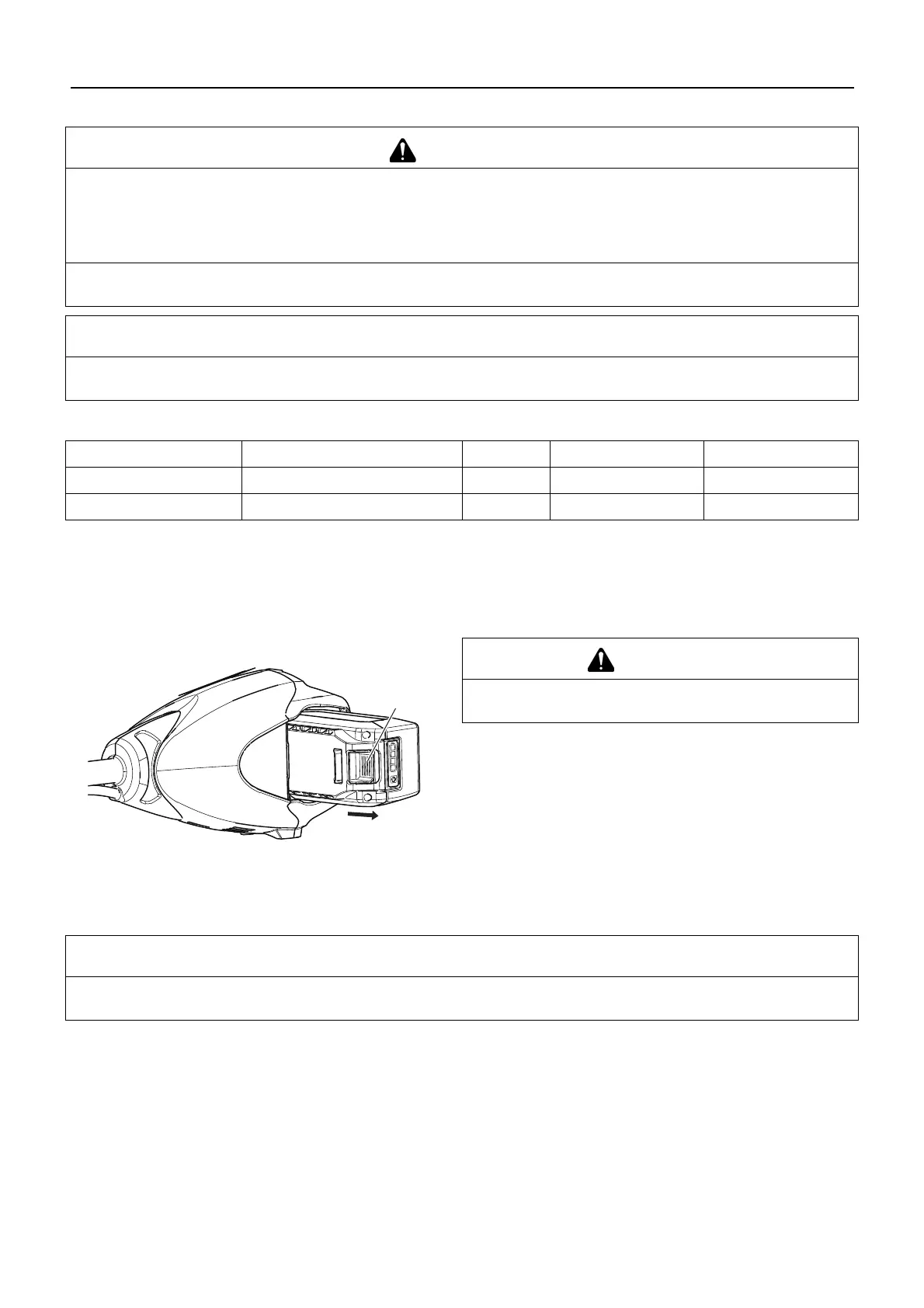
Cleaning battery and battery compartment
1. Release trigger switch and trigger switch lockout and allow
the attachment head to stop.
2. Make sure power indicator LED is not illuminated.
3. Depress battery pack latch release (A) slide battery pack out
of power head.
4. Use compressed air or a soft bristle brush to remove debris
from battery and battery compartment.
Troubleshooting table
WARNING
Observe the following precautions when checking and maintaining your product after use:
Turn power to unit off, remove battery, and make sure all moving parts have come to a complete stop.
An accident could occur if the product starts unexpectedly.
Allow unit to cool before performing service.
You could burn yourself.
Never service damaged battery packs. Service of battery packs should only be performed by the manufacturer or
authorized service providers.
IMPORTANT
Checking and maintenance requires specialist knowledge. If you are unable to check and maintain the product or deal with a
fault yourself, consult your dealer. Do not attempt to dismantle the product.
Area Maintenance Page Before use Monthly
Battery Inspect/Clean/Charge 8 •
Screws, bolts and nuts Inspect, Tighten/Replace - •
If you have any questions or problems, please contact your dealer.
WARNING
Risk of electric shock or fire. Do not use conducting ma-
terials to clean battery or battery compartment.
IMPORTANT
For spare parts and consumables, please use only genuine parts and designated products and components.
Using parts from other manufacturers or non-designated components may result in a malfunction.


 To Next Page