13
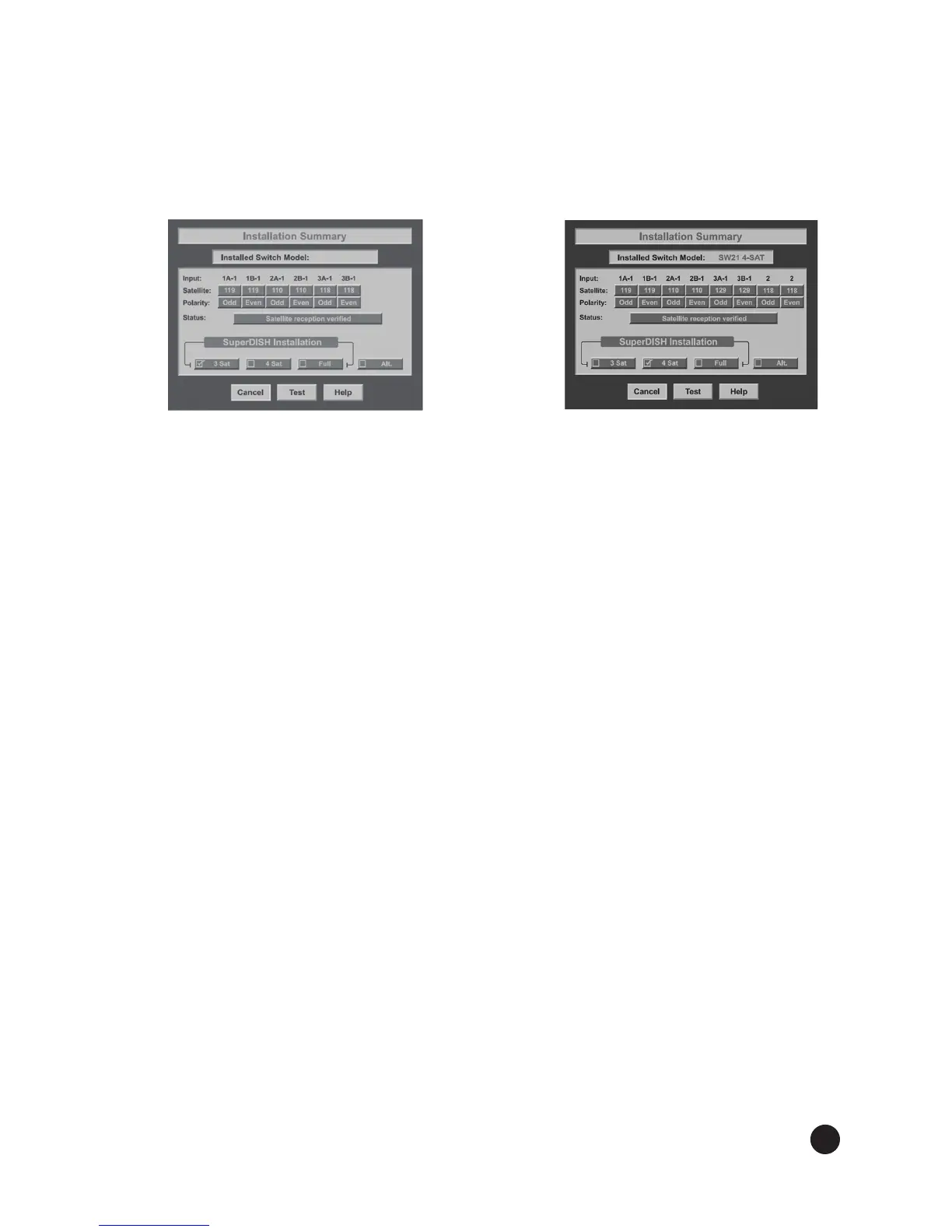
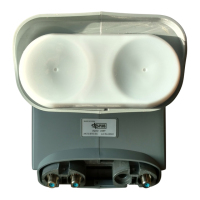
Thesummaryscreensbelow(seeFigures15and16)aresimilartowhatshouldbeshownfora
legacy receiver connected to the DISH 500+ or DISH 1000+. Make sure the summary screen
shows reception from 110°W, 118.7°W, and 119°W (and 129°W for DISH 1000+) satellites on
all available satellite tuners. Select 3 SAT or 4 SAT for DISH 500+ or DISH 1000+ on a legacy
receiver.
Figure 15. DISH 500+ Figure 16. DISH 1000+
Installation Summary Installation Summary
Verify signal strength bar is green and locked. Exit the Installation Summary screen to
display the Point Dish/Signal screen. Make sure the signal strength bar is green and locked for
the 119°W, 110°W, 118.7°W (and 129°W for DISH 1000+) satellites.
Note: You might not see signal from 118.7°W and/or 129°W until you take a software download
and run a check switch in step 10.
Take a software download. Exit the Point Dish/Signal screen and follow the on-screen
instructions for taking a receiver software download. Do not disturb the receiver during the
process of downloading software. If exiting the Point Dish screen does not start the download
process, put the receiver in standby mode for at least 20 minutes (on most receivers) to allow the
receiver to take a software download.
11.
12.


 To Next Page