Familiarization
Section 4
Digital Satellite Receiver Page 4 - 1
© 2001 EchoStar International Corporation
All rights reserved
4
FAMILIARIZATION
1. THE RECEIVER
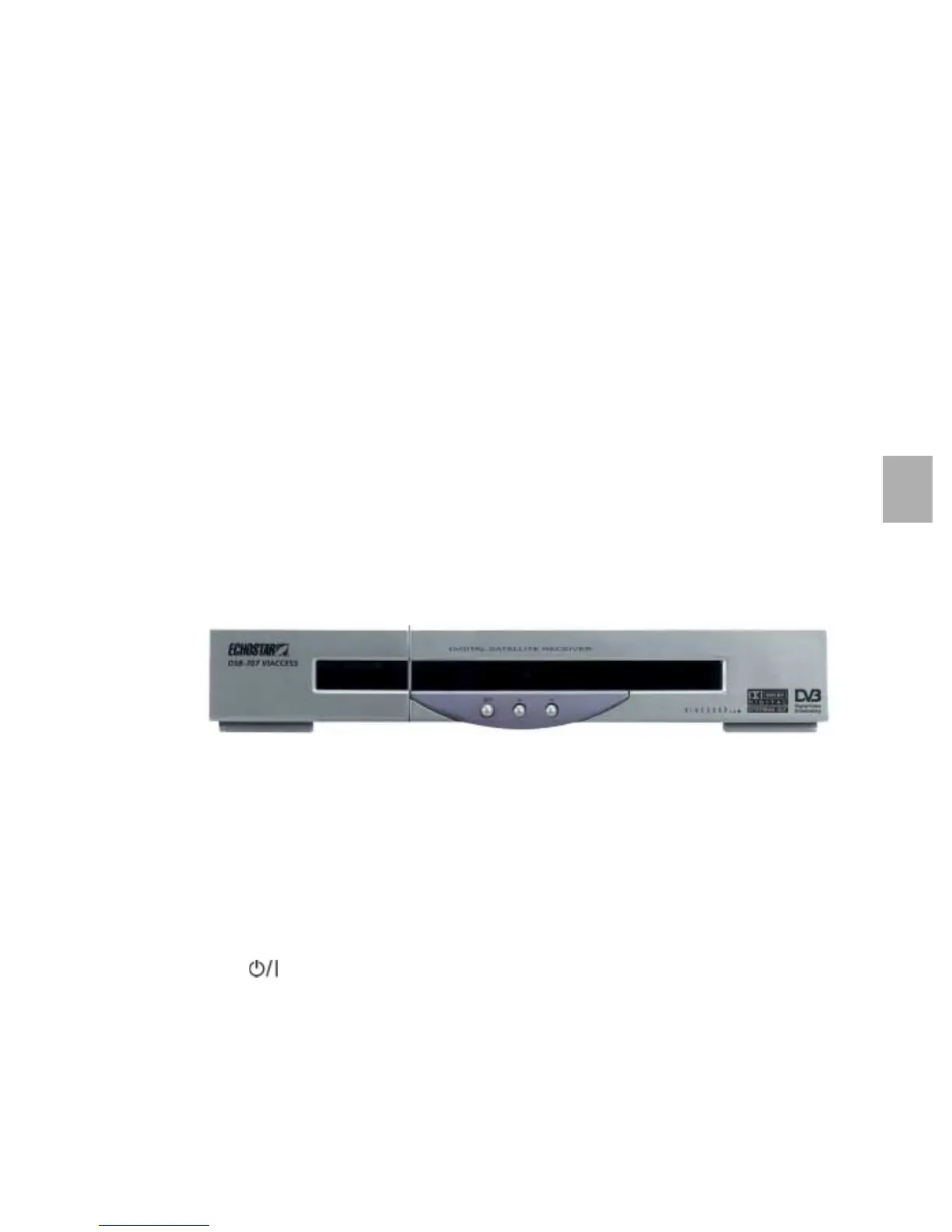
The digital satellite receiver has an embedded Viaccess smart card reader. The front panel
gives you the control over the basic functions. The rear panel gives you various connections
to connect the audio and video equipment as well as a terrestrial and dish antenna.
Ventilation slots in the housing are provided for cooling of the internal electronics.
The software of the receiver contains the EchoNAV user interface with on-screen help, which
gives you easy control over the features of the receiver. The software contains also a large
database of pre-programmed satellites and transponders which are used for a quick
installation. For initial installation, the software guides you through the required setup menu to
allow for an easy and reliable installation setup of the receiver.
FEATURE HIGHLIGHTS
■
EchoNAV Multi-Lingual advanced User Interface (12+ languages);
■ Embedded Viaccess 1.1;
■ 7dayEPG;
■ 4,000 Digital Channels, 100 Satellites, 1,300 Transponders;
■ 8 Favorite Channel Lists for TV and 8 for radio;
■ Powerful Channel Sorting and Grouping;
■ Multiple Scan Modes (incl.Update Scan);
■ Digital Audio Output (Dolby Digital Compatible);
■ DiSEqC 1.2;
■ Software Update via Internet/Satellite.
1.1. THE RECEIVER FRONT PANEL
The front panel has:
■ The display,
to show the actual status of the receiver.
- red LED to indicate standby;
- green LED to indicate ON;
- blinking green LED to indicate software-download in progress (OTA only);
- blinking red-orange-green LED to indicate software-download in progress (PC only).
■ The key,
to switch the receiver to ON or OFF.
■ The arrow up and down keys,
to navigate up and down through the selectable options.
■ The access door,
to access the slot for the embedded Viaccess smart card reader.









 To Next Page